Not every message warrants a meeting, and not every explanation works well as text. Between the synchronous demands of video calls and the limitations of written communication sits an increasingly important category: asynchronous video messaging. Loom has become the leading platform in this space, offering a screen and camera recording tool that lets users create short video messages — product walkthroughs, code explanations, feedback recordings, status updates, and tutorials — that recipients watch on their own schedule. For distributed teams navigating time zones, packed calendars, and meeting fatigue, Loom addresses a genuine communication gap.
Acquired by Atlassian in 2023, Loom now operates alongside tools like Jira, Confluence, Trello, and Bitbucket within the Atlassian ecosystem. This positions Loom as the asynchronous video layer within a broader suite of collaboration tools, with integrations that connect video messages to project management, documentation, and development workflows. Understanding how Loom functions, where it adds real value, and what its limitations are helps teams determine whether asynchronous video fits their communication culture.
What Loom Does
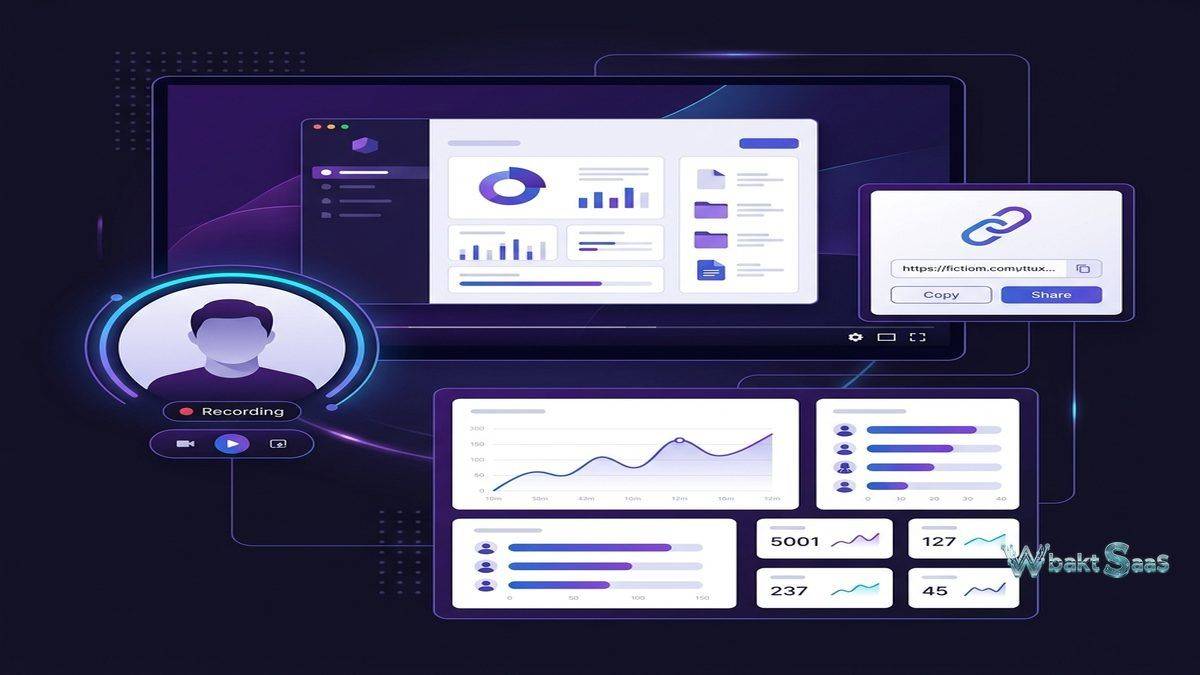
Loom enables users to record their screen, their camera, or both simultaneously, creating video messages that are instantly shareable via link. The recording process is designed for minimal friction: click record, speak and demonstrate, click stop, and receive a shareable link within seconds. No file uploading, video processing delays, or attachment size limits interfere with the workflow. Videos are hosted on Loom’s cloud infrastructure and played through a web-based viewer that requires no software installation for recipients.
The platform operates through a desktop application for Windows and macOS, a Chrome extension for browser-based recording, and mobile applications for iOS and Android. The desktop application provides the fullest recording capabilities, including system audio capture, custom recording dimensions, and drawing tools. The Chrome extension offers convenient recording directly from the browser without switching applications. Mobile apps support camera recording and screen capture from phones and tablets.
Each recorded video receives a unique URL that can be shared through any communication channel — email, Slack, project management comments, documentation pages, or social media. Recipients view the video through Loom’s web player, which includes playback speed controls, video reactions, timestamped comments, and transcription. The viewing experience is designed to be as frictionless as the recording experience — no accounts, downloads, or plugins required to watch.
Core Features
Recording Capabilities
Loom offers three recording modes: screen and camera (showing both screen content and a webcam bubble), screen only (capturing screen activity without camera), and camera only (recording a talking-head video without screen content). The screen and camera mode is Loom’s most distinctive offering, providing the explanatory power of a screen recording with the personal connection of face-to-face communication. The camera bubble can be repositioned, resized, or temporarily hidden during recording.
Recording controls include pause and resume functionality, custom recording area selection (full screen, specific window, or custom dimensions), system audio capture for demonstrations that include application sounds, and drawing tools that let presenters annotate their screen in real-time with highlights, arrows, shapes, and text. Mouse click emphasis automatically highlights cursor clicks during recordings, making it easier for viewers to follow along with demonstrated workflows.
Instant replay allows creators to review and re-record their last segment without starting the entire video over. This reduces the pressure of one-take perfection — if a speaker stumbles on an explanation, they can undo the last portion and re-record just that section. For users who feel self-conscious about video recording, this feature significantly reduces the barrier to creating polished content without formal editing skills.
Video Editing
Loom includes built-in editing tools that handle common post-recording adjustments without requiring external video editing software. Trimming removes unwanted sections from the beginning, middle, or end of recordings. Stitching combines multiple separate recordings into a single video. Speed adjustment allows creators to change playback speed for specific portions — speeding through setup steps or slowing down for complex explanations. Filler word removal automatically detects and removes verbal hesitations (“um,” “uh,” “like”) that can make casual recordings feel less polished.
These editing capabilities are intentionally lightweight. Loom is not designed as a video production tool — it targets the space between completely unedited screen recordings and professionally produced video content. The editing features reduce the most common quality issues (dead air, verbal fillers, unnecessary sections) without requiring users to learn video editing software or spend significant time in post-production.
Viewer Experience
The Loom viewer provides a clean playback interface with features that enhance the watching experience. Playback speed controls allow viewers to watch at 1x, 1.5x, 2x, or 0.5x speed — a particularly useful feature for technical walkthroughs that viewers want to follow along with at their own pace. Auto-generated transcriptions display alongside the video, making content searchable and accessible for viewers who prefer reading or who are in environments where audio playback is not practical.
Emoji reactions let viewers respond to specific moments in the video, providing creators with lightweight feedback without requiring written comments. Timestamped comments allow detailed feedback tied to exact moments in the recording — a viewer can comment “The button you clicked at 2:34 doesn’t appear in my version” and the creator immediately understands the context. Call-to-action buttons can be added at the end of videos, directing viewers to related resources, survey links, or next steps.

Analytics and Engagement Tracking
Loom provides detailed analytics for each recorded video: total view count, unique viewers, average watch percentage, viewer-by-viewer engagement data, and drop-off points where viewers stop watching. These analytics serve different purposes for different users. Sales professionals use engagement data to identify which prospects watched their pitch videos completely versus those who dropped off early. Training creators use watch percentage data to identify confusing sections that cause viewers to stop. Team leads use view tracking to confirm that important update videos have been watched by all team members.
Workspace-level analytics aggregate viewing data across all team videos, providing organizational insights into how asynchronous video is being used and consumed. This data helps teams evaluate whether their investment in video communication is delivering value — if video completion rates are consistently low, it may indicate that videos are too long, poorly targeted, or addressing topics that would be better communicated through other channels.
Use Cases
Product Walkthroughs and Demos: Product managers, designers, and engineers create quick video walkthroughs of new features, bug reproductions, or design mockups. These recordings provide richer context than screenshots with annotations and avoid the scheduling overhead of live demo meetings. A designer can record a 3-minute walkthrough of a prototype and share it with stakeholders across time zones, each watching when convenient.
Code Reviews and Technical Explanations: Developers record screen-share explanations of code changes, architectural decisions, or technical approaches. Walking through code while explaining reasoning provides deeper context than written pull request comments alone. New team members particularly benefit from recorded technical explanations that they can rewatch as their understanding deepens.
Sales Outreach: Sales representatives create personalized video messages for prospects, replacing generic email templates with visual demonstrations of how their product addresses the prospect’s specific situation. Engagement analytics reveal which prospects watched the video and for how long, informing follow-up prioritization.
Customer Support: Support teams create screen-recorded solutions showing customers exactly how to resolve their issues. Visual step-by-step demonstrations are often more effective than written instructions for complex software workflows. Recording solutions also builds a reusable library — when multiple customers encounter the same issue, existing video solutions can be shared without recreating explanations.
Team Updates and Standups: Instead of scheduling synchronous standup meetings that force time-zone compromises, team members record brief update videos covering their progress, blockers, and plans. Each person records at a convenient time, and the team watches asynchronously. This pattern reclaims meeting time while maintaining the visibility that standups provide.
Training and Onboarding: New employee onboarding benefits from recorded process walkthroughs, tool tutorials, and cultural orientation videos that new hires can watch at their own pace. Unlike live training sessions that happen once and require note-taking, recorded training content can be rewatched whenever clarification is needed.
Workspace Management
Loom organizes videos within team workspaces using folders and tags. Creators can organize their recordings into topical folders — product updates, team announcements, client communications, training materials — making it easy for team members to find relevant content without scrolling through a chronological feed. Folder sharing allows teams to access curated collections of videos relevant to their function or project.
Password protection and link expiration settings provide control over video access. Sensitive internal communications can be password-protected to prevent unintended viewing. Expiring links ensure that time-sensitive content becomes inaccessible after a defined period, useful for limited-time offers, confidential announcements, or draft content shared for review. Custom domain embedding allows organizations to restrict video viewing to their corporate domain, preventing external access entirely.
Team libraries aggregate all workspace videos into a searchable, browsable collection. Transcription-based search allows team members to find videos based on spoken content — searching for “quarterly budget” surfaces videos where those words were spoken, even if the video title does not mention budgets. For organizations building internal knowledge libraries, this content-level search transforms scattered video messages into a searchable video knowledge base.
Best Practices for Effective Loom Usage
The effectiveness of asynchronous video communication depends significantly on recording habits and organizational culture. Teams that achieve the most value from Loom typically adopt several practices:
Keep recordings focused and concise. Videos under five minutes receive significantly higher completion rates than longer recordings. If a topic requires more than five minutes, breaking it into clearly titled segments allows viewers to watch relevant portions without committing to a long viewing session. Starting with the key point or conclusion — rather than building up to it — respects viewers’ time and ensures the most important information is received even if the video is not watched completely.
Use descriptive titles and clear structure. A video titled “Q3 Marketing Campaign Results — Key Metrics and Next Steps” is immediately useful in a team library. A video titled “Quick update” provides no context and will be difficult to find later. Including timestamps in the video description for different topics within longer recordings helps viewers navigate to relevant sections.
Establish team norms around response expectations. Without clear expectations, some team members may feel pressured to watch and respond to Looms immediately, defeating the asynchronous benefit. Establishing norms — such as “Loom responses expected within 24 hours unless marked urgent” — preserves the asynchronous advantage while maintaining accountability.
Review recordings before sharing. A quick review catches accidental sensitive information exposure, verbal mistakes, or unnecessary tangents. The few minutes spent reviewing typically save more time than recipients would spend watching a less focused recording.
Integrations
Loom integrates with the tools where teams communicate and collaborate. Slack integration allows Loom links to unfurl with embedded previews, and users can record Looms directly from Slack. Notion embedding displays Loom videos inline within Notion pages. Gmail integration adds a record button to the email compose window. Jira, Confluence, and Trello integrations (strengthened by the Atlassian acquisition) embed Loom recordings within project management and documentation contexts.
The Loom SDK and API enable custom integrations for organizations building Loom recording and viewing capabilities into their own products or internal tools. Education platforms can embed Loom recording directly into their learning management systems, allowing instructors to create video explanations without leaving the teaching interface. Customer support platforms can integrate Loom viewing within ticket interfaces, displaying relevant training videos alongside support requests. Browser-based recording through the Chrome extension works within any web application, providing informal integration even where dedicated connections do not exist.
Pricing
Loom offers a free tier with recording length limits and limited storage. Paid plans extend recording duration, add advanced editing tools, unlock detailed analytics, increase workspace storage, and provide administrative controls. Business and Enterprise plans include custom branding, advanced security features, SSO, and dedicated support.
The per-creator pricing model means that organizations pay for users who record videos, while viewers are unlimited and free. This pricing structure makes Loom cost-effective for organizations where a subset of members create videos that the broader organization consumes.
Pricing and features are subject to change. Please verify current plan details on the official Loom website before making purchasing decisions.
Limitations
- Not a replacement for real-time discussion: Asynchronous video works well for explanations and updates but poorly for negotiations, brainstorming, and discussions requiring rapid back-and-forth. Teams still need synchronous communication tools alongside Loom.
- Recording quality depends on the creator: Without presentation skills practice, some users produce unfocused, overly long recordings that viewers struggle to engage with. The tool is only as effective as the communication habits of the people using it.
- Free tier limitations: Recording length caps and storage limits on the free plan restrict heavy users. Teams evaluating Loom for widespread adoption should plan for paid tier costs.
- Privacy considerations: Screen recordings may inadvertently capture sensitive information — notifications, browser tabs, personal content — that the creator did not intend to share. Users must develop awareness of what is visible during recording.
- Not suitable for long-form content: Loom is optimized for short to medium-length messages. Extended training content or detailed documentation is better served by dedicated video production and learning management platforms.
Summary
Loom fills a genuine communication gap that text, images, and meetings cannot fully address. The ability to quickly record a screen walkthrough with voice explanation, share it via link, and track viewer engagement creates a communication channel that is more expressive than text, more convenient than meetings, and more permanent than phone calls. For distributed teams, teams spanning multiple time zones, and organizations seeking to reduce meeting overhead, Loom provides a practical solution to a real problem.
The platform’s emphasis on accessibility features — automatic transcription, closed captions, and adjustable playback speeds — ensures that video content remains accessible to viewers with different needs and preferences. Transcriptions also make video content discoverable through search, addressing the traditional weakness of video as a non-searchable communication medium. These accessibility features benefit all users, not just those with specific accessibility requirements, by providing flexible consumption options that match different viewing contexts.
Asynchronous video communication tools such as Loom, Vidyard, Screencastify, and CloudApp each approach the category with different feature sets and target audiences. Loom’s combination of recording simplicity, viewer experience, engagement analytics, and growing Atlassian ecosystem integration positions it as the market leader in this category. Teams evaluating whether asynchronous video fits their communication culture should start with Loom’s free tier to test adoption patterns and measure whether video messages genuinely reduce meeting volume and improve communication clarity before committing to paid plans for the broader organization.
Features, pricing, and availability discussed in this review reflect information available at the time of writing. Software products evolve continuously, and details may have changed since publication. Please verify current information directly on the official Loom website. WBAKT SaaS is an independent review platform with no affiliate relationships with any software company mentioned in this article.
For related communication tools, explore our reviews of Zoom video conferencing, Slack team communication, and Notion workspace platform.
About the Author