Visual-first social media platforms — Instagram, Pinterest, TikTok — require different planning and scheduling approaches than text-centric platforms. Planning visual content requires seeing how images and videos will appear in the feed, understanding visual consistency across sequential posts, carefully managing the overall aesthetic coherence that audiences increasingly expect from brands on visual social media platforms. Later was intentionally designed and built specifically for visual content planning from its inception, providing a unique media-first approach to social media scheduling and content management to social media scheduling that puts images and videos at the center of the planning workflow rather than treating them as attachments to text-based posts.
Founded in 2014 as Latergramme and initially focused exclusively on Instagram scheduling, Later has strategically expanded into a comprehensive multi-platform social media management and publishing tool supporting Instagram, Facebook, Twitter/X, Pinterest, TikTok, and LinkedIn. Despite this expansion, the platform retains its visual-first design philosophy — the media library, visual calendar, and feed preview features reflect Later’s origins as an Instagram planning tool. Understanding Later’s capabilities helps social media managers and content creators evaluate whether this visually-oriented scheduling approach serves their content planning workflow better than text-centric alternatives like Hootsuite or Buffer.
Visual Content Calendar
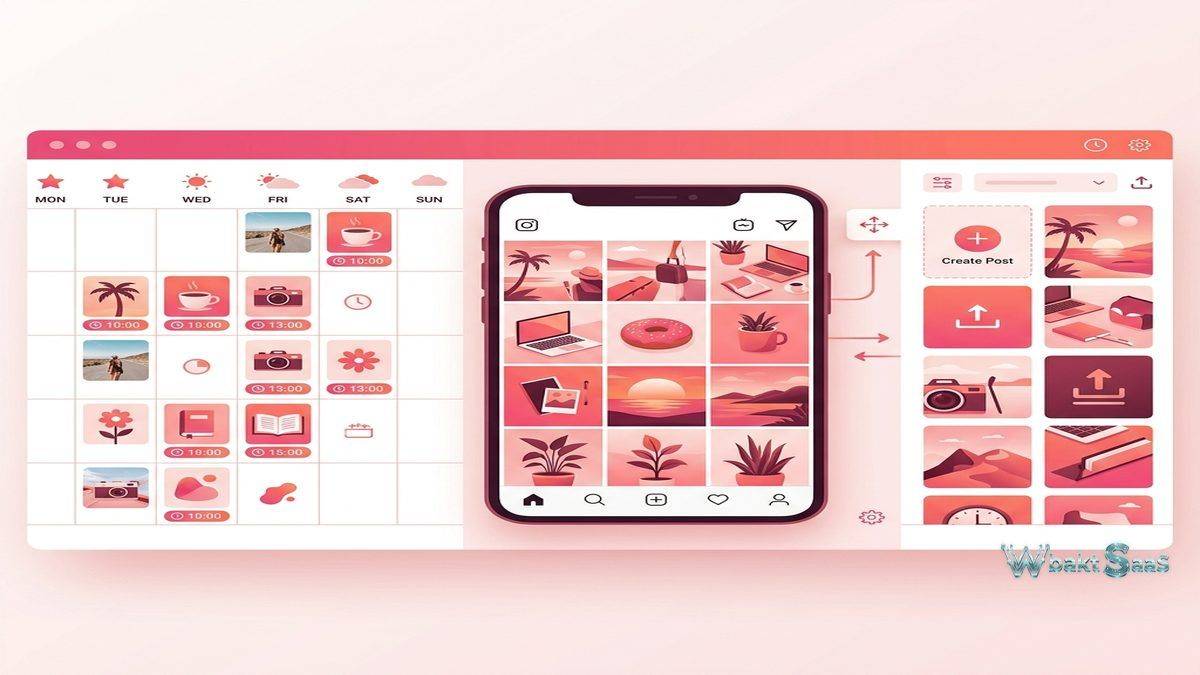
Later’s content calendar displays scheduled posts as visual thumbnails rather than text entries, providing a comprehensive at-a-glance view of what the social media feed will look like over the coming publication period over the coming days and weeks. This visual calendar approach is particularly valuable for brands that maintain curated visual aesthetics — fashion brands, food businesses, travel companies, photographers, designers — where the visual consistency of the feed is as important as the content of individual posts.
Drag-and-drop scheduling moves media from the library onto the calendar, attaching it to specific dates and times. The visual nature of this interaction makes content planning feel intuitive — selecting images from the library and placing them on the calendar mimics the physical planning boards that many social media managers used before digital tools existed. Multi-platform scheduling publishes the same content across connected social profiles with platform-specific customization for captions, hashtags, and formatting.
Media Library
The centralized media library stores all images, videos, and visual assets that are available for social media posting. Media upload supports bulk imports from desktop, Dropbox, and Google Drive. Labeling and starring organize media for efficient retrieval — labels group content by campaign, topic, product line, or content type, while starring highlights priority assets for upcoming scheduling. Usage tracking shows which media has been posted and which remains unused, preventing accidental reposting and identifying unposted assets that may have been overlooked.
Media notes and internal comments attach context to assets — photographer credits, usage rights, caption drafts, campaign associations — keeping important information connected to the visual assets they reference rather than scattered across separate documents and communication channels.
Instagram Visual Planner
Later’s Instagram Visual Planner provides a preview of how the Instagram grid will look with scheduled posts arranged in their planned publishing order. The grid preview reveals visual patterns, color conflicts, and aesthetic inconsistencies before they reach the live profile. Social media managers can rearrange post order within the planner to optimize the grid’s visual flow — ensuring that adjacent posts create pleasing color transitions, maintaining variety in content types, and preventing similar images from appearing side by side.
Instagram Stories and Reels scheduling extends planning capabilities beyond feed posts to the ephemeral and short-form video content formats that increasingly dominate Instagram engagement. Stories scheduling includes reminder notifications (as some content types require manual posting through the Instagram app) and visual preview of story sequences.
Linkin.bio
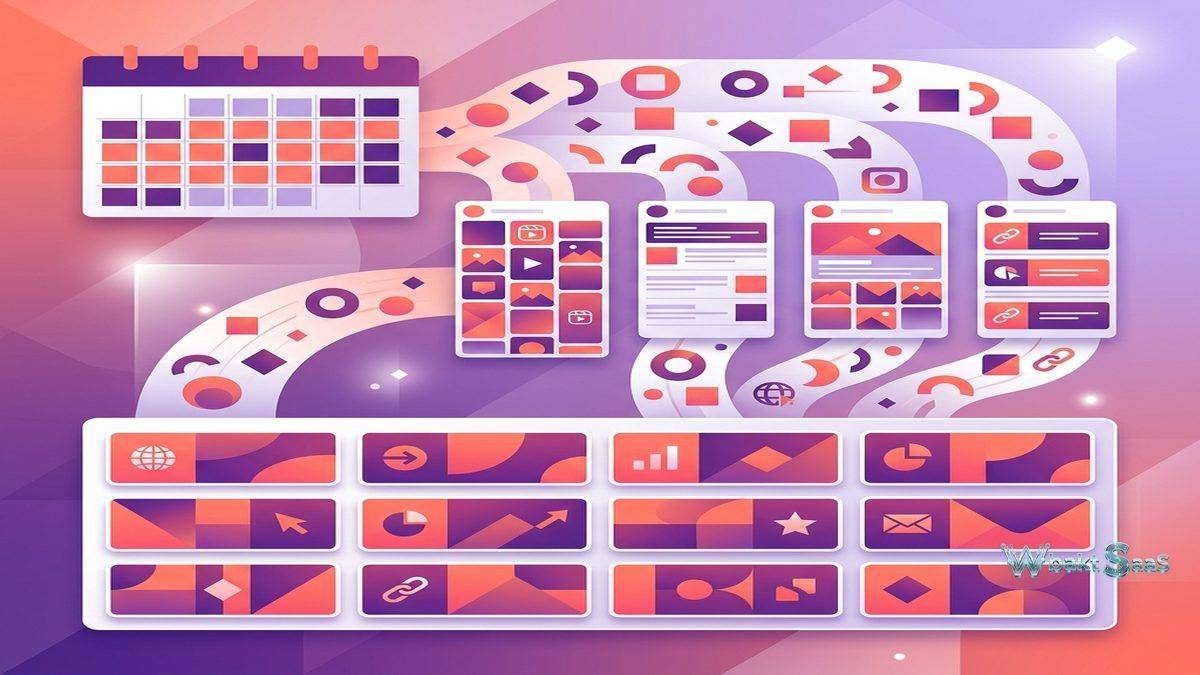
Later’s Linkin.bio creates a clickable landing page that mirrors the Instagram feed, transforming each post into a clickable link. Because Instagram limits profile links to one URL, Linkin.bio provides a bridge between Instagram content and the websites, products, blog posts, and campaigns that individual posts promote. When users click the Linkin.bio URL from an Instagram profile, they see a page displaying recent posts — clicking any post takes them to the specific URL associated with that content.
Linkin.bio analytics track clicks by post, showing which Instagram content drives the most link traffic. This click attribution data reveals which content types, topics, and visual styles generate the strongest audience interest in clicking through to external destinations — information that informs both content strategy and the commercial value of different Instagram content approaches.
Customization options include adding custom buttons, branding colors, and featured banner images to the Linkin.bio page, creating a branded experience that extends the Instagram aesthetic beyond the platform itself. Shopify integration enables product tagging within Linkin.bio posts, connecting Instagram content directly to e-commerce product pages for shoppable social media experiences.
Analytics
Later Analytics provides performance metrics for connected social profiles: engagement rates, follower growth, best posting times, top-performing content, and audience demographics. Best Time to Post analysis examines when followers are most active and when posts historically receive the highest engagement, suggesting optimal posting schedules personalized for each connected profile rather than applying generic best-time recommendations.
Instagram analytics include Stories performance metrics — views, replies, exits, and navigation interactions — alongside feed post and Reels analytics. Cross-platform analytics compare performance across connected platforms, showing which content performs strongest on each channel and informing content distribution strategy decisions about which platforms deserve increased investment. Audience demographic data shows the age, gender, and location distribution of followers, helping content teams verify that their audience composition matches their target market profile and adjusting content strategy when demographic skew indicates misalignment between content and intended audience.
User-Generated Content
Later’s UGC tools help brands discover, collect, and schedule user-generated content that features their products or brand. Hashtag and mention monitoring identifies content created by customers and community members that the brand might want to reshare. Content rights management requests permission from original creators before reposting, ensuring legal compliance and maintaining positive community relationships. UGC scheduling integrates discovered content directly into the content calendar alongside original brand content.
Hashtag Suggestions
Later’s hashtag tools suggest relevant hashtags based on entered keywords, showing each hashtag’s popularity and competitiveness. Saved hashtag groups store commonly used hashtag combinations for rapid application to new posts. Hashtag analytics track which hashtags drive the most reach and engagement, enabling data-driven hashtag strategy refinement. First comment hashtag posting places hashtags in the first comment rather than the caption, maintaining caption cleanliness while preserving discoverability — a formatting preference common among Instagram-focused brands.
Conversations
Later Conversations consolidates social media comments and messages from connected platforms into a unified inbox. Comment management enables responding to audience interactions from within Later rather than switching between platform-native apps. Quick-reply templates accelerate response times for common questions and comments. Conversation assignment routes specific interactions to appropriate team members based on topic, language, or customer type.
Creator and Influencer Tools
Later provides features specifically designed for content creators and influencers: media kit generation, brand collaboration management, and creator-specific analytics that demonstrate audience reach and engagement to potential brand partners. These creator-focused features reflect Later’s strong adoption among individual creators and small businesses in visual-first industries.
Pinterest Scheduling
Later’s Pinterest scheduling enables planning and publishing pins with visual preview, board selection, and optimal timing based on audience activity patterns. Pin scheduling supports standard pins, idea pins, and video pins across multiple Pinterest boards. Pinterest analytics within Later track pin performance, board engagement, and audience growth, providing the same scheduling and analytics integration for Pinterest that the platform provides for Instagram.
TikTok Scheduling
TikTok scheduling enables planning short-form video content within the same visual calendar used for other platforms. TikTok-specific scheduling considers the platform’s unique content characteristics — trending audio integration, challenge participation timing, and the algorithmic content discovery patterns that determine TikTok reach. Video preview within the calendar shows how TikTok content fits within the broader multi-platform publishing schedule.
Auto Publish
Auto Publish automatically publishes scheduled content at the designated time without requiring manual intervention. For platforms that support direct API publishing, content goes live automatically. For content types or platforms that require manual posting (such as certain Instagram post types), Later sends push notification reminders to the mobile app at the scheduled time with pre-loaded content ready for manual publishing. This hybrid approach maximizes automation while accommodating platform API limitations that prevent fully automated publishing for some content types.
Mobile App
Later’s mobile app provides on-the-go content management including media capture, caption writing, scheduling, and analytics review. Mobile media capture enables photographing content and adding it directly to the media library from the mobile device. Push notification reminders alert users when scheduled content requires manual posting through the native platform app. The mobile experience enables social media managers to maintain publishing schedules and respond to performance trends even when away from their desktop workstation.
Team Collaboration
Team features enable multiple users to collaborate on content planning, creation, and scheduling. User roles control access levels — contributors can create and schedule content, managers can approve and publish, and administrators can manage account settings and team permissions. Content approval workflows route scheduled posts through designated approvers before publication, ensuring that all published content meets brand standards and receives appropriate review before reaching the audience. Notes and comments on scheduled posts enable team communication within the content calendar context.
Content Ideas and Inspiration
Later’s Collect feature enables saving content inspiration from across the web — images, posts, articles, and visual references — into the Later platform for future content planning. Saved inspiration serves as a reference library for content creation sessions, ensuring that creative ideas captured during browsing are accessible during content planning sessions rather than lost in bookmarks or screenshots.
Integrations
Later integrates with Canva for in-platform graphic design, enabling users to create social media graphics directly from the Later interface without switching to a separate design tool. Unsplash integration provides access to free stock photography for posts that need supplementary visual content. Shopify integration connects e-commerce product catalogs with Linkin.bio and social post planning. Google Drive and Dropbox integration enables importing media from cloud storage directly into the Later media library.
Common Use Cases
Instagram-First Brands: Brands whose primary social presence is Instagram use Later to plan visual grids, schedule posts and Stories, manage Linkin.bio for link sharing, and analyze Instagram performance metrics to optimize their content strategy.
Visual Content Creators: Photographers, designers, artists, and lifestyle content creators use Later’s visual planning tools to maintain curated feeds that reflect their creative identity and attract audience engagement. Creator-specific features like media kit generation support monetization through brand partnerships.
E-commerce Social Marketing: Online retailers use Later to schedule product photography, manage shoppable Linkin.bio pages, discover UGC from customers, and drive traffic from visual platforms to product pages. Shopify integration creates direct connections between social content and product catalogs.
Small Business Marketing: Small businesses with limited marketing resources use Later’s streamlined interface to maintain consistent social posting across multiple platforms without the complexity of enterprise social media management tools. The free plan provides an accessible entry point for businesses beginning their social media journey.
Agency Content Management: Social media agencies managing multiple client accounts use Later to plan, schedule, and analyze content across clients while maintaining separate brand identities and calendar management for each client account.
Restaurant and Food Industry: Restaurants, cafes, and food brands use Later to plan visually appealing food photography grids, schedule seasonal menu content, and build community through UGC featuring customer dining experiences and recipe recreations.
Travel and Hospitality: Travel brands, hotels, and tourism organizations use Later’s visual planning to curate destination-focused content grids, schedule travel inspiration content across multiple platforms, and leverage UGC from travelers who share their experiences.
Pricing
Later offers a free plan with limited scheduling capacity for individual users — typically allowing a small number of posts per platform per month. Paid plans — Starter, Growth, and Advanced — progressively increase the number of social profiles, scheduled posts, analytics depth, team features, and Linkin.bio customization capabilities. Each paid tier unlocks additional analytics depth and content management features. Annual billing provides savings compared to monthly payment options.
Pricing and features are subject to change. Please verify current plan details on the official Later website before making purchasing decisions.
Limitations
- Visual focus: The platform’s visual-first design serves Instagram, Pinterest, and TikTok well but may feel less natural for text-centric platforms like Twitter/X and LinkedIn.
- Enterprise features: Later’s feature set targets small-to-medium businesses and creators. Enterprise teams may need more advanced workflow, approval, and governance features than Later currently provides.
- Social listening: Later does not include social listening or brand monitoring capabilities. Organizations needing mention tracking and sentiment analysis require additional specialized tools.
- Analytics depth: While analytics have improved significantly, the depth may not match enterprise platforms like Sprout Social or Hootsuite for complex reporting needs.
- Platform coverage: While Later supports major visual platforms, coverage for emerging platforms may lag behind competitors with larger development teams and broader platform strategy.
Summary
Later provides a visual-first social media scheduling platform that excels for Instagram-centric brands, content creators, and organizations that prioritize visual content quality and aesthetic consistency in their social media presence. The combination of visual calendar, Instagram grid planner, Linkin.bio, UGC tools, and hashtag management addresses the specific workflow needs of visual content marketers who think in images and videos rather than text updates.
The platform’s evolution from Instagram-only scheduling to multi-platform management reflects the broader trend of visual content becoming central to social media strategy across all platforms. Later’s visual-first design philosophy provides a planning experience that feels natural for visual content workflows — an advantage that text-first scheduling tools cannot replicate even when they add visual preview features as secondary capabilities.
Later’s positioning in the social media management landscape serves a distinct market segment — visual-first brands, individual creators, small businesses, and e-commerce companies — that differs from the enterprise segment served by Hootsuite and Sprout Social. This focused positioning enables Later to optimize its feature set for visual content planning workflows rather than diluting the experience with enterprise features that its target audience does not require.
Social media scheduling platforms including Later, Hootsuite, Buffer, Sprout Social, and Planoly each approach social media management with different design philosophies and audience focuses. Later’s advantages center on visual planning tools, Instagram grid preview, Linkin.bio link management, and the creator-friendly features that serve individual content creators alongside brand social media teams. Organizations evaluating social scheduling platforms should consider whether visual-first planning or comprehensive multi-platform management better serves their social media strategy priorities.
Features, pricing, and availability discussed in this review reflect information available at the time of writing. Software products evolve continuously, and details may have changed since publication. Please verify current information directly on the official Later website. WBAKT SaaS is an independent review platform with no affiliate relationships with any software company mentioned in this article.
For related social media tools, see our reviews of Buffer content scheduling, Hootsuite social management, and Sprout Social dashboard.
About the Author