Sales-focused CRM platforms face a fundamental design tension: they must systematically capture enough data to provide organizational visibility and reporting while remaining simple enough that busy sales representatives actually use them consistently. Many CRM platforms resolve this tension by prioritizing data capture at the expense of usability, creating complex systems that serve management reporting needs but become administrative burdens for the frontline sales professionals who must use them daily. Pipedrive approaches this fundamental design challenge directly from the sales representative’s perspective, building a CRM around the visual pipeline metaphor that mirrors how salespeople naturally think about their deals and daily priorities.
Founded in 2010 by a team of experienced sales professionals and developers, Pipedrive was designed by salespeople for salespeople — a meaningful distinction that shapes every single aspect of the platform’s design philosophy. The visual pipeline interface, activity-based selling methodology, and streamlined workflow reflect real-world selling experience rather than theoretical CRM design. Pipedrive serves primarily small and medium-sized businesses with sales teams ranging from individual representatives to teams of several hundred, providing professional-grade CRM capabilities without the significant implementation complexity, lengthy deployment timelines, and cost that enterprise platforms like Salesforce require. Comprehensively understanding Pipedrive’s capabilities helps sales teams evaluate whether this pipeline-centric, activity-driven approach to CRM aligns with their selling process and team workflow preferences.
Visual Sales Pipeline
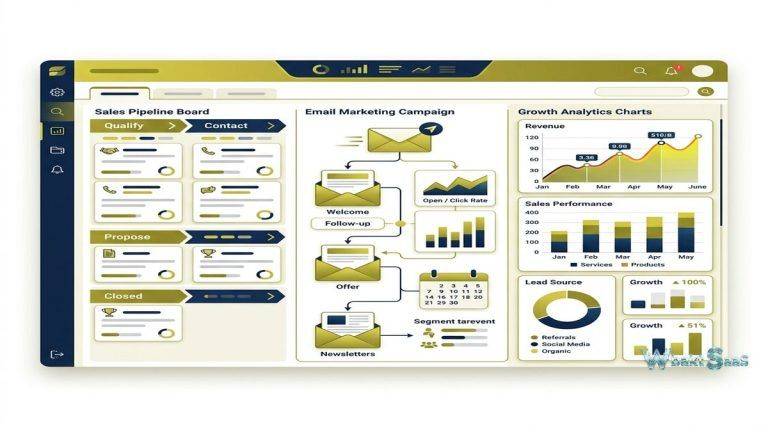
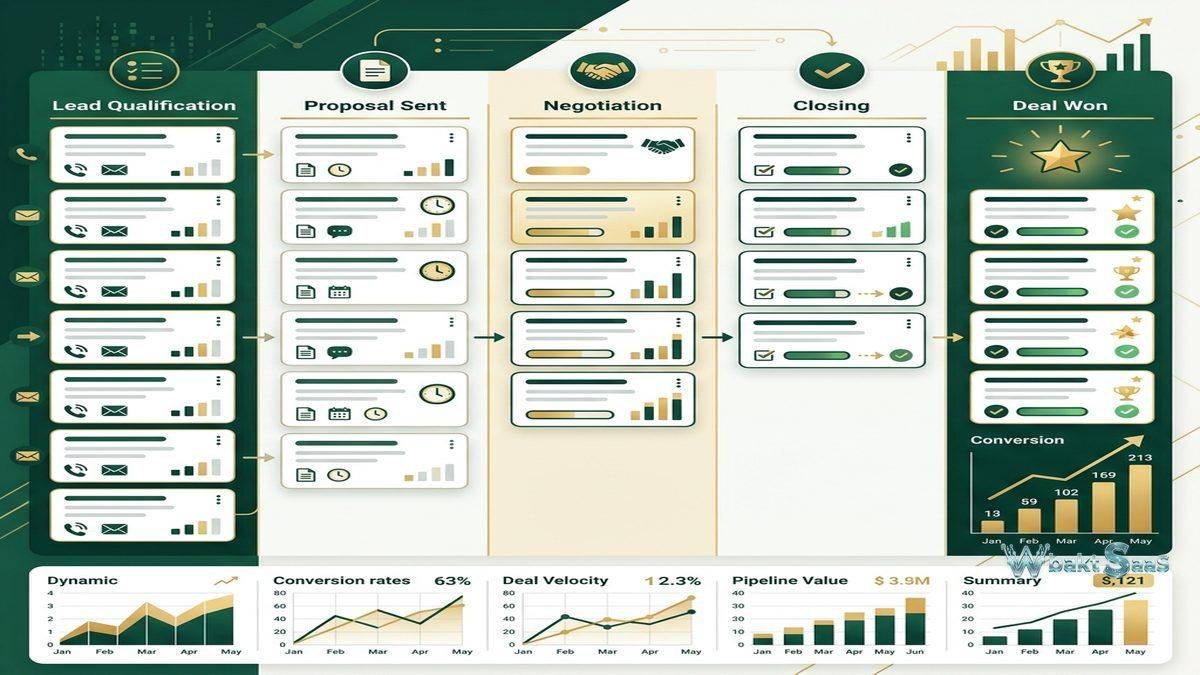
Pipedrive’s visual pipeline is the platform’s defining interface — a kanban-style board where deals appear as cards that move through stages from left (initial contact) to right (closed won or lost). The visual representation provides immediate pipeline health assessment: pipeline value at each stage, deal volume distribution across stages, stale deals that have not progressed, and the overall shape of the sales funnel. Dragging deals between stages updates deal progress with a single gesture, making pipeline management feel natural and efficient rather than administratively burdensome.
Multiple pipelines support different sales processes for different products, services, markets, or business units. Each pipeline has independently customizable stages that reflect the specific selling process it represents. Pipeline-level metrics show total value, average deal size, conversion rates between stages, and average time at each stage — providing the quantitative foundation for sales process analysis and improvement.
Deal cards display configurable information — deal value, contact name, company, expected close date, and custom fields — providing contextual information at a glance without requiring clicking into individual deal records. Color-coded indicators highlight deals requiring attention: overdue activities, stale deals without recent activity, and deals approaching their expected close date create visual urgency signals that keep the pipeline actively managed.
Activity-Based Selling
Pipedrive’s core philosophy centers on activity-based selling — the principle that successful sales outcomes result from disciplined and consistent execution of the right selling activities at the right frequency (calls, emails, meetings, proposals) rather than from focusing on outcomes that salespeople cannot directly control. The platform emphasizes scheduling and completing activities as the primary driver of sales success, with the pipeline serving as the scoreboard that reflects activity effectiveness.
Activity reminders and scheduling ensure that every deal has a next scheduled activity, preventing deals from going silent and falling through the cracks. The “Activities” view provides a task-oriented perspective of the workday, showing all of today’s activities, overdue activities, and upcoming activities in a format that helps representatives prioritize their daily selling time effectively. This activity focus drives the consistent prospect engagement that correlates with higher win rates and shorter sales cycles.

Contact and Organization Management
Pipedrive organizes contacts as People and Organizations, with People linked to Organizations and both linked to Deals. Contact records store communication history, activity history, deal associations, custom fields, and file attachments. Smart Contact Data automatically enriches contact records with verified publicly available information — social profiles, job titles, company information — reducing manual data entry that creates CRM adoption friction.
Contact timeline displays every interaction chronologically, providing complete conversation context for any sales interaction. comprehensive import tools support migrating contacts from spreadsheets, CSV files, other CRM platforms, and email providers, greatly simplifying the transition from previous systems or manual tracking approaches.
Email Integration
Bi-directional email sync connects Pipedrive with Gmail and Outlook, automatically logging all email correspondence to the appropriate contact and deal records. Email tracking provides open and click notifications that signal prospect engagement. Email templates store reusable content with personalization merge fields — recipient name, company, deal value — that customize templates for individual recipients while maintaining messaging consistency.
Group email capabilities send personalized emails to multiple contacts simultaneously, enabling targeted outreach campaigns without requiring separate email marketing tools for simple sales outreach needs.
LeadBooster Add-On
LeadBooster is Pipedrive’s lead generation add-on that combines four lead capture tools: Chatbot (automated website conversation flows), Live Chat (real-time visitor engagement), Web Forms (customizable lead capture forms), and Prospector (a database for finding new leads matching ideal customer criteria). Chatbot conversations qualify website visitors through configurable question flows and route qualified prospects to sales representatives for human engagement. Prospector searches a database of business contacts and companies based on criteria including industry, company size, location, job title, and technology usage.
Smart Docs
Smart Docs enables creating proposals, quotes, and contracts using templates that auto-populate with deal and contact data from Pipedrive. Document tracking shows when recipients open and view documents. Electronic signature integration (via third-party services) enables signing documents directly, completing the proposal-to-agreement workflow within the CRM context. Template libraries standardize document creation while allowing deal-specific customization, ensuring professional consistency across the sales team.
Workflow Automation
Pipedrive’s automation engine creates automated workflows triggered by deal events, contact actions, or activity completions. Automations can create activities, send emails, update deal fields, move deals between stages, assign deal ownership, and trigger webhook notifications. Common automation patterns include: creating a follow-up activity when a deal moves to a new stage, sending an automated email when a deal is won, updating deal probability when activity milestones are completed, and notifying team members when high-value deals are created.
Reporting and Insights
Pipedrive Insights provides visual reporting including deal conversion reports, revenue forecasts, activity performance reports, and goal tracking. Deal reports analyze pipeline performance — win rates, loss reasons, deal velocity, and stage conversion rates. Activity reports measure individual and team activity volumes — calls made, emails sent, meetings completed — connecting activity execution to pipeline and revenue outcomes.
Revenue forecast reports project expected revenue based on pipeline data, deal probabilities, and historical conversion rates. Custom dashboards arrange report widgets into role-specific views that provide at-a-glance performance visibility for representatives, managers, and executives.
Marketplace and Integrations
Pipedrive’s Marketplace offers integrations with popular business tools including Slack, Zoom, Google Workspace, Microsoft 365, Mailchimp, Trello, Asana, QuickBooks, Xero, and hundreds more. Zapier integration extends connectivity to thousands of additional applications through automated workflow triggers. The Pipedrive API enables custom integrations for organizations with specific connectivity requirements beyond the marketplace catalog.
Campaigns Add-On
Pipedrive Campaigns provides email marketing capabilities directly within the CRM, enabling sales teams to send targeted email campaigns to contact segments without requiring separate email marketing tools. Campaign builder uses drag-and-drop email design with templates, personalization merge fields, and A/B subject line testing. Campaign analytics track open rates, click rates, and bounce rates, and campaign engagement data flows back into contact records, enriching the CRM with marketing interaction data that informs sales follow-up priorities.
Web Visitors Add-On
Web Visitors identifies companies visiting the Pipedrive user’s website by matching visitor IP addresses against company databases. This website identification reveals which companies are researching the user’s products or services before making contact, enabling proactive sales outreach to organizations already demonstrating purchase interest through website engagement. Visitor tracking shows which pages companies visit, visit frequency, and visit duration, providing intelligence that helps sales representatives tailor their outreach to specific areas of demonstrated interest.
Calling Features
Built-in calling enables making phone calls directly from Pipedrive with automatic call logging, call recording, and call notes. Click-to-call from contact records eliminates manual phone dialing. Call recordings can be reviewed for coaching and quality purposes, and call activities are automatically associated with the relevant contact, organization, and deal records. For teams that rely heavily on phone-based selling, the integrated calling functionality eliminates the need for separate calling tools while ensuring that phone activities are captured in the CRM without manual logging effort.
Revenue Management
Revenue tracking capabilities support subscription-based businesses with recurring revenue management — tracking monthly recurring revenue (MRR), annual recurring revenue (ARR), and revenue growth over time. Products and pricing catalogs organize the products and services that deals reference, enabling product-level revenue analysis and accurate quoting. Revenue reports show product-level performance, helping sales leadership understand which products drive the most revenue and which require additional sales enablement support.
Security and Permissions
Pipedrive provides visibility settings that control which users can see which data — global visibility (all deals visible to all users), team visibility (deals visible within teams), and private visibility (deals visible only to the assigned owner). Permission sets define what actions different user roles can perform, and two-factor authentication secures account access. Security dashboard monitors account activity and alerts administrators to suspicious access patterns. For organizations handling sensitive customer data, these security controls ensure that CRM access aligns with organizational data governance requirements.
Customization
Custom fields extend the data model beyond standard properties, enabling organizations to capture industry-specific or process-specific information that standard CRM fields do not accommodate. Custom pipeline stages reflect the organization’s actual selling process rather than forcing adaptation to generic stage definitions. Custom activity types categorize activities beyond standard calls, emails, and meetings — site visits, demonstrations, training sessions, and other interaction types specific to the organization’s selling approach.
Mobile Application
Pipedrive’s mobile app provides full CRM access on iOS and Android — pipeline management, contact lookup, activity scheduling, call logging, email access, and deal updates. Nearby contacts feature identifies contacts geographically close to the user’s current location, facilitating spontaneous prospect visits during field work. Mobile call logging creates activity records from phone calls placed through the mobile app.
Projects
Pipedrive Projects extends the platform beyond sales into post-sale project delivery, enabling teams to manage implementation projects, onboarding processes, and client deliverables within the same platform that managed the sales process. Project views (board, list, timeline) organize tasks and milestones, and project records link to the deals and contacts that generated them, maintaining continuity between the sales relationship and the delivery execution.
Common Use Cases
SMB Sales Teams: Small and medium business sales teams use Pipedrive as their primary CRM for pipeline management, activity tracking, and sales forecasting without the complexity and cost of enterprise CRM platforms.
Outbound Sales: Outbound sales teams use Pipedrive’s activity-based approach to manage high-volume prospecting workflows, tracking outreach activities and measuring conversion rates from initial contact through deal closure.
Consulting and Professional Services: Service-oriented businesses use Pipedrive to track business development pipelines, manage client relationships, and transition won deals into project delivery through the Projects feature.
Real Estate: Real estate professionals use Pipedrive to track property deals through buying/selling stages, manage client relationships, and schedule property viewings and follow-up activities.
SaaS Sales: SaaS companies use Pipedrive to manage subscription sales processes, tracking prospects from demo request through trial to paid conversion with stage-specific automation and activity scheduling that maintains consistent follow-up throughout the trial period.
Recruitment: Recruiting agencies and HR departments adapt Pipedrive’s pipeline to track candidates through hiring stages — application, screening, interview rounds, offer, acceptance — treating each open position as a pipeline with candidates as deals progressing through hiring stages.
Agency Business Development: Marketing, design, and consulting agencies use Pipedrive to track new business opportunities from initial inquiry through proposal, negotiation, and contract signing, with Smart Docs streamlining the proposal generation process.
Pricing
Pipedrive pricing follows five tiers — Essential, Advanced, Professional, Power, and Enterprise — with per-user, per-month billing. Each tier adds features: Advanced includes email sync, group email, and automation; Professional adds Smart Docs, revenue forecasting, and e-signature capabilities; Power adds project management and phone support; and Enterprise provides advanced security, unlimited customization, and dedicated support. Add-ons including LeadBooster, Smart Docs, Projects, Campaigns, and Web Visitors are priced separately from the base subscription. A generous 14-day free trial is available for all plans without requiring credit card information.
Pricing and features are subject to change. Please verify current plan details on the official Pipedrive website before making purchasing decisions.
Limitations
- Marketing capabilities: Pipedrive focuses on sales CRM. Organizations needing advanced marketing automation, lead nurturing workflows, and campaign orchestration require separate marketing tools or integration with marketing platforms.
- Customer service: Pipedrive does not include help desk or customer service management. Post-sale service requires separate tooling and integration.
- Enterprise scale: Very large enterprises with complex organizational hierarchies, territory management, and advanced forecasting may need more sophisticated enterprise CRM platforms.
- Reporting depth: While Insights provides good sales reporting, organizations with complex cross-functional reporting needs may find the reporting less flexible than dedicated business intelligence tools.
- Add-on costs: Several important features (LeadBooster, Web Visitors, Campaigns) require separate add-on purchases, which can increase the total cost beyond the base subscription price.
Summary
Pipedrive provides a sales-focused CRM that prioritizes visual pipeline management and activity-based selling methodology, creating a system that sales representatives genuinely use because it accelerates their daily workflow rather than adding administrative overhead. The visual pipeline, activity scheduling, and streamlined interface reflect the practical experience of sales professionals who designed the platform to solve the usability challenges that cause CRM adoption failures at other organizations.
The platform’s activity-based selling philosophy creates a disciplined sales execution framework. By emphasizing consistent activity completion over outcome fixation, Pipedrive helps sales teams maintain the prospect engagement cadence that drives pipeline progression. The combination of activity reminders, overdue activity alerts, and activity completion tracking ensures that no deal goes unattended and no prospect interaction falls through the cracks.
The platform’s sales-first philosophy creates both its primary strength and its primary limitation. By focusing deeply on the sales process, Pipedrive delivers an exceptional pipeline management experience that broader platforms cannot match. However, this focus means that organizations needing integrated marketing automation, customer service management, or complex enterprise governance must supplement Pipedrive with additional tools for those specific functions.
CRM platforms including Pipedrive, HubSpot, Salesforce, Zoho CRM, and Close each serve different audience segments with different design priorities. Pipedrive’s advantages center on visual pipeline experience, activity-based methodology, sales workflow efficiency, and the practical usability that drives high adoption rates among frontline sales teams. Organizations evaluating CRM platforms should consider whether sales-focused depth or cross-functional breadth better serves their current operational priorities and team composition.
Features, pricing, and availability discussed in this review reflect information available at the time of writing. Software products evolve continuously, and details may have changed since publication. Please verify current information directly on the official Pipedrive website. WBAKT SaaS is an independent review platform with no affiliate relationships with any software company mentioned in this article.
For related CRM tools, see our reviews of HubSpot CRM, Salesforce CRM, and Zoho CRM Suite.
About the Author