Project management platforms vary widely in how they present work to teams. Some prioritize text-heavy task lists, others emphasize timeline charts, and a growing category focuses on visual, color-coded interfaces that make project status immediately apparent without reading a single line of text. Monday.com falls firmly into this visual category, offering a board-based system where colors, status indicators, and graphical elements communicate progress at a glance. For teams that process visual information more naturally than spreadsheets and text documents, this approach can transform how effectively they track and coordinate work.
Beyond its visual identity, Monday.com has developed into a versatile platform that extends well past basic task tracking. Workflow automation, custom board configurations, integrations with hundreds of business tools, and specialized products for CRM, development, and service management have expanded its footprint from a project management tool into what the company describes as a “Work Operating System.” Whether that breadth adds value or creates complexity depends on how teams choose to adopt and configure the platform.
Getting Started
Monday.com organizes work through a hierarchy of workspaces, boards, groups, items, and sub-items. Workspaces act as top-level containers — a company might create separate workspaces for different departments or business units. Within each workspace, boards represent individual projects, processes, or tracking systems. Groups within boards function as sections that categorize items, and items represent individual tasks, leads, requests, or whatever unit of work the board tracks.
Setting up a new board involves selecting from a template library or starting from scratch. Monday.com’s template collection covers a wide range of use cases: marketing campaign trackers, product roadmaps, event planning boards, employee onboarding processes, content calendars, bug tracking systems, and many others. Templates provide a useful starting point that teams can customize by adding, removing, or modifying columns to match their specific workflow requirements.
Column customization is central to making Monday.com boards relevant to specific workflows. Beyond basic status and person columns, teams can add timeline columns that display date ranges as visual bars, formula columns that calculate values from other columns (budgets, margins, progress percentages), mirror columns that pull data from connected boards, and dependency columns that define relationships between items. The ability to create custom labels within status and dropdown columns means that boards can use terminology specific to each team’s domain rather than forcing generic categories onto diverse workflows.
The initial onboarding experience is designed to be approachable. The interface uses familiar visual metaphors — columns resembling spreadsheet headers, drag-and-drop item ordering, and color-coded status labels — that reduce the learning curve for users who have worked with spreadsheets or other visual tools. Most teams can set up a functional board and begin tracking work within their first session, though mastering automation, formulas, and advanced configurations takes more time.
One characteristic that distinguishes Monday.com’s onboarding from more rigid project management tools is its lack of prescribed methodology. Unlike platforms built around specific frameworks such as Scrum or Kanban, Monday.com does not enforce a particular way of working. Teams can structure boards to reflect whatever workflow they actually use, whether that involves waterfall phases, agile sprints, ad-hoc task lists, or entirely custom processes. This flexibility is a strength when teams have clear workflows they want to digitize, and a potential pitfall when teams lack established processes and need the platform to provide more structure.
Collaboration and Communication Features
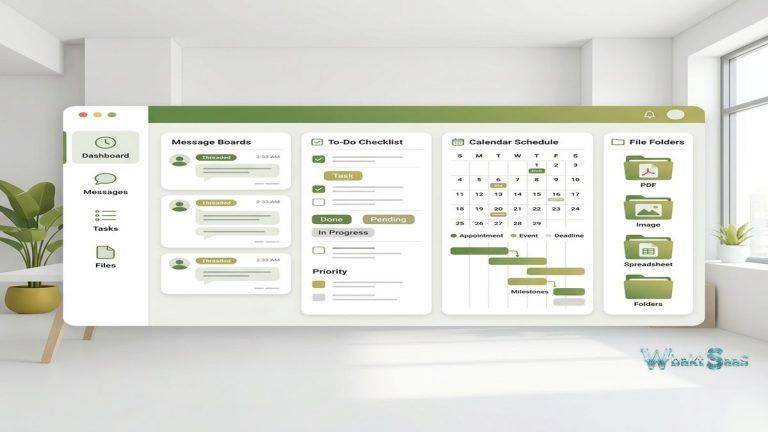
Every item on a Monday.com board includes an updates section that functions as a threaded conversation attached to that specific piece of work. Team members can post updates, tag colleagues with @mentions, attach files, and embed images or GIFs within the conversation. This item-level communication keeps discussions contextual — conversations about a specific deliverable stay attached to that deliverable rather than floating in a separate messaging tool where context can be lost.
Monday.com also supports document creation through its Workdocs feature, which provides a collaborative writing environment within the platform. Workdocs can be linked to specific boards and items, allowing teams to maintain project briefs, meeting notes, specifications, and other documentation alongside their task tracking. While Workdocs does not match the depth of dedicated document platforms, it eliminates the need to switch to a separate application for basic collaborative writing tasks.
Notification systems keep team members informed about changes relevant to their work. Users receive notifications when they are assigned to items, mentioned in updates, or when items they follow change status. Notification preferences can be customized per board and per channel (email, desktop, mobile), allowing individuals to balance awareness with distraction management. For distributed teams operating across time zones, the ability to review notifications asynchronously and catch up on overnight changes through the notification feed provides a structured way to stay informed without requiring real-time presence.
Main Features
Visual Board System
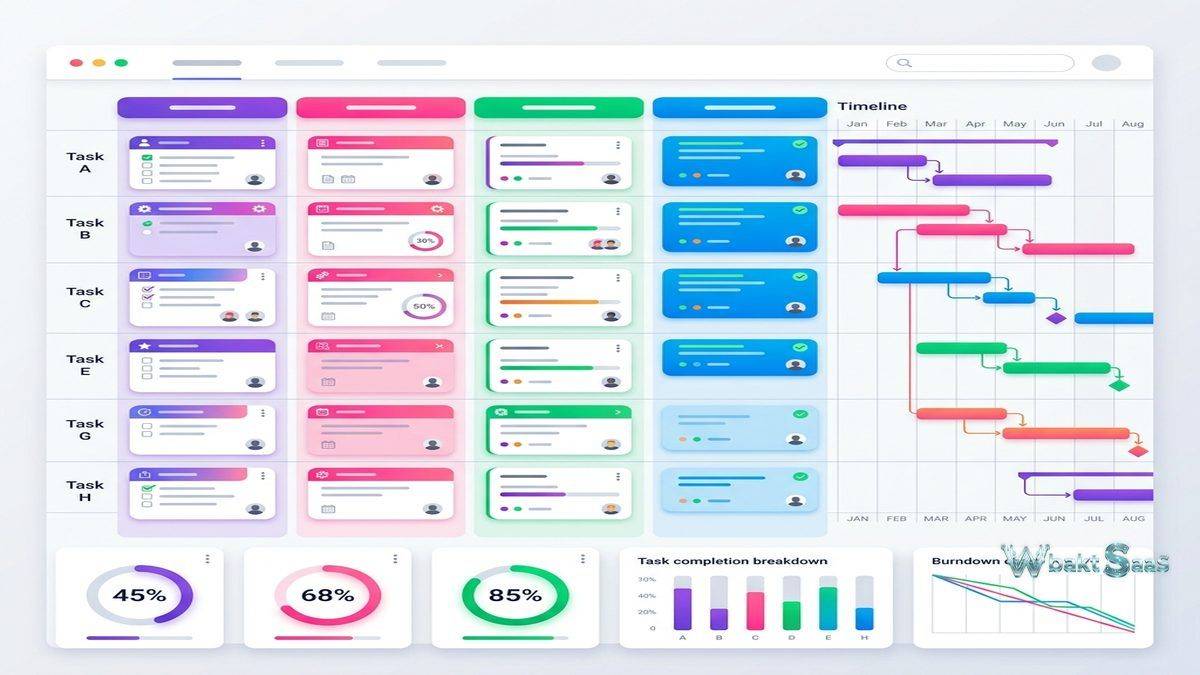
The board is the central element of Monday.com’s interface. Each board displays items in rows with customizable columns providing data points for each item. Standard column types include status (color-coded dropdown), person (assignee), date, timeline (date range), numbers, text, files, links, checkboxes, dropdowns, ratings, and formulas. The visual emphasis is strongest in the status column, where teams define custom labels with associated colors — a marketing team might use “Brief Received” (blue), “In Design” (yellow), “Review” (orange), “Approved” (green), and “Published” (purple) to track content production stages.
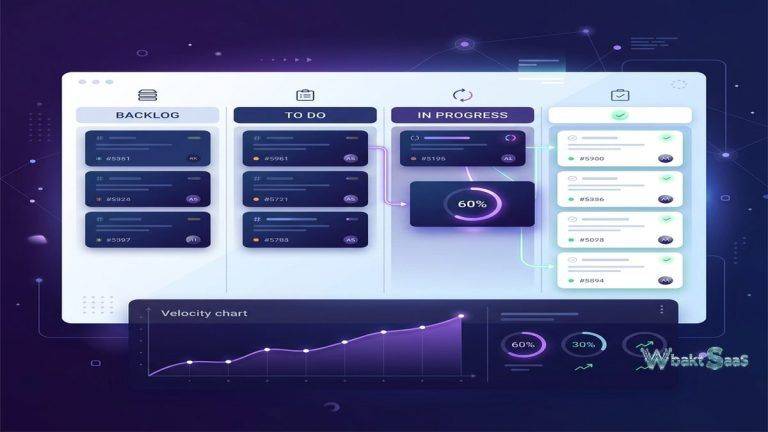
Beyond the default table view, Monday.com offers multiple visualization options for the same board data. Kanban view displays items as cards moving across columns. Timeline and Gantt views show items plotted along a time axis with dependency connections. Calendar view maps items to their due dates. Chart view generates graphs from board data — pie charts of status distributions, bar charts of items per assignee, line charts of completion trends over time. Workload view displays each team member’s assigned items across a time period, helping managers identify capacity imbalances.
Dashboard functionality aggregates data from multiple boards into a single view. Widgets on dashboards pull numbers, charts, timelines, and summaries from different boards, creating executive-level overviews that span entire departments or programs. A marketing director, for example, might build a dashboard that combines data from the content calendar board, the social media tracking board, the advertising campaigns board, and the team capacity board — providing a comprehensive view of marketing operations without switching between individual boards.
Workflow Automation
Monday.com’s automation engine operates on a trigger-action model: when a specified condition occurs, one or more automated actions execute. The automation builder uses natural language recipes that read like sentences — “When status changes to Done, notify the project manager” or “Every Monday at 9am, create a new item in the Weekly Tasks group.” This approach makes automation accessible to non-technical users who might be intimidated by traditional automation platforms with flow charts and conditional logic builders.
Available triggers include status changes, date arrivals, item creation, column value changes, recurring time intervals, and sub-item modifications. Actions span a wide range: moving items between groups or boards, sending notifications, assigning team members, changing column values, creating items, duplicating items, archiving completed work, and sending data to external services through integrations. Conditional logic allows automations to include if-then branching — for example, “When status changes to Urgent AND priority is High, notify the team lead AND move item to the Sprint board.”
The practical impact of automation varies by team and workflow complexity. Teams managing repetitive processes — such as client onboarding sequences, content approval workflows, or IT request handling — often report significant time savings after implementing automations that previously required manual status updates, notifications, and item routing. Teams with simpler workflows may find basic automations helpful but not transformative.
Automation quotas are tied to plan tiers, with higher-tier plans offering more automation actions per month. Teams that rely heavily on automation should verify that their plan provides sufficient capacity, as exceeding monthly action limits can disrupt established workflows until the next billing cycle begins.

Integrations
Monday.com connects with a broad ecosystem of business applications. Communication tools such as Slack, Microsoft Teams, Gmail, and Outlook enable notifications and item creation directly from messaging and email environments. File storage services including Google Drive, Dropbox, Box, and OneDrive allow direct file attachment from cloud repositories. Development tools like GitHub, GitLab, and Jira integrate for engineering teams that want project management visibility alongside their development workflow.
Marketing-specific integrations cover platforms including Mailchimp, HubSpot, Facebook Ads, and Google Ads, enabling marketing teams to connect campaign data with their Monday.com boards. CRM integrations with Salesforce, HubSpot CRM, and Monday.com’s own CRM product create connections between sales pipelines and project execution. Time tracking integrations with platforms like Toggl, Harvest, and Clockify add time logging directly within Monday.com boards.
The Monday.com API supports custom integration development for organizations with proprietary systems or specialized tools not covered by pre-built integrations. The API provides full CRUD (create, read, update, delete) access to boards, items, and column values, enabling sophisticated data synchronization and workflow orchestration across multiple platforms.
Monday.com Products Suite
Beyond the core Work Management product, Monday.com offers specialized products built on the same platform infrastructure:
Monday Sales CRM adapts the board system for sales pipeline management, with pre-configured columns for deal stages, contact information, deal values, and activity tracking. Sales teams benefit from the familiar Monday.com interface while gaining CRM-specific features like email integration, activity logging, and pipeline analytics.
Monday Dev targets software development teams with sprint planning, bug tracking, and roadmap visualization features. Integration with GitHub and GitLab connects code changes to project management items, providing visibility into development progress alongside project planning.
Monday Service provides IT service management capabilities including ticket routing, SLA tracking, and knowledge base functionality. Service teams can manage internal IT requests and customer support tickets within the Monday.com environment.
These specialized products share the same underlying platform, meaning teams across departments can collaborate within a unified system while each using configurations optimized for their function. Whether this consolidation adds value depends on organizational size — smaller companies benefit from a single platform, while larger enterprises may prefer best-in-class tools for each department.
Pricing Tiers
Monday.com offers several pricing tiers with progressive feature sets. The free tier, limited to two seats, provides basic board functionality for individual use or very small teams. Paid tiers scale based on the number of seats and feature access, with each tier adding automation capacity, integration allowances, dashboard capabilities, and administrative controls. Higher tiers include advanced features like time tracking, formula columns, private boards, and enterprise-grade security and governance tools.
Pricing is per-seat, per-month with minimum seat requirements on certain plans. Annual billing provides discounts compared to monthly billing. Organizations should note that seat minimums can affect cost calculations — purchasing for a team of three may require paying for a minimum of five seats on certain plans, depending on the tier.
| Consideration | Details |
|---|---|
| Free Tier | Limited to 2 seats with basic features — suitable for individual tracking only |
| Seat Minimums | Some plans require minimum seat purchases (e.g., 3 or 5 seats minimum) |
| Automation Limits | Monthly automation action quotas vary by plan tier — heavy automation users should verify limits |
| Integration Limits | Integration action quotas also tier-dependent — evaluate based on integration intensity |
Pricing and features are subject to change. Please verify current plan details on the official Monday.com website before making purchasing decisions.
Who Should Use It
Monday.com suits several team profiles particularly well:
Visually-oriented teams: Teams that prefer color-coded status indicators, graphical dashboards, and visual progress tracking over text-heavy interfaces find Monday.com’s design language more intuitive than spreadsheet-style alternatives. Creative agencies, marketing departments, and design teams frequently fall into this category.
Cross-functional organizations: Companies where multiple departments need a shared project management platform benefit from Monday.com’s flexible board system, which adapts to different workflows without requiring separate tools for each team. The ability to create department-specific boards while aggregating data into cross-departmental dashboards supports organizational alignment.
Process-driven teams: Teams with defined workflows that involve sequential stages, approvals, handoffs, and status tracking gain significant value from Monday.com’s automation and column customization. Client onboarding processes, content production pipelines, and procurement workflows are common examples where structured board configurations paired with automation deliver measurable efficiency improvements.
Teams scaling from spreadsheets: Organizations currently tracking work in spreadsheets often find Monday.com a natural upgrade. The visual similarity to spreadsheets (rows and columns) reduces transition friction, while the added capabilities — automation, integrations, notifications, multiple views — address the limitations that prompted the search for a dedicated tool.
Alternatives
Project management is a competitive software category, and several platforms offer strong alternatives depending on specific requirements. Platforms such as Asana, ClickUp, Wrike, and Smartsheet each bring different strengths to the table. Asana emphasizes task hierarchy and goal alignment. ClickUp offers extensive customization and a generous free tier. Wrike provides enterprise-grade capabilities with advanced reporting. Smartsheet bridges the gap between spreadsheets and project management with a familiar grid interface. Teams evaluating Monday.com should consider how their specific workflow requirements, team size, existing tool stack, and budget constraints align with available options across the market.
Advantages and Limitations
Advantages
- Highly visual interface with color-coded status tracking that communicates project health at a glance
- Flexible board system that adapts to virtually any workflow without imposing a specific methodology
- Accessible automation builder using natural language recipes that non-technical users can configure
- Extensive template library covering diverse industries and use cases for quick setup
- Dashboard functionality that aggregates data from multiple boards for portfolio-level visibility
- Broad integration ecosystem connecting with communication, file storage, development, and marketing tools
- Specialized products (CRM, Dev, Service) built on the same platform for organizational consistency
Limitations
- Monthly automation and integration action quotas can restrict heavy users on lower-tier plans
- Free tier limited to two seats, making it impractical for team evaluation beyond individual testing
- Seat minimums on paid plans can increase costs for very small teams
- Performance can slow with very large boards containing thousands of items and complex automations
- The lack of prescribed methodology can leave teams without clear workflow guidance during initial setup
- Pricing escalates as team size grows, particularly when enterprise features become necessary
- Mobile application covers essential functions but lacks the full customization capabilities of the desktop experience
Verdict
Monday.com has earned its position as one of the leading visual project management platforms through a combination of intuitive design, workflow flexibility, and progressive feature depth. Its visual approach to project tracking genuinely differentiates it from text-heavy alternatives, and the automation capabilities add practical value for teams managing repetitive processes. The platform works particularly well for teams that value visual clarity, cross-departmental collaboration, and the ability to customize workflows without technical expertise.
The platform’s limitations center around pricing structure and usage quotas rather than fundamental capability gaps. Teams that need extensive automation or manage large datasets should evaluate tier-specific limits carefully before committing. Organizations with very specialized requirements in individual departments — advanced software development tracking, complex financial modeling, or sophisticated resource management — may find that dedicated best-in-class tools for those functions outperform Monday.com’s generalist approach, even if it means managing multiple platforms.
For organizations seeking a single, visually engaging platform that can accommodate diverse team workflows under one roof, Monday.com presents a compelling option worth serious evaluation. The free tier and trial periods on paid plans provide opportunities to test the platform with real workflows before making a financial commitment — an approach that consistently produces better purchasing decisions than feature comparisons alone.
Features, pricing, and availability discussed in this review reflect information available at the time of writing. Software products evolve continuously, and details may have changed since publication. Please verify current information directly on the official Monday.com website. WBAKT SaaS is an independent review platform with no affiliate relationships with any software company mentioned in this article.
For comparisons with similar platforms, explore our reviews of Asana’s task organization for remote teams, ClickUp’s customizable productivity features, and Wrike’s enterprise work management system.
About the Author