Business intelligence tools have evolved from specialized applications requiring dedicated analyst expertise into accessible platforms that enable broad organizational participation in data-driven decision making. Among the transformation drivers, Microsoft Power BI has emerged as one of the most widely adopted business intelligence platforms in the world, combining powerful analytical capabilities with deep integration into the Microsoft ecosystem that hundreds of millions of users already work within daily. Power BI’s strategic advantage lies in its seamless connection to Microsoft 365, Azure cloud services, and the familiar Excel paradigm that reduces adoption barriers for the vast population of business users who already understand spreadsheet-based data analysis. The platform provides a comprehensive business intelligence stack spanning data ingestion, transformation, modeling, visualization, and distribution — enabling organizations to build sophisticated analytics infrastructure on the Microsoft platform they already operate.
Power BI was released by Microsoft in 2015, building on earlier business intelligence efforts including SQL Server Reporting Services, Excel Power Pivot, and Power Query. The platform rapidly gained market share through aggressive pricing — including a substantial free tier — deep Microsoft integration, and continuous feature development driven by monthly updates. Power BI’s positioning within the Microsoft technology stack means that organizations already invested in Microsoft 365, Azure, and Dynamics 365 can implement business intelligence with lower integration effort and friction than competing platforms require. Understanding Power BI’s data modeling capabilities, visualization features, and enterprise deployment options helps organizations evaluate whether this Microsoft-integrated analytics platform meets their business intelligence requirements or whether platform-independent alternatives better serve environments not centered on Microsoft infrastructure.
Power BI Desktop
Power BI Desktop is the free Windows application for creating reports and data models. The visual report designer provides a canvas-based interface where users build interactive reports by placing visualizations, slicers, text, images, and shapes on report pages. The drag-and-drop experience enables creating bar charts, line charts, scatter plots, maps, tables, matrices, cards, gauges, and dozens of other visualization types. Custom visuals from the AppSource marketplace extend the available visualization library with specialized chart types, industry-specific visualizations, and unique interactive components. Power BI Desktop provides the complete authoring environment for data connection, transformation, modeling, and report design before publishing to the Power BI service for organizational distribution.
Power Query
Power Query provides visual data transformation that connects to data sources and shapes data for analysis. The Power Query Editor presents transformation steps as a sequential list that can be reviewed, modified, and reordered, creating transparent and auditable data preparation workflows. Transformation capabilities include filtering rows, removing columns, changing data types, splitting and merging columns, pivoting and unpivoting data, grouping and aggregation, conditional column creation, and custom transformations using the M formula language. Power Query connects to hundreds of data sources including databases, files, web services, APIs, and cloud platforms. The same Power Query technology is available in Excel, enabling consistent data transformation skills across both platforms.
Data Modeling and DAX
Power BI’s data modeling capabilities create relational data models from multiple tables with defined relationships, hierarchies, and calculated measures. The tabular data model enables star schema and snowflake schema designs that optimize analytical query performance. DAX (Data Analysis Expressions) is the formula language for creating calculated columns, measures, and calculated tables. DAX provides functions for time intelligence (year-over-year comparisons, rolling averages, period-to-date calculations), filtering context modification (CALCULATE, FILTER, ALL, VALUES), iterative calculations (SUMX, AVERAGEX), and statistical analysis. Mastering DAX enables creating sophisticated business metrics, KPIs, and analytical calculations that transform raw data into actionable business insights.
Interactive Visualizations
Power BI reports provide cross-filtering interactivity where selecting data in one visualization automatically filters and highlights related data in other visualizations on the same page. Drill-down enables navigating from summary levels to detailed views within hierarchical data dimensions. Drill-through pages provide detailed contextual views accessible by right-clicking specific data points. Bookmarks capture specific report states — including filter selections, page visibility, and slicer positions — enabling guided navigation experiences and presentation-style report interaction. Conditional formatting dynamically changes visual appearance based on data values, highlighting important patterns and exceptions through color, data bars, and icons.
Power BI Service
The Power BI service (app.powerbi.com) provides cloud-based report hosting, sharing, collaboration, and administration. Workspaces organize reports, dashboards, datasets, and dataflows into logical groups with role-based access control. Dashboards aggregate key metrics from multiple reports into single-page monitoring views with real-time pin tiles. Apps package related content for streamlined distribution to business users. Scheduled refresh automatically updates published datasets on configured intervals, maintaining current data in published reports without manual intervention. Row-level security restricts data visibility based on user identity, ensuring that each user sees only their authorized data subset.
Microsoft 365 Integration
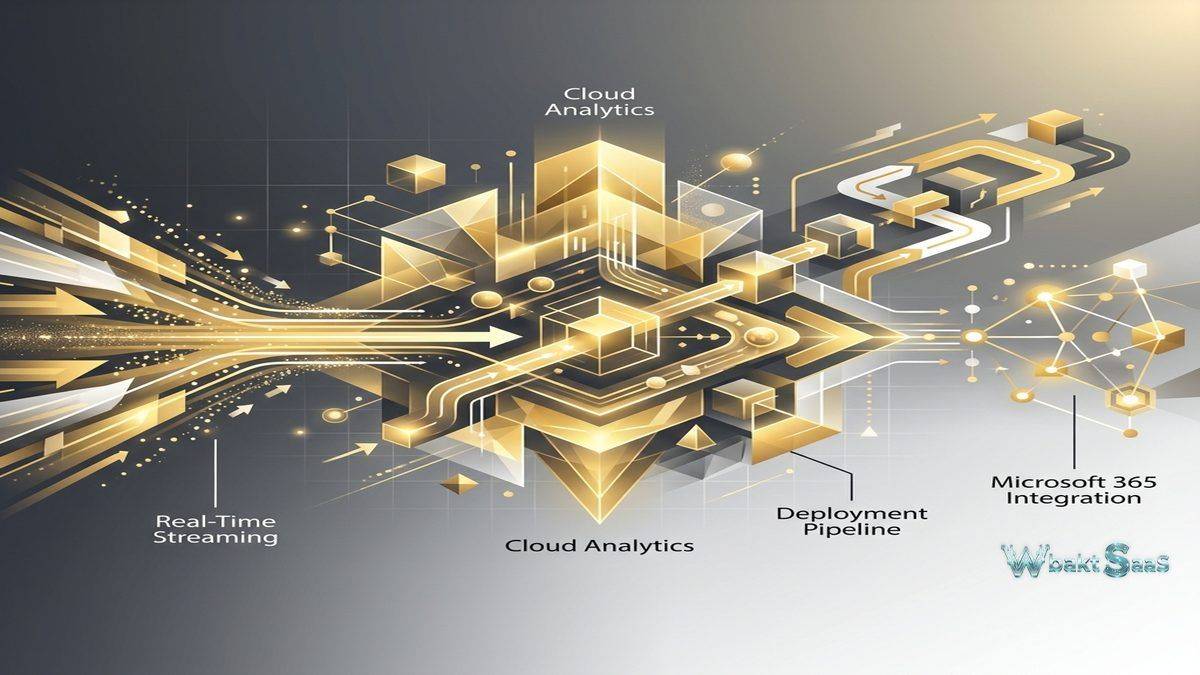
Power BI integrates deeply with the Microsoft 365 ecosystem. Teams integration embeds Power BI reports and dashboards directly within Microsoft Teams channels and chats. Excel integration enables analyzing Power BI datasets in Excel through Analyze in Excel functionality. SharePoint Online embedding places interactive reports within SharePoint pages. Power Automate integration triggers automated workflows based on Power BI data alerts — sending notifications, creating tasks, or initiating business processes when data thresholds are reached. Azure integration provides connectivity to Azure SQL Database, Azure Synapse Analytics, Azure Data Lake, and other Azure data services. Dynamics 365 integration provides pre-built analytical content for CRM and ERP data analysis.
Paginated Reports
Power BI paginated reports provide pixel-perfect, print-optimized report layouts designed for printing and document generation. Unlike interactive Power BI reports optimized for screen exploration, paginated reports produce formatted, multi-page documents suitable for regulatory filings, financial statements, invoices, and operational reports that require precise formatting and complete data rendering. Report Builder provides a dedicated design environment for creating paginated report layouts with tables, matrices, charts, images, and sub-reports. Parameters enable user-driven report filtering at generation time. Paginated reports complement interactive reports by addressing the formal document production needs that screen-optimized interactive visualizations cannot satisfy.
AI and Machine Learning
Power BI incorporates AI capabilities including Quick Insights that automatically discover patterns, trends, and anomalies in data. Key Influencers visualization identifies factors that drive specific outcomes, enabling root cause analysis without statistical expertise. Decomposition Tree enables interactive exploration of contributing factors across multiple dimensions. Q&A natural language interface enables users to type questions in plain language and receive automatic visualizations. Smart Narratives automatically generate text descriptions of visualization findings. Azure Machine Learning integration enables incorporating predictive models into Power BI reports, bringing machine learning predictions into business user workflows.
Dataflows
Power BI dataflows provide centralized, reusable data preparation in the cloud service. Dataflows execute Power Query transformations in the cloud, creating prepared data entities that multiple reports and analysts can reference — eliminating the redundant data preparation that occurs when each report author independently connects and transforms the same source data. Dataflows store prepared data in Azure Data Lake Storage (CDM format), creating a managed analytical data layer. For organizations where multiple teams build reports from shared data sources, dataflows centralize data preparation, ensure consistency, and reduce the computational load on source systems from redundant transformation queries.
Gateway and On-Premises Data
The Power BI Gateway enables secure data connectivity between the Power BI cloud service and on-premises data sources. The gateway installs on a server within the organization’s network and manages secure data transfer for scheduled refresh, live connections, and DirectQuery access to on-premises databases. Enterprise Gateway supports multiple data sources and users. Personal Gateway supports individual user scenarios. For organizations with data that cannot or should not move to the cloud — due to regulatory requirements, data volume, or security policies — the gateway enables cloud-based analytics over on-premises data without data migration.
Governance and Administration
Power BI admin portal provides organizational settings, capacity management, usage monitoring, and governance controls. Tenant settings control feature availability, external sharing policies, and data export capabilities across the organization. Usage metrics track report and dashboard adoption, identifying high-value content and underutilized investments. Sensitivity labels from Microsoft Information Protection classify and protect Power BI content, extending organizational data classification policies into the analytics layer. Endorsement through certification and promotion marks identify trusted, verified content among the growing volume of organizational analytics assets.
Mobile Analytics
Power BI Mobile provides native applications for iOS, Android, and Windows devices that enable accessing reports and dashboards from smartphones and tablets. Mobile-optimized layouts automatically adapt report designs for smaller screens while maintaining full interactivity including filtering, cross-highlighting, and drill-down exploration. Offline access enables viewing reports without network connectivity using cached data. Annotate and share capabilities enable marking up report visualizations with handwritten notes and sharing annotated screenshots with colleagues. Push notifications through data alerts inform users when key metrics cross defined thresholds. QR codes printed on physical materials can link directly to relevant Power BI reports when scanned with the mobile app.
Real-Time Streaming
Power BI supports real-time data streaming through push datasets and streaming datasets that display data as it arrives without waiting for scheduled refresh cycles. Streaming tiles on dashboards display live data feeds from IoT sensors, application telemetry, social media streams, and operational monitoring systems. Azure Stream Analytics provides direct output to Power BI streaming datasets for complex event processing scenarios. For operations centers, trading floors, manufacturing monitoring, and service health dashboards where current data visibility is measured in seconds rather than hours, real-time streaming provides the immediacy that scheduled refresh cannot deliver.
Deployment Pipelines
Power BI deployment pipelines provide managed promotion of content through development, test, and production environments. Content authors develop reports in development workspaces, promote tested content to test environments for validation, and deploy validated content to production for business consumption. The pipeline model prevents untested changes from reaching production users, maintaining content quality and reliability. Deployment rules enable automatic configuration adjustments (data source connections, parameter values) during promotion, adapting content for different environment configurations without manual reconfiguration at each stage.
Composite Models
Composite models enable combining imported data, DirectQuery connections, and connections to other Power BI datasets within a single data model. This hybrid approach enables optimizing performance and freshness for different data requirements — frequently changing operational data accessed through DirectQuery for real-time freshness alongside imported reference data for fast performance. Aggregation tables pre-compute summary statistics for large datasets, dramatically improving query performance for common analytical patterns while maintaining detailed drill-through capability through DirectQuery fallback. For organizations balancing performance requirements against data freshness needs, composite models provide architectural flexibility that single-mode models cannot achieve.
Security and Compliance
Power BI supports enterprise security requirements through Azure Active Directory authentication, conditional access policies, multi-factor authentication, and network isolation through private endpoints. Data loss prevention policies prevent unauthorized data export and sharing. Audit logs record user activities for security monitoring and compliance reporting. Power BI meets compliance standards including SOC 2, ISO 27001, HIPAA, and FedRAMP certifications. For regulated industries, the combination of row-level security, sensitivity labels, data loss prevention, and comprehensive audit logging provides the security and compliance infrastructure needed for deploying analytics over sensitive organizational data.
Common Use Cases
Financial Analytics: Finance teams create comprehensive budget tracking, variance analysis, cash flow monitoring, profitability analysis, and financial forecasting dashboards with DAX-powered calculations and paginated reports for formal financial document production and regulatory filing.
Sales Performance: Sales organizations monitor pipeline health, quota attainment, territory performance, win/loss analysis, forecast accuracy, and revenue trends with interactive reports embedded in Microsoft Teams for daily sales team visibility and accountability.
Operations Management: Operations teams track production metrics, quality indicators, equipment utilization, workforce scheduling, and end-to-end supply chain performance through real-time dashboards connected to operational databases, ERP systems, and IoT data sources.
HR Analytics: Human resources departments analyze workforce demographics, attrition patterns, recruitment pipeline effectiveness, compensation benchmarking, training completion, and employee engagement data with row-level security ensuring appropriate data visibility across management levels.
Customer Analytics: Customer-facing teams analyze satisfaction scores, churn indicators, support ticket trends, product usage patterns, Net Promoter Score tracking, and customer lifetime value calculations with integration across Dynamics 365 CRM and other customer data sources.
IT Service Management: IT departments monitor infrastructure performance, service desk response times, incident trend analysis, change management effectiveness, SLA compliance, and capacity planning through dashboards connected to ITSM and monitoring platforms.
Education: Educational institutions analyze enrollment patterns, student performance metrics, graduation rates, faculty workload distribution, and institutional research data through Power BI’s integration with Microsoft 365 education licensing.
Pricing
Power BI Desktop is free to download and use for individual report creation. Power BI Pro provides cloud publishing, sharing, and collaboration at per-user monthly pricing. Power BI Premium Per User provides enhanced capabilities including paginated reports, AI features, and larger dataset support. Power BI Premium capacity-based licensing provides dedicated cloud resources for large-scale enterprise deployment. Power BI Embedded provides capacity-based pricing for embedding analytics in custom applications. Power BI is included in some Microsoft 365 E5 licensing.
Pricing varies by licensing model. Please verify current pricing on the official Microsoft Power BI website before making purchasing decisions.
Limitations
- Windows dependency: Power BI Desktop is available only for Windows, excluding macOS and Linux users from the full desktop authoring experience (web authoring provides partial functionality).
- DAX complexity: While basic visualizations are accessible, creating sophisticated analytical calculations with DAX requires significant learning investment and conceptual understanding of evaluation contexts.
- Dataset size limits: Pro licensing has dataset size limitations that may constrain large-data analytics scenarios, requiring Premium licensing for larger datasets.
- Custom visual quality: Third-party custom visuals vary in quality, performance, and maintenance, requiring careful evaluation before adoption in production reports.
- Microsoft ecosystem bias: While Power BI connects to many data sources, its deepest integration advantages apply to Microsoft-centric environments, providing less differentiation for non-Microsoft technology stacks.
Summary
Power BI provides a comprehensive business intelligence platform that combines accessible visual report creation with powerful data modeling, transformation, and analytical capabilities — all deeply integrated with the Microsoft ecosystem that most enterprise organizations already operate. The platform’s free Desktop application democratizes analytical report creation, while Pro and Premium licensing tiers enable organizational sharing, collaboration, governance, and enterprise-scale deployment.
The Microsoft 365 integration depth — Teams embedding, Excel analysis, SharePoint publishing, Power Automate triggers, and Azure data services connectivity — creates a seamless analytical experience within the Microsoft technology environment. For organizations invested in the Microsoft ecosystem, Power BI provides business intelligence capabilities with lower integration friction than platform-independent alternatives.
Business intelligence platforms including Power BI, Tableau, Looker, Qlik Sense, and Metabase each serve different analytical philosophies, deployment models, and ecosystem integrations. Power BI’s advantages center on Microsoft ecosystem integration, competitive pricing with a substantial free tier, DAX analytical power, monthly feature updates, and the accessibility that enables broad organizational adoption beyond dedicated analyst teams. Organizations evaluating BI platforms should consider their existing technology investments, analytical complexity requirements, and user base capabilities when comparing analytics platform options.
Features, pricing, and availability discussed in this review reflect information available at the time of writing. Software products evolve continuously, and details may have changed since publication. Please verify current information directly on the official Microsoft Power BI website. WBAKT SaaS is an independent review platform with no affiliate relationships with any software company mentioned in this article.
For related analytics tools, see our reviews of Tableau, Looker, and Google Data Studio.
About the Author