Remote and distributed teams face a challenge that office-based teams rarely think about: keeping everyone aligned when spontaneous hallway conversations and whiteboard sessions are not an option. Project tracking software fills this gap by providing shared visibility into who is working on what, when tasks are due, and how individual efforts connect to larger objectives. Asana has positioned itself as one of the leading platforms in this space, offering a task-centric approach to project management that scales from small team workflows to enterprise-level program coordination.
What distinguishes Asana from a simple shared to-do list is the depth of its organizational structure and the variety of perspectives it offers on the same underlying data. A single set of tasks can be viewed as a list, a board, a timeline, or a calendar — each format revealing different aspects of the project’s status and trajectory. This flexibility, combined with automation capabilities, goal tracking, and cross-project reporting, positions Asana as more than just a task manager. Whether that additional complexity delivers value or creates overhead depends entirely on the team using it and the nature of their work.
What Asana Does
At its foundation, Asana organizes work into a hierarchy: organizations contain teams, teams contain projects, projects contain sections, and sections contain tasks. Tasks serve as the atomic unit of work — each task can carry an assignee, due date, description, subtasks, attachments, custom fields, dependencies, and comment threads. This structure allows teams to break complex initiatives into manageable pieces while maintaining clear connections between individual work items and larger project outcomes.
Projects in Asana function as containers for related tasks. A marketing team might create separate projects for each campaign, with tasks representing individual deliverables: write blog post, design social graphics, schedule email sequence, review analytics. An engineering team might organize by sprint cycles, with tasks representing features, bugs, and technical debt items. The flexibility to define what constitutes a “project” and a “task” within each team’s context makes Asana adaptable across industries and work styles.
Workspaces and organizations sit at the top of the hierarchy, providing the broadest level of separation. Companies typically operate within a single organization that contains multiple teams. Each team manages its own set of projects, and individual users can belong to multiple teams. This multi-level structure supports the kind of organizational complexity that large enterprises require while remaining approachable enough for small teams that may only need a handful of projects.
Main Advantages
Multiple Project Views
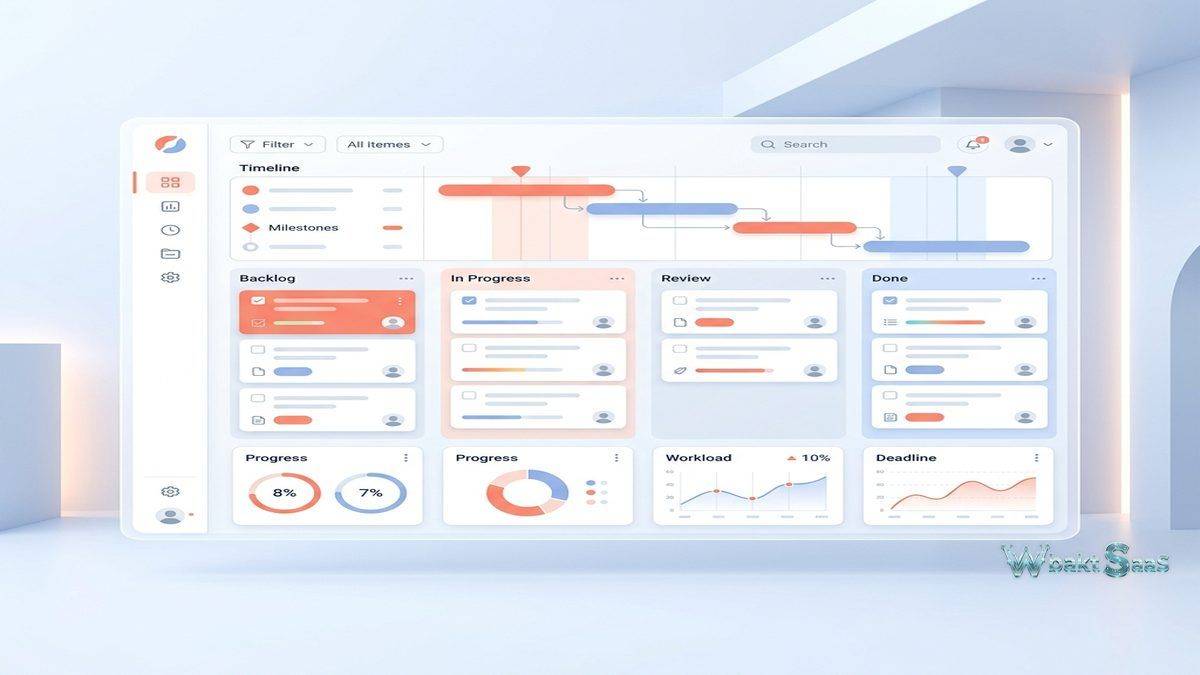
Asana offers four primary ways to visualize project data, each suited to different planning and tracking needs:
List View presents tasks in a sequential format with columns for assignee, due date, and any custom fields. This is the most information-dense view and works well for teams that think in terms of ordered lists, backlogs, or structured work breakdowns. Sections within list view act as grouping headers, allowing teams to categorize tasks by phase, priority, type, or any other dimension.
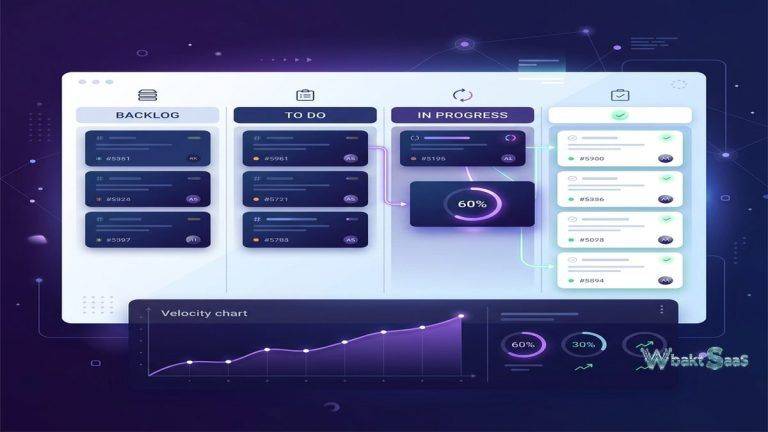
Board View organizes tasks into columns representing stages of a workflow — similar to a Kanban board. Tasks move between columns as they progress from “To Do” through “In Progress” to “Done,” providing a visual representation of workflow status at a glance. Board view is particularly effective for teams that manage work through defined stages, such as content production pipelines, hiring processes, or software development cycles.
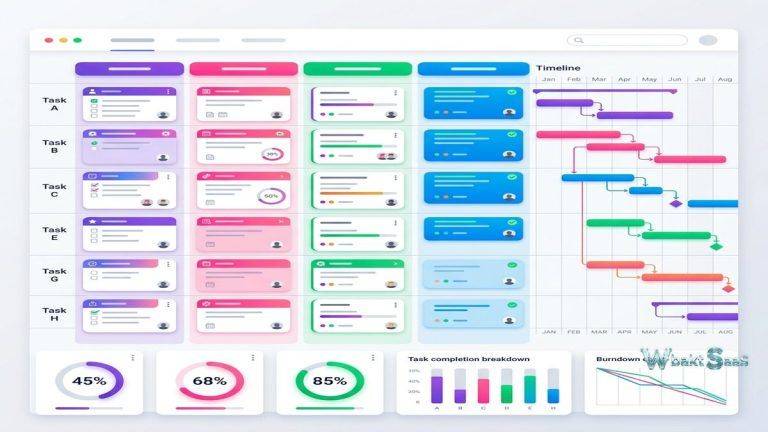
Timeline View displays tasks along a horizontal time axis, showing start dates, due dates, and durations as visual bars. Dependencies between tasks appear as connecting lines, making it clear which tasks must be completed before others can begin. Project managers use timeline view to identify scheduling conflicts, assess critical path implications, and communicate project plans to stakeholders who prefer Gantt-chart-style visualizations.
Calendar View maps tasks with due dates onto a traditional calendar grid, providing a date-centric perspective on upcoming work. Teams managing multiple deadlines across several projects can use calendar view to spot overloaded days or weeks and redistribute work before bottlenecks form.
Task Dependencies and Relationships
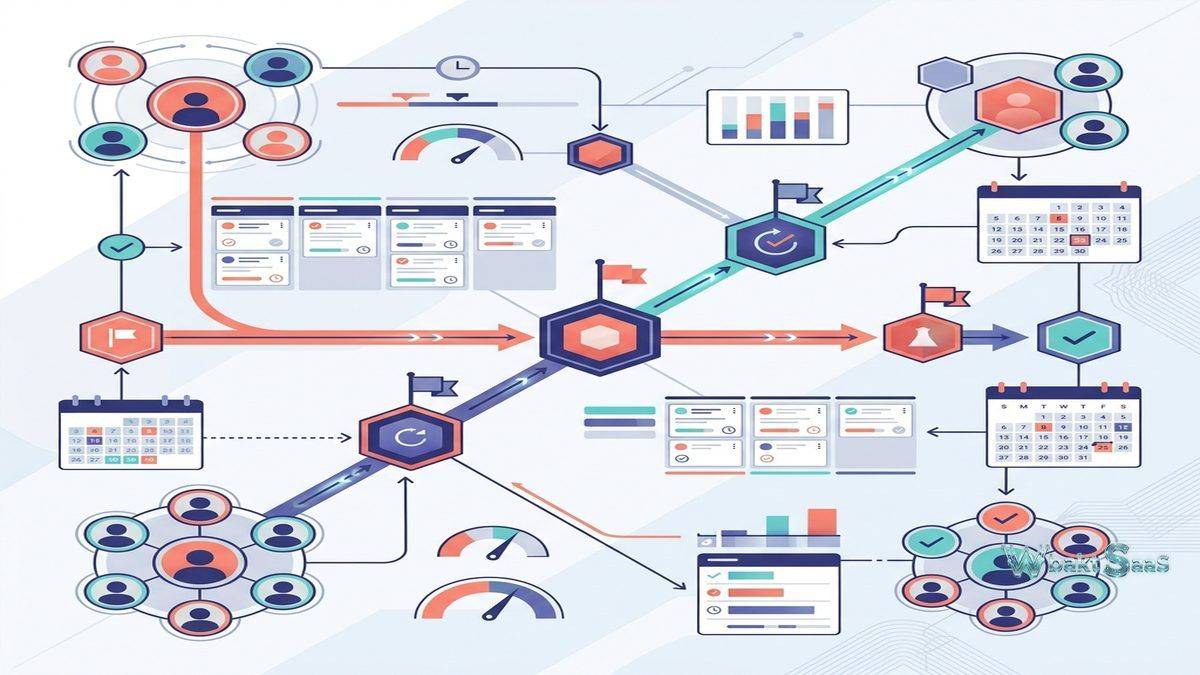
Dependencies define relationships between tasks, specifying that one task cannot start or complete until another finishes. When delays occur on a predecessor task, Asana can automatically adjust dates on dependent tasks, keeping the schedule realistic rather than displaying a plan that has already fallen behind. This is especially valuable for remote teams where schedule visibility is critical and delays are not always communicated through informal conversation.
Multi-homing allows a single task to appear in multiple projects simultaneously. A design task might belong to both the “Q3 Marketing Campaign” project and the “Design Team Workload” project. Changes to the task — status updates, comments, attachments — appear in both projects, eliminating the need for duplicate entries and ensuring that cross-functional work remains synchronized.
Custom Fields and Reporting
Custom fields extend Asana’s built-in task properties with organization-specific data points. Teams can add dropdown fields for priority levels, number fields for estimated hours or budget amounts, text fields for additional context, and date fields for milestones beyond the standard due date. These custom fields become particularly powerful when combined with Asana’s reporting and dashboard features, which can aggregate custom field data across projects to provide portfolio-level visibility.
Dashboards within Asana display charts and graphs derived from project data — task completion rates, overdue task counts, distribution by assignee, custom field summaries, and milestone progress. These visual summaries help project managers and team leads monitor health indicators without manually reviewing every task in every project.
Workflow Automation
Asana Rules allow teams to automate routine actions triggered by specific events. When a task moves to the “Approved” section, a rule can automatically assign it to the next team member in the workflow, set a new due date, add a comment notification, or move the task to a different project. Rules reduce manual housekeeping and ensure that process steps happen consistently regardless of whether the person managing the task remembers every required action.
Common automation patterns include: auto-assigning tasks when they enter a section, changing custom field values when tasks move between stages, posting comments to notify specific team members when milestones are reached, marking parent tasks complete when all subtasks finish, and sending external notifications through integrations. The rule builder uses a visual if-then interface that does not require coding knowledge, though the range of available triggers and actions has expanded considerably over recent updates.
For automation requirements beyond what Asana Rules can handle natively, the Asana API and integrations with platforms like Zapier and Make provide additional flexibility. Teams with complex multi-system workflows may find that combining Asana’s native automation with external automation platforms covers their needs more effectively than relying on either approach alone.
Remote Team Collaboration Features
Several of Asana’s features address challenges specific to remote and distributed work environments:
Workload Management: The workload view displays each team member’s assigned tasks plotted against their estimated capacity. Managers can see who is overloaded and who has availability, enabling work redistribution before burnout occurs or deadlines slip. Setting accurate effort estimates per task is essential for workload view to function usefully — without estimates, the visualization defaults to task count alone, which can be misleading when tasks vary significantly in complexity.
Goals and Milestones: Asana Goals connect daily task work to higher-level objectives, creating a traceable line from individual assignments up to company-wide priorities. Goals can be nested hierarchically — team goals supporting department goals supporting company goals — and progress can update automatically based on connected project milestones or manual check-ins. This feature addresses a common remote work frustration: team members feeling disconnected from organizational strategy because they lack visibility into how their work contributes to broader outcomes.
Status Updates: Project status updates provide a structured format for weekly or periodic project summaries. Rather than composing update emails from scratch, project leads can generate status reports within Asana that pull current data — task completion percentages, milestone progress, overdue items — into a standardized template. These updates are shared with project stakeholders and archived within the project for historical reference.
Comments and Collaboration: Task-level comments keep discussions attached to the relevant work item rather than scattered across email threads or messaging channels. Team members can @mention colleagues, attach files, and reference other tasks within comments. For remote teams, this contextual communication reduces the “which email was that in?” problem and ensures that decisions and discussions are findable by anyone with project access.
Portfolios and Program Management
For organizations managing multiple projects simultaneously, Asana Portfolios provide a higher-level view that aggregates project status into a single dashboard. Portfolio views display each project’s overall health — on track, at risk, or off track — along with progress percentages, owner assignments, and key dates. This enables program managers and executives to monitor the health of multiple initiatives without drilling into individual project details.
Portfolios become particularly valuable when organizations run dozens of concurrent projects across different teams. A VP of Marketing, for example, can create a portfolio containing all active campaign projects, seeing at a glance which campaigns are progressing smoothly and which need attention. The portfolio does not replace detailed project management — it provides the executive summary layer that decision-makers need to allocate resources and identify emerging risks across the organization’s project landscape.
Portfolio reporting extends the dashboard concept further by enabling cross-project data analysis. Custom field data aggregated across all projects in a portfolio can reveal patterns such as consistent deadline slippage in certain teams, budget overruns in specific project types, or resource bottlenecks affecting multiple initiatives simultaneously. This analytical capability transforms Asana from a task tracker into a strategic planning tool, though its effectiveness depends on teams consistently maintaining accurate task data.
Integration Ecosystem
Asana integrates with a broad range of business tools across categories. Communication platforms such as Slack and Microsoft Teams receive Asana notifications and support task creation from within the messaging interface. File storage services including Google Drive, Dropbox, Box, and OneDrive connect to enable direct file attachment from cloud storage. Design tools like Figma and Adobe Creative Cloud integrate for asset management workflows. Time tracking services, form builders, and CRM platforms round out the integration library.
The Asana API provides programmatic access for organizations needing custom integrations with internal tools or specialized software that lacks a pre-built Asana connection. API access enables automated task creation from external systems, data synchronization between Asana and business intelligence platforms, and custom reporting that combines Asana data with information from other sources.
Asana Forms deserve mention as a lightweight but useful integration point. Forms allow external stakeholders — or team members in other departments — to submit structured requests that automatically create tasks in designated projects. A design team might publish a form for design requests, capturing requester name, project details, deadline, and specifications. Submitted forms generate tasks with the collected information pre-populated, eliminating the back-and-forth that typically accompanies informal request processes. Forms are especially useful for teams that receive requests from across the organization and need a standardized intake process.
Pricing Overview
Asana offers a free tier supporting small teams with basic project management capabilities including list, board, and calendar views, assignee and due date tracking, and limited integrations. Paid tiers introduce timeline view, custom fields, workflow automation rules, goals, workload management, advanced reporting, and administrative controls. Enterprise plans add SAML-based SSO, custom branding, data export controls, and priority support.
Pricing follows a per-user, per-month model with annual billing discounts. The feature differences between tiers are significant — teams that need timeline, custom fields, or automation will need to move beyond the free plan relatively quickly. Organizations should evaluate which specific features they require against each tier’s pricing to determine cost-effectiveness for their team size.
Pricing and features are subject to change. Please verify current information on the official Asana website before making purchasing decisions.
Limitations
- Complexity for simple needs: Teams with straightforward task lists may find Asana’s feature depth excessive. The learning curve increases with organizational complexity, and smaller teams sometimes feel pressured to use features they do not need simply because they exist.
- Free tier restrictions: The free plan limits project views, removes timeline and custom field access, restricts reporting, and caps certain feature usage. Teams outgrow the free tier quickly once they need structured project management beyond basic task tracking.
- Subtask limitations: While Asana supports subtasks, deeply nested subtask hierarchies can become difficult to manage and visualize. Teams that rely heavily on multi-level task decomposition may find the subtask experience less intuitive than the primary task level.
- Real-time communication gaps: Asana is a project tracking tool, not a communication platform. Teams using Asana still need a separate messaging tool for real-time discussion, quick questions, and informal coordination. The platform’s comment system handles asynchronous task-related discussion well but does not replace real-time chat.
- Performance with large projects: Projects containing hundreds of tasks with extensive custom fields, dependencies, and automation rules can experience slower load times, particularly in the web application. Breaking very large initiatives into multiple connected projects can mitigate this but adds organizational overhead.
Best For
Asana works particularly well for teams that need structured project tracking with clear visibility across multiple parallel workstreams. Marketing teams managing campaign calendars, product teams tracking feature development, operations teams coordinating cross-departmental initiatives, and professional services teams organizing client deliverables all represent use cases where Asana’s combination of flexible views, custom fields, and automation delivers tangible value.
Remote and distributed teams benefit specifically from the shared visibility that Asana provides. When team members cannot see each other’s desks or overhear project conversations, the centralized task tracking and status update mechanisms in Asana serve as a digital substitute for physical workplace awareness. The platform does not solve every remote collaboration challenge — real-time communication, social connection, and informal knowledge sharing still require dedicated tools — but it addresses the project coordination dimension effectively.
Summary
Asana occupies a strong position in the project management landscape by combining structured task organization with flexible visualization, meaningful automation, and reporting capabilities that scale from individual contributors to portfolio-level oversight. Its strength lies in making work visible — showing who is doing what, when it is due, and how it connects to larger objectives — which addresses a core challenge that remote and distributed teams face daily.
The platform is not without limitations. Pricing can escalate as teams grow and require premium features, the free tier is restrictive compared to some competitors, and organizations with very simple needs may find the platform more complex than necessary. Project management platforms such as Monday.com, ClickUp, Basecamp, and Wrike each approach these challenges from different angles, and the best choice depends on team size, workflow complexity, integration requirements, and budget constraints.
For teams willing to invest the time to set up projects thoughtfully — defining clear sections, utilizing custom fields strategically, and configuring automation rules to reduce manual overhead — Asana delivers a project tracking environment that keeps remote work organized and team members aligned around shared priorities.
Features, pricing, and availability discussed in this review reflect information available at the time of writing. Software products evolve continuously, and details may have changed since publication. Please verify current information directly on the official Asana website. WBAKT SaaS is an independent review platform with no affiliate relationships with any software company mentioned in this article.
For related project management reviews, see our coverage of Monday.com’s visual project management, ClickUp’s all-in-one workspace, and Trello’s Kanban board management.
About the Author