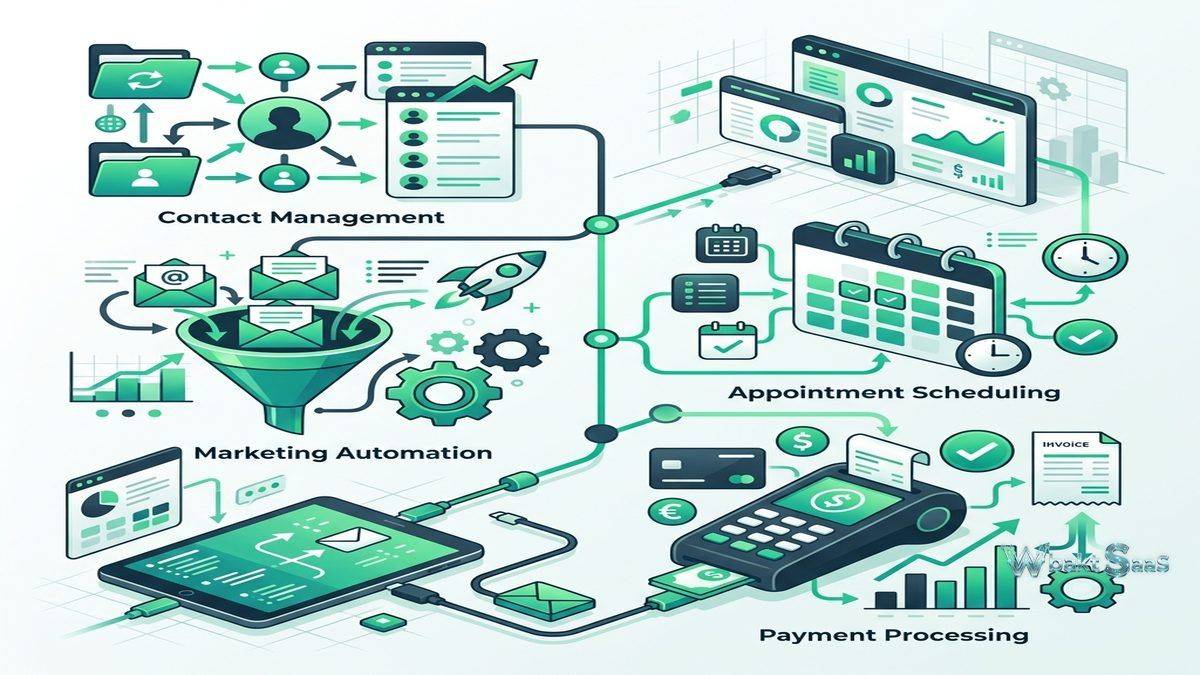
Small business owners and solopreneurs frequently struggle with a specific operational challenge that enterprise organizations solve through dedicated teams — managing the complete customer lifecycle from initial lead capture through sales follow-up, purchase processing, and ongoing customer engagement. Without dedicated marketing teams, sales teams, and customer service teams, small business owners must personally handle every stage of the customer journey while simultaneously running their business operations. Keap (formerly Infusionsoft) addresses this small business operational challenge by combining CRM, marketing automation, sales pipeline management, payment processing, and appointment scheduling into a single platform designed to automate the repetitive tasks that consume disproportionate amounts of small business owners’ time.
Founded in 2001 in Chandler, Arizona, Keap has served the small business market for over two decades, evolving from its original Infusionsoft brand (which focused heavily on complex marketing automation) into the more approachable Keap platform that balances automation power with small business usability. The platform serves primarily solopreneurs, coaches, consultants, service-based businesses, and small businesses with 1-25 employees who need to automate client acquisition, follow-up, and payment processes. Understanding Keap’s capabilities helps small business owners evaluate whether this all-in-one automation approach provides the time savings and business growth impact that justifies the investment in a comprehensive platform rather than assembling separate tools for each business function.
Marketing Automation
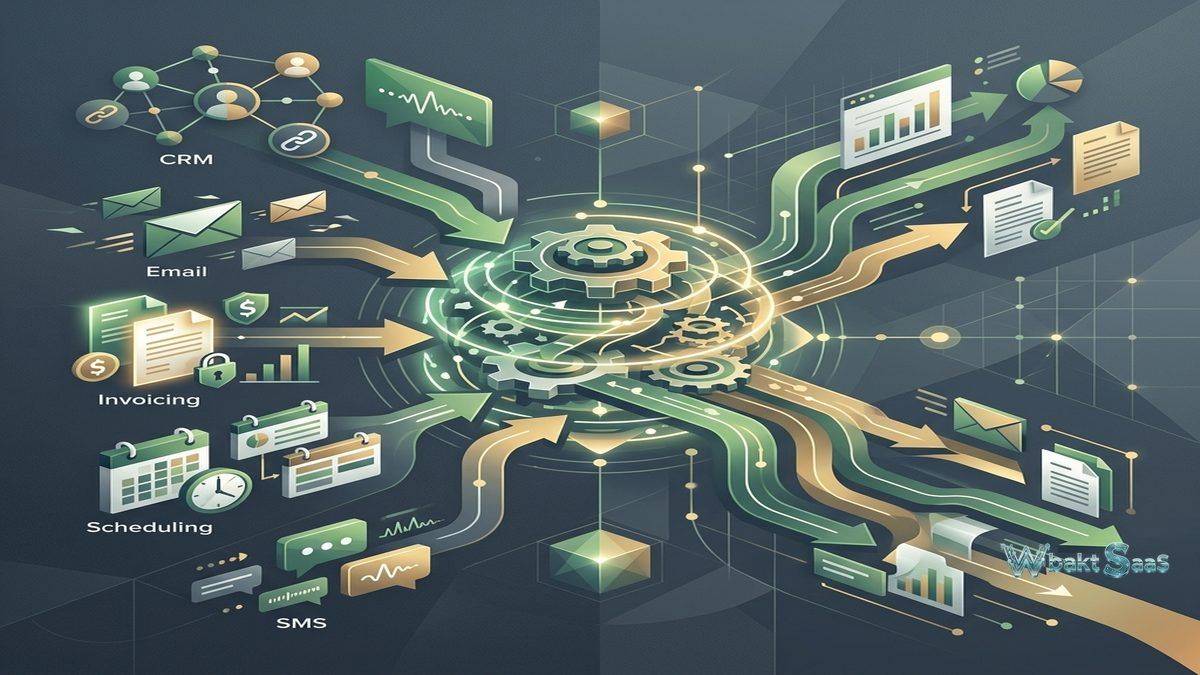
Keap’s marketing automation engine creates visual automation workflows — called “Easy Automations” — using a drag-and-drop builder that sequences emails, SMS messages, tasks, and internal notifications based on trigger events and contact behaviors. When a prospect fills out a form, the automation might send a welcome email, wait two days, send a follow-up email with a case study, create a task for the business owner to make a personal phone call, and then add the prospect to a sales pipeline — all automatically without manual intervention. Advanced automations support conditional branching based on contact behavior — different paths for prospects who opened the email versus those who did not, different sequences for contacts who clicked specific links versus those who did not engage.
Automation templates provide pre-built workflows for common small business scenarios — new lead follow-up, appointment reminder sequences, post-purchase follow-up, referral request campaigns, and re-engagement sequences for dormant contacts. These templates accelerate automation setup for small business owners who may lack marketing automation experience, providing proven workflow patterns that can be customized rather than built from scratch.
Email Marketing
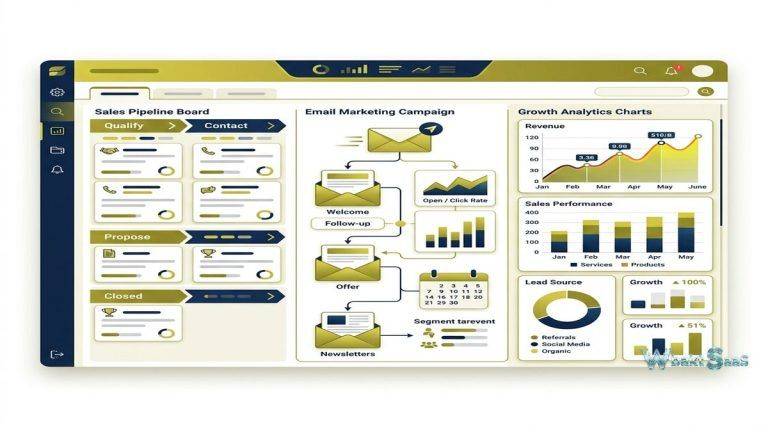
Keap’s email marketing provides template-based campaign creation with drag-and-drop design, personalization merge fields, A/B testing, and send time optimization. Email campaigns can target specific contact segments based on tags, custom fields, purchase history, engagement level, and lifecycle stage. Broadcast emails send one-time communications to selected segments, while automated emails execute within automation workflows based on triggers and timing. Email analytics track open rates, click rates, unsubscribe rates, and revenue attribution, connecting email performance to business outcomes.
Sales Pipeline
Keap’s sales pipeline provides visual deal tracking with customizable stages, drag-and-drop progression, and pipeline analytics. Deal records store value, expected close date, associated contacts, activity history, notes, and custom fields. Pipeline automation creates tasks, sends notifications, and updates records when deals move between stages, ensuring consistent follow-up throughout the selling process. Multiple pipelines support different sales processes for different products or services. Pipeline reporting shows conversion rates, deal velocity, win/loss analysis, and revenue forecasting.
Invoicing and Payments
Keap includes native invoicing and payment processing capabilities, enabling businesses to create and send invoices, accept credit card and ACH payments, set up recurring billing for subscription services, and automate payment follow-up for overdue invoices. Payment processing integrates with Stripe, PayPal, and other payment gateways. Automated payment reminders reduce the manual effort of chasing unpaid invoices, and payment confirmation emails automatically notify customers when payments are received. For small service-based businesses, having invoicing integrated with CRM eliminates the need for separate accounting or invoicing tools for basic financial transactions.
Appointment Scheduling
Keap’s appointment scheduling enables clients and prospects to book appointments directly from the business’s calendar, eliminating the back-and-forth scheduling communications that consume significant time for service-based businesses. Scheduling pages can be customized with branding and embedded on websites. Appointment reminders reduce no-show rates through automated email and SMS reminder sequences before scheduled meetings. Calendar integration synchronizes appointments with Google Calendar and Outlook. Post-appointment automation can trigger follow-up sequences — sending thank-you emails, requesting reviews, or scheduling future appointments — without manual action.
Text Messaging
Built-in SMS messaging enables sending text messages to contacts directly from the CRM. Text messages can be sent manually for personal communication or automated within workflow sequences for systematic follow-up. Appointment reminders via SMS achieve significantly higher open and read rates than email reminders, reducing no-show rates for service-based businesses. Two-way texting enables conversations with contacts through the Keap platform, maintaining communication history within the CRM context.
Landing Pages and Forms
Landing page builder creates conversion-optimized pages for lead capture, event registration, product promotion, and special offers. Templates provide professionally designed starting points that can be customized with branding. Form builder creates embeddable lead capture forms for websites and landing pages. Form submissions trigger automation workflows — creating contacts, applying tags, starting email sequences, and routing leads to appropriate pipelines automatically. Landing pages and forms integrate directly with payment processing for pages that require purchases during the conversion process.
Contact Management
Keap’s contact management stores comprehensive contact records including demographic information, communication preferences, purchase history, interaction timeline, tags, custom fields, and lifecycle stage. Contact scoring tracks engagement levels based on email opens, link clicks, form submissions, appointment bookings, and purchase activity, identifying the most engaged contacts for prioritized follow-up. Lead source tracking attributes contacts to the marketing channels that generated them, providing visibility into which acquisition channels deliver the most valuable prospects.
Tags and Segmentation
Tags provide the foundational organizational system in Keap — contacts can be tagged with any number of labels that represent interests, behaviors, lifecycle stages, product ownership, campaign membership, or any custom categorization. Tag-based segmentation creates dynamic groups for targeted marketing, personalized automation, and filtered reporting. Tags trigger automation workflows — when specific tags are applied, sequences start; when tags are removed, sequences stop. This tag-driven architecture gives small business owners granular control over contact organization and automated communication without requiring complex database query skills.
Referral Partner Program
Keap’s referral partner management tracks referral sources, manages referral commissions, and provides referral partners with unique tracking links. For small businesses where word-of-mouth and referral marketing drive significant client acquisition, systematic referral tracking replaces informal referral acknowledgment with structured partner management that incentivizes and rewards referral activity.
E-Commerce
Keap supports digital product sales through checkout pages, order forms, and product catalog management. Promo codes enable creating discount campaigns. Upsell and cross-sell automation presents additional product offers during and after the purchase process. Subscription management handles recurring billing for membership programs, retainer services, and subscription products. For coaches, consultants, and information product businesses, Keap’s e-commerce capabilities provide selling functionality without requiring separate e-commerce platforms.
Integrations
Keap integrates with popular business tools including QuickBooks, Xero, WordPress, Shopify, Zapier, Gmail, Outlook, Zoom, and many more. Zapier connectivity extends integration to thousands of additional applications. The Keap API provides programmatic access for custom integrations. QuickBooks and Xero integration synchronizes invoicing and payment data with accounting systems, eliminating double data entry between CRM and financial management. WordPress integration connects website forms and content with CRM automation workflows.
Mobile Application
Keap’s mobile app provides CRM access on iOS and Android with contact management, pipeline viewing, invoicing, appointment management, calling, texting, and email capabilities. The Keap Business Line provides a dedicated business phone number that separates personal and business communications, enabling small business owners to maintain professional boundaries while remaining accessible to clients. Mobile notifications alert users to form submissions, payment receipts, appointment bookings, and pipeline updates, maintaining business awareness during field work and travel.
Lead Scoring
Contact scoring assigns numerical values to contacts based on engagement behaviors — email opens, link clicks, form submissions, website visits, appointment bookings, and purchase activity. Higher scores indicate more engaged contacts who are more likely to convert or respond to outreach. Score-based automation triggers different workflows for highly engaged contacts versus less engaged contacts, enabling personalized treatment based on demonstrated interest levels. Lead scoring helps small business owners focus their limited personal follow-up time on the contacts most likely to generate revenue.
Reporting and Analytics
Keap provides built-in reporting covering email campaign performance, pipeline analytics, revenue tracking, contact growth, appointment statistics, and payment summaries. Revenue reports track invoiced amounts, collected payments, and outstanding balances. Pipeline reports show deal distribution, conversion rates, and forecasted revenue. Contact growth reports display database growth trends and lead source attribution. Campaign reports measure email engagement metrics and automation performance. Dashboard views combine key metrics into at-a-glance performance summaries that give business owners quick visibility into their business health.
Business Line Phone Number
Keap Business Line provides a professional phone number dedicated to business use, separate from the owner’s personal phone number. Business calls and texts route through the Keap app, maintaining professional communication while protecting personal privacy. Call history and text conversations are logged within the CRM, ensuring that all client communications — regardless of channel — are captured in the contact record. Voicemail transcription converts voice messages into text for quick review without listening to audio recordings. For solopreneurs who use personal phones for business, this separation provides professionalism without requiring a second physical phone.
Data Import and Migration
Keap provides CSV import tools for contacts with field mapping, tag assignment, and duplicate detection. Migration support helps organizations transition from spreadsheets, other CRM platforms, and email marketing tools. Keap’s onboarding team provides guided setup assistance during initial implementation, helping new users configure their automation workflows, import existing contacts, and set up their first campaigns. This implementation support is particularly valuable for small business owners who may lack technical experience with CRM and marketing automation platforms.
Common Use Cases
Coaches and Consultants: Business coaches, life coaches, and independent consultants use Keap to automate client acquisition, appointment scheduling, session follow-up, and invoicing, freeing time from administrative tasks for billable client work.
Real Estate Professionals: Real estate agents use Keap to nurture buyer and seller leads through automated email and SMS sequences, manage transaction pipelines, and maintain long-term relationship follow-up for referral generation.
Health and Wellness: Fitness trainers, chiropractors, therapists, and wellness practitioners use Keap to manage client bookings, automate appointment reminders, send health tips and newsletters, and process recurring membership payments.
Professional Services: Accountants, attorneys, financial advisors, and other professionals use Keap to manage client intake, automate onboarding workflows, send recurring communication, and process service invoicing.
Home Services: HVAC, plumbing, landscaping, and cleaning businesses use Keap to manage customer relationships, automate service reminders, handle seasonal marketing campaigns, and coordinate scheduling and invoicing.
Education and Training: Training companies and educators use Keap to sell courses, manage student enrollment, deliver content sequences, automate post-program follow-up, and create upsell campaigns for advanced courses and programs.
Insurance Agents: Independent insurance agents use Keap to manage prospect nurturing, automate policy renewal reminders, send educational content sequences about coverage options, and track commission-generating sales pipelines.
Photography and Creative: Photographers, videographers, and creative professionals use Keap to automate client inquiry follow-up, send contract and invoice workflows, manage session scheduling, and deliver image galleries with automated follow-up for print and album sales.
Pricing
Keap offers tiered pricing based on contact volume and feature access. Plans include essential CRM and automation features with built-in email marketing, pipeline management, and invoicing capabilities. Higher tiers add advanced automation capabilities, e-commerce features, promo codes, and partner management tools. Pricing scales with contact database size, which is an important factor for cost planning as the business grows and the contact database expands. A 14-day free trial is available for evaluation without credit card requirements. Implementation support and guided onboarding help new users configure their automation workflows effectively during the critical initial setup period.
Pricing and features are subject to change. Please verify current plan details on the official Keap website before making purchasing decisions.
Limitations
- Pricing: Keap’s pricing is higher than simpler CRM tools, which can be significant for very small businesses or startups with tight budgets. Contact-based pricing means costs increase meaningfully as the database grows.
- Learning curve: Despite significant usability improvements from the Infusionsoft era, Keap’s automation capabilities still require time and effort to learn and configure effectively for maximum benefit.
- B2B enterprise: Keap is designed for small B2C and B2B service businesses. Enterprise B2B organizations with complex multi-stage sales cycles and large sales teams need more sophisticated CRM platforms.
- Reporting depth: Reporting is functional for small business needs but less advanced than dedicated analytics platforms or enterprise CRM reporting capabilities for complex data analysis.
- Integration ecosystem: While Keap integrates with popular tools and Zapier extends connectivity, the native integration ecosystem is smaller than Salesforce or HubSpot marketplaces.
Summary
Keap provides a comprehensive small business automation platform that combines CRM, marketing automation, sales pipeline, invoicing, appointment scheduling, text messaging, and e-commerce in a single platform designed for business owners who need to automate every stage of the customer lifecycle without managing multiple disconnected tools or complex integration architectures. The platform’s automation engine is its defining strength — enabling small businesses to create sophisticated, multi-step workflows that nurture leads, follow up with prospects, process sales, and maintain customer relationships automatically without constant manual intervention.
The all-in-one design philosophy makes Keap particularly valuable for solopreneurs and very small teams who cannot afford the time or complexity of managing separate CRM, email marketing, scheduling, invoicing, and e-commerce platforms independently. By consolidating these functions into a single unified platform, Keap eliminates the integration management, data synchronization, and multi-platform administration that fragment the small business technology experience and consume time that should be spent on revenue-generating activities.
The evolution from Infusionsoft to Keap represents a deliberate shift toward accessibility without sacrificing automation power. While Infusionsoft was known for powerful but complex marketing automation, Keap maintains that automation depth while providing an interface and workflow experience that small business owners can learn and use without marketing automation expertise or technical implementation support.
CRM platforms including Keap, HubSpot, Pipedrive, Nutshell, and Freshsales each approach small business CRM with different feature priorities, pricing models, and target audiences. Keap’s advantages center on automation depth, lifecycle management, payment integration, business phone functionality, and the all-in-one consolidation that simplifies technology management for resource-constrained small business owners. Organizations evaluating CRM should consider whether Keap’s comprehensive automation capabilities and integrated business tools justify its pricing relative to assembling separate, potentially less expensive individual tools for each business function.
Features, pricing, and availability discussed in this review reflect information available at the time of writing. Software products evolve continuously, and details may have changed since publication. Please verify current information directly on the official Keap website. WBAKT SaaS is an independent review platform with no affiliate relationships with any software company mentioned in this article.
For related CRM tools, see our reviews of HubSpot CRM, Nutshell CRM, and Freshsales CRM.
About the Author