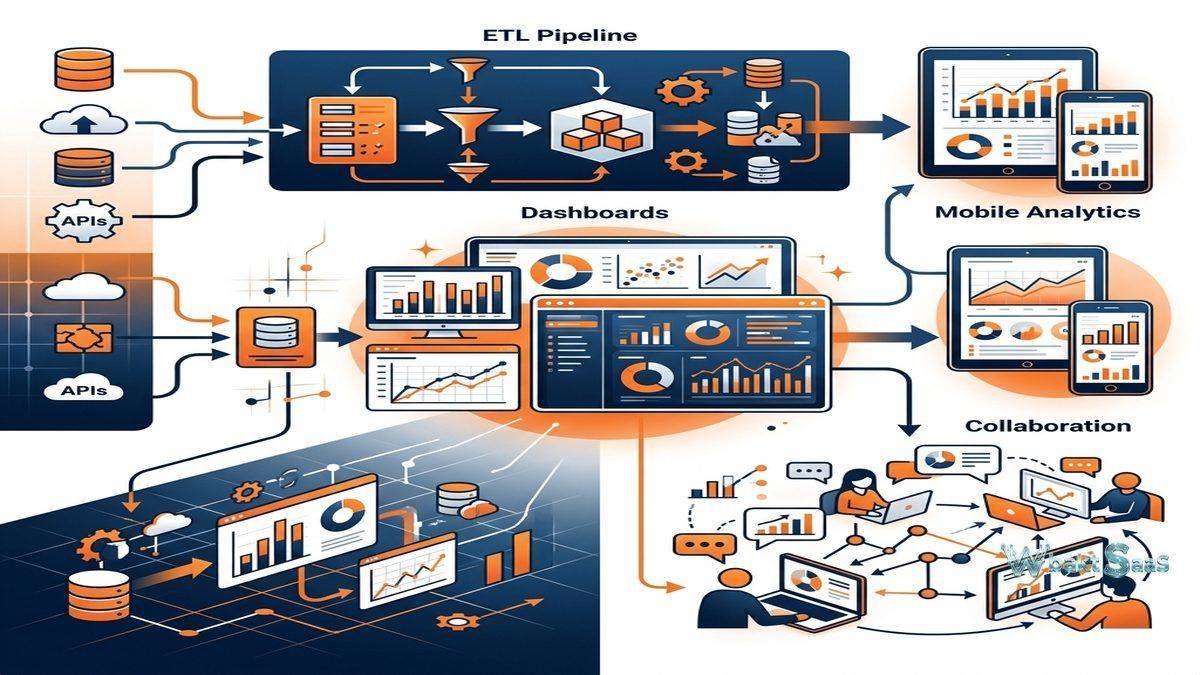
Enterprise business intelligence has historically required assembling multiple specialized tools — ETL platforms for data integration, data warehouses for storage, BI tools for visualization, and collaboration platforms for sharing insights — into complex technology stacks that demanded significant IT resources to build, maintain, and operate. This fragmented multi-tool approach creates significant integration complexity, governance challenges, and delays between data availability and business insight. Domo directly and ambitiously challenges this fragmented approach by providing a fully cloud-native business intelligence platform that consolidates data integration, data warehousing, analytics, visualization, collaboration, and application building into a single unified and cohesive platform. Rather than connecting separate tools through complex custom integrations, Domo provides an end-to-end analytics pipeline that enables organizations to go from raw data to actionable business insights within one integrated platform environment.
Founded in 2010 by Josh James (the founder of Omniture, acquired by Adobe), Domo was conceived as a “business cloud” that would make all enterprise data accessible to everyone in an organization, not just technical analysts. the platform has evolved from an executive dashboard tool into a comprehensive and full-featured business intelligence platform with over 1,000 pre-built data connectors, visual ETL capabilities, a cloud data warehouse, advanced analytics, and a low-code application builder. Domo went public in 2018 and continues operating as an independent and evolving analytics platform. Thoroughly understanding Domo’s integrated capabilities, data connectivity, and platform approach helps organizations evaluate whether this all-in-one analytics solution meets their business intelligence requirements or whether best-of-breed specialized tools offer advantages for specific analytical needs.
Data Connectors
Domo provides an impressive library of over 1,000 pre-built data connectors that integrate with cloud applications, databases, files, APIs, and custom data sources. Cloud application connectors include popular platforms such as Salesforce, HubSpot, Google Analytics, Facebook Ads, Shopify, QuickBooks, ServiceNow, and hundreds of other SaaS platforms. Database connectors support popular databases including MySQL, PostgreSQL, SQL Server, Oracle, Amazon Redshift, Snowflake, Google BigQuery, and other relational and analytical databases. File connectors import data from Excel, CSV, JSON, XML, and other flat files stored locally or in cloud storage (S3, Google Drive, Box, Dropbox). Federated queries enable querying external databases in real-time without importing data into Domo. The remarkable breadth of pre-built connectors reduces the integration development effort that typically consumes significant analytics project time and budget.
Magic ETL
Magic ETL provides visual, drag-and-drop data transformation that cleans, shapes, and combines data from multiple sources without coding. Transformation nodes include filter, group by, join, append,, union, pivot, formula, rank, window functions, and text manipulation operations. Users build transformation workflows by connecting nodes visually, creating transparent and auditable data pipelines that are readable by both technical and non-technical stakeholders. Automated scheduling triggers pipeline execution at configured intervals, maintaining fresh transformed data for analytics consumption. Magic ETL executes entirely on Domo’s cloud infrastructure, eliminating the need for separate ETL servers or processing infrastructure. For organizations without dedicated data engineering teams, Magic ETL makes data transformation genuinely accessible to analysts and business users.
Cloud Data Warehouse
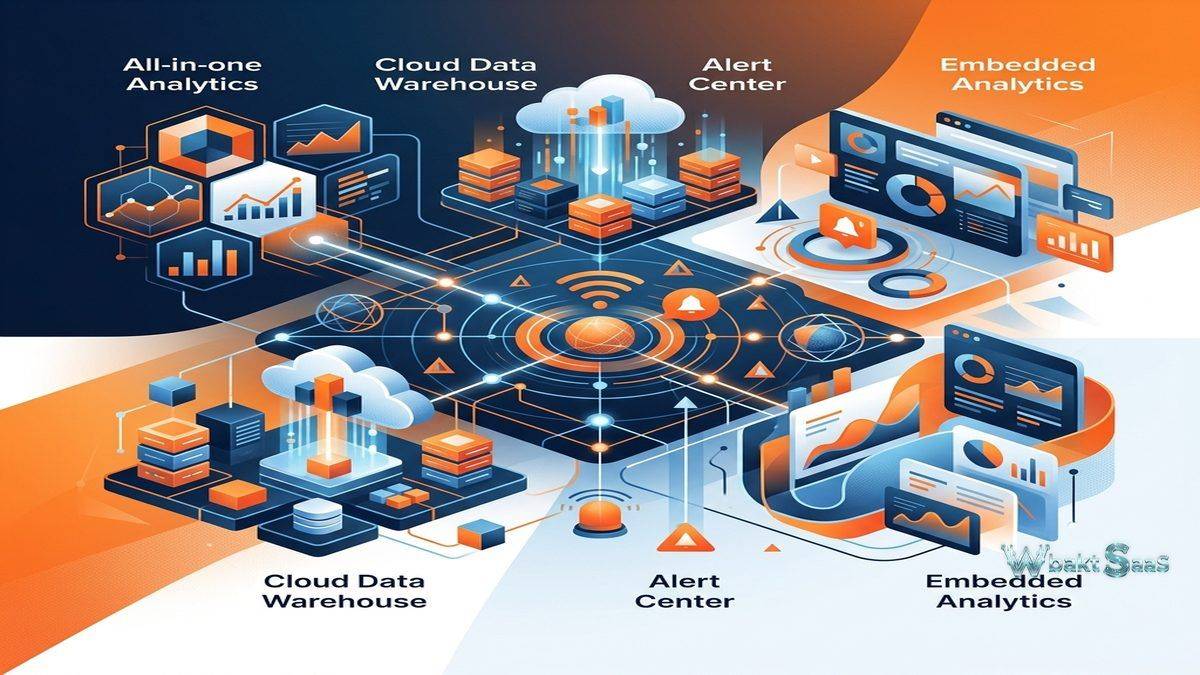
Domo includes a built-in cloud data warehouse called Adrenaline that stores and processes analytical data. Adrenaline provides columnar storage, advanced data compression, and parallel query processing for analytical workloads. The integrated warehouse significantly reduces or eliminates the need for separate cloud data warehouse infrastructure (Snowflake, BigQuery, Redshift), significantly simplifying the analytics technology stack. Data imported through connectors and carefully transformed through Magic ETL stores in the integrated warehouse, creating a unified and centralized analytical data repository. For organizations without existing cloud data warehouse infrastructure, Domo’s integrated approach provides warehousing capability without additional platform procurement, configuration, management, and cost.
Cards and Dashboards
Domo visualizations are called “cards” — individual charts, tables, and data displays that combine into dashboard pages. Card types include bar charts, line charts, stacked area charts, pie charts, funnel charts, scatter plots, maps, gauges, tables, pivot tables, and specialized visualizations. The card builder provides a guided and intuitive visualization creation experience with automatic chart type recommendations based on selected data dimensions and measures. Dashboard pages organize related cards into analytical views with shared filter controls. Drill-down capabilities enable navigating seamlessly from summary views to detailed data through clicking on card data points. Alert integration enables configuring threshold-based notifications on individual cards for proactive and continuous monitoring.
Buzz Collaboration
Buzz is Domo’s built-in collaboration feature that provides messaging, commenting, and discussion capabilities directly within the analytics platform. Users comment on specific cards, dashboard pages, and data points, creating contextual conversations about data insights. @mentions notify specific colleagues about relevant data observations. Buzz channels provide topic-based discussion spaces for teams and projects. File sharing within Buzz enables distributing supporting documents alongside analytical discussions. The integrated collaboration model effectively eliminates the context-switching between analytics platforms and communication tools (email, Slack, Teams) that typically fragments data-driven conversations and decisions. Data insights and the rich discussions they generate remain connected within the same platform.
Alert Center
Domo’s Alert Center provides comprehensive threshold-based alerting across all analytical content. Alert rules trigger when metric values exceed, drop below, or change by defined amounts. Multi-condition alerts enable complex alert logic combining multiple metrics, dimensions, and conditions. Alert routing delivers notifications through email messages,, Domo mobile push notifications, Buzz messages, and webhook integrations to external systems. Alert history provides a comprehensive timeline of triggered alerts for pattern analysis. For organizations where proactive data monitoring is critical — financial thresholds, inventory levels, sales targets, operational metrics — the the Alert Center converts passive analytics into active operational surveillance that drives timely business responses.
App Builder
Domo’s App Builder enables creating custom applications within the Domo platform using low-code development. Applications can include custom forms, workflow automation, interactive interfaces, and specialized visualizations that extend beyond standard dashboard capabilities. Pre-built app templates from the Domo Appstore provide ready-made starting points for common use cases including sales scorecards, marketing dashboards, financial reporting, and operational monitoring. For organizations needing specialized analytical applications that standard dashboard tools cannot adequately address, App Builder provides an application development capability within the analytics platform.
Governance
Domo provides data governance through Personalized Data Permissions (PDP) that restrict data visibility based on user attributes and group membership. PDP policies define data access rules at the row level, ensuring that each user sees only the data they are authorized to access. Content permissions control granular access to cards, pages, and datasets. Certification workflows mark verified, trusted content with official endorsement status. Comprehensive data lineage tracking shows how data flows from source connectors through ETL transformations into analytical cards, enabling impact analysis when data sources change. Activity logging records detailed user interactions for security monitoring and compliance documentation.
Mobile Analytics
Domo’s mobile application provides native iOS and Android access to dashboards, cards, alerts, and Buzz conversations. The mobile experience is thoughtfully designed as a first-class interface rather than a responsive web adaptation, providing optimized touch interaction for card browsing, drill-down exploration, and collaboration. Favorites enable convenient quick access to frequently referenced cards. Push notifications instantly deliver alert triggers and Buzz mentions to mobile devices in real-time. For executives and field workers who need analytics access throughout their workday regardless of location, Domo’s mobile application provides comprehensive platform access from smartphones and tablets.
Advanced Analytics
Domo provides advanced analytical capabilities including forecasting, trend analysis, outlier detection, and statistical analysis within cards. AutoML enables building machine learning models using Domo’s guided visual interface without data science expertise. R and Python integration enables executing custom statistical computations and machine learning models within the Domo platform. The data science workbench provides Jupyter notebook-style environments for advanced analytical development. For organizations wanting to incorporate predictive, prescriptive, and statistical analytics alongside descriptive dashboards, Domo’s advanced analytics capabilities enable sophistication beyond standard BI visualization.
Embedded Analytics
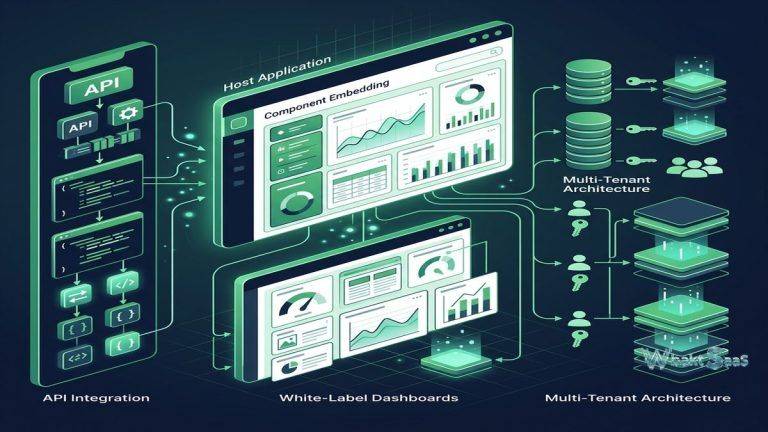
Domo Everywhere enables embedding interactive analytics, dashboards, and cards into external applications, customer portals, partner platforms, and websites. Programmatic filtering enables host applications to control embedded content context based on user identity and session data. White-label capabilities enable completely branding embedded analytics to match host application aesthetics. API-driven embedding provides programmatic control over content selection, filtering, and user authentication. For SaaS companies and service providers wanting to add analytics capabilities to their products, Domo Everywhere provides a path to data-driven product features leveraging Domo’s complete analytics infrastructure — connectors, ETL, warehousing, and visualization — without building analytics functionality from scratch.
Data Science Integration
Beyond AutoML, Domo supports integration with external data science environments and tools. Jupyter Workspaces provide full notebook-based development environments within the Domo platform for Python and R-based analytical development. Data science workflows can access Domo datasets, execute computations, and write results back to Domo for visualization and distribution through dashboards. Integration with external ML platforms enables incorporating models trained in dedicated data science environments into Domo’s analytical pipeline. For organizations with established data science teams, the robust integration capabilities enable connecting existing data science workflows to Domo’s business user-facing analytics infrastructure.
User Personas and Roles
Domo serves different user personas through role-based platform access. Participants view and interact with shared dashboards and cards and cards without authoring capabilities. Privileged users create cards, dashboards, basic data transformations, and connector configurations. Full users access the complete platform including all connectors, Magic ETL, and advanced features. Admin users manage organizational settings, governance policies, user management, and platform configuration. this persona-based approach enables organizations to provide appropriate platform access to different user types — from executives who only view dashboards to analysts who build complex analytical workflows — with licensing and permissions aligned to each user’s requirements.
Integration Framework
Domo’s Connector Dev Studio enables building custom connectors for proprietary and specialized data sources not covered by the pre-built connector library. The low-code development environment provides tools for creating API-based connectors, file-based connectors, and database connectors that integrate with Domo’s scheduling and data management infrastructure. Custom connectors undergo validation testing and can be shared within the organization or published to the Domo Appstore for broader community use. For organizations with proprietary internal systems, legacy databases, or industry-specific applications, the connector development capability ensures that all organizational data sources can be integrated into Domo’s comprehensive analytical environment.
Security and Compliance
Domo implements enterprise security through SOC 2 Type II compliance, data encryption at rest and in transit, SSO integration (SAML, OAuth), multi-factor authentication, and IP allowlisting. HIPAA compliance support includes Business Associate Agreements for healthcare organizations. GDPR compliance features support comprehensive European data protection requirements. Personalized Data Permissions (PDP) provide row-level security that ensures data access controls are enforced consistently across all analytical content. Audit logging records administrative actions, data access events, content changes, and permission modifications for security monitoring and compliance documentation. For regulated industries, Domo’s enterprise security architecture and compliance certifications provide the controls needed for deploying analytics over sensitive organizational data.
Common Use Cases
Executive Intelligence: C-suite leaders use Domo for real-time executive dashboards that consolidate financial performance, sales metrics, operational KPIs, customer satisfaction scores, and strategic initiative progress from dozens of data sources into unified, mobile-accessible leadership views for informed decision-making.
Marketing Performance: Marketing teams connect advertising platforms, CRM, web analytics, social media, and marketing automation data through pre-built connectors, creating unified marketing performance views that show campaign ROI, customer acquisition costs, attribution modeling, and conversion optimization across all marketing channels.
Sales Operations: Sales organizations monitor pipeline health, forecast accuracy, representative performance, territory coverage, quota attainment, and deal velocity through dashboards with Buzz-integrated collaboration that connects sales insights to team discussions and immediate action planning.
Finance and Accounting: Finance teams automate financial reporting by connecting ERP, accounting, banking, and billing data sources through connectors, transforming data through Magic ETL, and creating automated financial dashboards that replace time-consuming manual spreadsheet reporting processes.
IT Operations: IT departments monitor infrastructure performance, service desk metrics, security events, compliance posture, and project portfolio status through dashboards with Alert Center monitoring that provides proactive notification of operational issues requiring immediate attention.
Retail Analytics: Retail organizations analyze point-of-sale data, inventory levels, customer behavior, e-commerce metrics, promotional effectiveness, and supply chain performance through unified dashboards that combine data from multiple retail technology systems into comprehensive operational views.
Healthcare: Healthcare organizations analyze clinical quality measures, patient satisfaction, financial performance, regulatory compliance metrics, and operational efficiency through HIPAA-compliant dashboards with PDP-enforced data access controls ensuring appropriate data visibility across clinical and administrative roles.
Pricing
Domo pricing is available through sales engagement with pricing based on user count and feature tier. Plans include Standard, Professional, and Enterprise editions with increasing capabilities. Enterprise pricing includes advanced governance, premium connectors, and dedicated support. Domo does not publish fixed public pricing information, with actual costs depending on deployment scale, feature requirements, and negotiated terms.
Contact Domo sales for current pricing details. Features and pricing are subject to change.
Limitations
- Pricing transparency: Sales-engagement pricing without public pricing details makes cost evaluation difficult during initial platform comparison and budgeting processes.
- Learning curve: While individual features are accessible, understanding the complete platform breadth — connectors, ETL, warehouse, visualization, collaboration, apps — requires significant learning investment across multiple functional areas.
- Data modeling depth: Domo’s data modeling capabilities, while practical, are less sophisticated than dedicated semantic layer platforms like Looker’s LookML for complex dimensional modeling requirements.
- Visualization customization: Card customization options may not match the visualization depth of dedicated visualization platforms like Tableau for highly specialized visual analysis needs.
- Platform lock-in: The integrated all-in-one approach creates platform dependency — data, transformations, and visualizations are all within Domo’s proprietary environment.
Summary
Domo provides a comprehensive cloud-native, all-in-one business intelligence platform that consolidates data integration, warehousing, transformation, visualization, collaboration, and application development into a unified analytics environment. The integrated approach eliminates the technology stack complexity of assembling and maintaining separate specialized tools while providing genuinely comprehensive capabilities across the complete analytics pipeline — from data ingestion through business insight delivery.
The extensive pre-built connector library, visual Magic ETL, and integrated collaboration through Buzz create a platform that enables organizations to build complete analytics infrastructure without assembling and maintaining multiple specialized tools. For organizations seeking to simplify their analytics technology stack while maintaining broad analytical capabilities, Domo’s integrated platform approach provides compelling consolidation advantages.
Business intelligence platforms including Domo, Tableau, Power BI, Looker, and Sisense each offer different architectural approaches to enterprise analytics. Domo’s advantages center on cloud-native architecture, all-in-one platform integration, extensive data connector library, visual ETL accessibility, built-in collaboration, and the mobile-first design that extends analytics beyond desktop-bound users. Organizations evaluating BI platforms should carefully consider their integration complexity tolerance, team technical capabilities, and the strategic value of platform consolidation versus best-of-breed specialized tool selection when comparing analytics solutions.
Features, pricing, and availability discussed in this review reflect information available at the time of writing. Software products evolve continuously, and details may have changed since publication. Please verify current information directly on the official Domo website. WBAKT SaaS is an independent review platform with no affiliate relationships with any software company mentioned in this article.
For related analytics tools, see our reviews of Tableau, Sisense, and Power BI.
About the Author