Social media management tools range from enterprise platforms with hundreds of features to focused tools that do a few things exceptionally well. Buffer occupies the latter category — a social media scheduling and publishing tool that prioritizes simplicity, clean design, and straightforward workflow over feature accumulation. This positioning has attracted a loyal following among small businesses, solopreneurs, content creators, and marketing teams who want an intuitive tool for planning, scheduling, and analyzing social media content without the complexity and cost of enterprise-grade platforms.
Founded in 2010, Buffer built its initial reputation on a simple value proposition: schedule social media posts in advance so they publish at optimal times throughout the day. While the platform has expanded significantly since then — adding analytics, engagement tools, team collaboration, and a link-in-bio product — the core philosophy of doing less but doing it better continues to define Buffer’s product development approach. Understanding Buffer’s focused capabilities and deliberate limitations helps organizations evaluate whether this tool’s simplicity serves their needs or whether they require the broader feature sets that more comprehensive alternatives provide.
Content Publishing and Queue
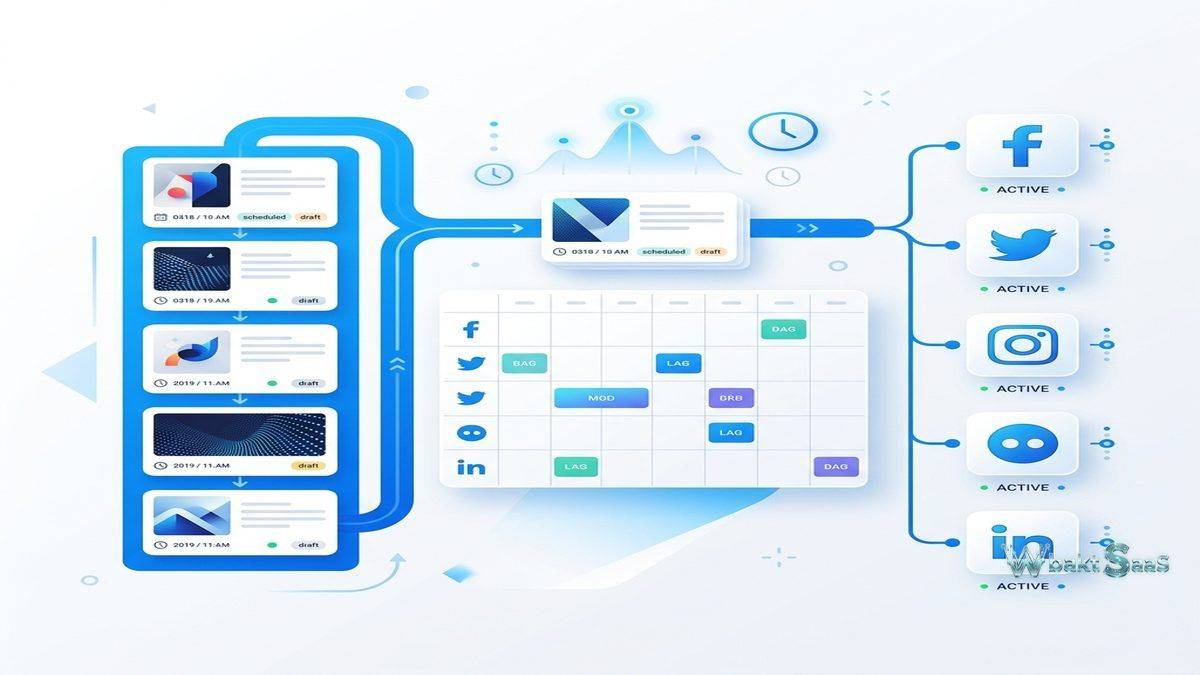
Buffer’s publishing queue is the platform’s foundational feature. Users create posts, add them to a queue, and Buffer publishes them according to a configured schedule. Each connected social account maintains its own posting schedule — times and days when queued content will be published — ensuring consistent posting frequency without requiring manual publication at specific times. The queue model provides predictability: content added to the queue publishes in first-in-first-out order at the next available scheduled time slot.
The Composer supports creating content for Facebook, Instagram, LinkedIn, Twitter/X, Pinterest, TikTok, Mastodon, YouTube Shorts, and Google Business Profile. Platform-specific customization allows tailoring each post for its destination network — adjusting text length, hashtags, mentions, and media formats — while maintaining the efficiency of creating content from a single interface. Image and video uploads, link previews, and first comment scheduling (particularly valuable for Instagram hashtag strategy) are supported within the composition workflow.
Direct scheduling bypasses the queue system, allowing users to schedule specific posts for exact dates and times when the queue’s automatic scheduling is not appropriate — time-sensitive announcements, event-related content, or campaign launches that require precise timing. The combination of queue-based and direct scheduling provides flexibility for both routine content distribution and time-critical publishing needs.
Draft management stores work-in-progress posts that are not yet ready for the queue. Content ideas, partially written posts, and posts awaiting approval or media assets can be saved as drafts, creating a content pipeline visible to the entire team. This draft staging area separates the creative process from the scheduling process, allowing content to be developed at any time and queued for publication when ready.
Content Calendar
Buffer’s content calendar visualizes scheduled content across all connected social accounts on a day, week, or month view. The calendar reveals publishing patterns — content density across days and times, platform distribution, and content type variation — that help social media managers ensure balanced, consistent presence across their social channels. Empty calendar slots highlight scheduling gaps where additional content could maintain engagement consistency.
Calendar-based scheduling allows creating posts directly from the calendar by clicking on specific time slots, combining the creation and scheduling steps into a single action. Drag-and-drop rescheduling moves posts to different times or days without recreating them. The visual nature of the calendar makes content planning more intuitive than managing a linear queue, particularly for teams that plan content around events, campaigns, or editorial calendars. Color-coded labels distinguish content categories, campaigns, and content types within the calendar view, providing visual organization that makes multi-campaign content planning manageable at a glance.

Analytics
Buffer Analytics tracks post performance across connected accounts, measuring reach, impressions, engagement (likes, comments, shares, saves), link clicks, and follower growth. Post-level performance data identifies which content generates the strongest audience response, informing future content strategy based on evidence of what works rather than intuition about what should work.
Overview dashboards summarize account performance with trend visualizations showing how key metrics change over time. Comparison views evaluate performance across different time periods — this month versus last month, this quarter versus the previous quarter — revealing growth trends and performance patterns. Audience demographics data shows follower characteristics including age, gender, and location distributions.
The Answers feature provides specific, actionable insights rather than just raw data. Rather than presenting a dashboard of metrics that require interpretation, Answers tells users directly: “Your best posting time on Instagram is Thursday at 2 PM” or “Videos get 3x more engagement than images on your Facebook page.” These translated insights make analytics accessible to users who may not have formal analytics training or time for detailed data interpretation.
Export capabilities generate CSV and PDF reports for stakeholder communication, performance documentation, and external analysis. Custom date ranges, metric selection, and platform filtering customize reports for specific reporting requirements. While Buffer’s analytics are less detailed than dedicated analytics platforms, they cover the core metrics that most small and mid-size social media operations need for performance monitoring and strategy optimization.
Engagement Tools
Buffer’s engagement features consolidate comments and interactions from connected social accounts into a unified inbox. Social media managers view and respond to comments on Facebook, Instagram, and LinkedIn posts from within Buffer, reducing the need to switch between platform-native interfaces for engagement management. Comment filtering and prioritization help focus attention on interactions that require responses.
Sentiment indicators flag comments that may need urgent attention — negative feedback, customer complaints, or time-sensitive questions — ensuring that problematic interactions are addressed promptly rather than getting lost in high-volume comment streams. This sentiment-aware engagement management is particularly valuable for accounts with active comment sections where manual monitoring of every interaction is impractical.
Start Page (Link-in-Bio)
Buffer’s Start Page provides a customizable link-in-bio landing page that social media profiles can link to from their bio section. The landing page displays links to websites, products, content, and other social profiles in a clean, branded layout. For Instagram, TikTok, and other platforms where bio links are the only clickable link available, Start Page creates a hub that directs traffic to multiple destinations from a single bio link.
Customization includes color schemes, button styles, font selection, header images, and layout options that align the landing page with brand identity. Analytics track clicks on each link, revealing which destinations attract the most traffic from social media audiences. This data helps optimize the landing page layout and content selection for maximum traffic direction to priority destinations.
Team Collaboration
Buffer supports team workflows with user roles (admin, team member, contributor), content approval processes, and shared drafts. Contributors can create and submit content for review, while administrators approve and schedule posts. This approval workflow prevents unauthorized publication while enabling team members to contribute content ideas without direct publishing access.
Shared channel access allows multiple team members to create content for the same social accounts while maintaining individual accountability through activity logging. Team activity feeds show who created, modified, approved, and scheduled each post, providing transparency and accountability in collaborative content production environments.
Integrations
Buffer integrates with Canva for visual content creation, enabling users to design social graphics within Canva and publish them through Buffer’s scheduling queue. RSS feed integration automatically adds content from blog feeds to the Buffer queue, simplifying content distribution for organizations that regularly publish blog content. Zapier integration connects Buffer with hundreds of additional applications, enabling automated workflows that create Buffer posts based on triggers from other platforms.
The Buffer API enables custom integrations for organizations with specific workflow requirements. Browser extensions and mobile applications extend access to Buffer’s scheduling capabilities from any context — sharing web articles to the Buffer queue from a browser extension, or creating posts from mobile devices during events and travel.
AI Assistant
Buffer’s AI Assistant helps users generate social media content by providing writing suggestions, caption ideas, and content repurposing recommendations. Users can describe the topic they want to post about, and the AI generates multiple content variations tailored to different platforms and tones of voice. The AI can also repurpose existing content — transforming a blog post into a series of social media posts, converting a long-form update into platform-appropriate snippets, or suggesting different angles for the same core message.
While AI-generated content provides useful starting points and can overcome writer’s block, effective social media managers typically use AI suggestions as drafts that they customize with brand-specific voice, current context, and personal insights that automated systems cannot replicate. The AI Assistant accelerates the ideation and drafting phases of content creation without replacing the human judgment and authenticity that audiences respond to most positively.
Content Ideas and Inspiration
Buffer’s Ideas feature provides a shared content idea repository where team members can capture content concepts at any time — article inspiration, campaign concepts, seasonal content opportunities, trending topic ideas — without immediately developing them into full posts. This idea capture mechanism prevents the common experience of having content ideas at inconvenient moments and losing them before they can be developed.
Content ideas can be tagged, categorized, and annotated with notes, links, and media assets that provide context when the idea is later developed into a post. The ideas repository becomes a content backlog that social media managers can draw from during content planning sessions, reducing the “blank page” problem that makes consistent content creation challenging.
Mobile Experience
Buffer’s mobile applications for iOS and Android provide full content creation, scheduling, queue management, and basic analytics from smartphones. The mobile experience is particularly important for social media managers who capture content opportunities in real-time — event coverage, behind-the-scenes moments, timely reactions to trending topics — and need to create and schedule posts immediately from mobile devices.
Push notifications alert users to important engagement activity, scheduled post confirmations, and queue status updates. The mobile interface maintains Buffer’s design philosophy of clean simplicity, providing access to core scheduling and analytics functionality without the interface complexity that makes some social media management tools difficult to use on smaller screens.
Common Use Cases
Small Business Marketing: Small businesses with limited marketing resources use Buffer to maintain consistent social media presence without dedicating staff to real-time social media publishing. Batch content creation during dedicated planning sessions fills the queue for days or weeks of automated publishing.
Content Creators: Bloggers, podcasters, YouTubers, and other content creators use Buffer to promote new content across social platforms, schedule engagement-driving posts between content releases, and analyze which promotion strategies drive the most traffic to their primary content platforms.
Nonprofit Organizations: Nonprofits with volunteer-based marketing teams use Buffer’s affordable pricing and simple interface to maintain social media presence without requiring extensive social media expertise or training investment.
Freelance Social Media Managers: Freelancers managing social accounts for multiple clients use Buffer to organize client accounts, schedule content batches during client planning sessions, and provide performance reports demonstrating the value of social media management services.
Marketing Agencies: Smaller agencies use Buffer’s team and agency plans to manage multiple client social accounts with approval workflows, ensuring client content meets brand standards before publication while maintaining efficient multi-client operations.
Buffer vs Enterprise Platforms
Buffer’s deliberate simplicity creates trade-offs that organizations should understand when evaluating social media tools. Enterprise platforms like Hootsuite and Sprout Social provide social listening, advanced competitive analysis, comprehensive CRM integration, sophisticated chatbot capabilities, and deep advertising management that Buffer does not offer. However, these capabilities come with proportionally higher costs, steeper learning curves, and interface complexity that smaller organizations may not need. The question is not which tool is objectively better, but which tool matches the organization’s actual requirements without imposing unnecessary complexity or cost.
Pricing
Buffer offers a free tier with limited channel connections and scheduling capacity. Essentials, Team, and Agency plans progressively increase channel limits, team member seats, analytics depth, and feature access. Per-channel pricing on paid plans means costs scale directly with the number of social accounts managed, which is predictable but can accumulate for organizations managing many social profiles.
Pricing and features are subject to change. Please verify current plan details on the official Buffer website before making purchasing decisions.
Limitations
- Limited social listening: Buffer does not include social listening or monitoring capabilities. Organizations needing brand mention tracking, keyword monitoring, or competitive social intelligence require additional tools.
- Basic engagement tools: Engagement management covers comments but lacks the advanced routing, SLA tracking, and chatbot capabilities that enterprise social management platforms provide.
- No advertising management: Buffer does not manage paid social advertising. Organizations running social ad campaigns need separate ad management tools or platforms.
- Analytics depth: While sufficient for basic performance monitoring, Buffer’s analytics lack the advanced competitive benchmarking, custom metrics, and deep reporting capabilities of dedicated analytics platforms.
- Limited platform support: While covering major platforms, some social networks supported by competitors may not be available in Buffer.
Summary
Buffer succeeds by embracing focused simplicity rather than competing on feature breadth. For small businesses, content creators, and marketing teams whose social media management needs center on content scheduling, basic analytics, and clean workflow management, Buffer provides an intuitive and affordable solution that avoids the complexity overhead of enterprise platforms. The platform’s deliberate focus on doing less but doing it well creates a user experience that minimizes training requirements and maximizes the time spent on content creation rather than tool navigation.
Buffer’s product development philosophy reflects a broader principle in SaaS tool selection: more features do not automatically mean more value. Organizations frequently purchase enterprise-grade tools with capabilities they never use, paying for complexity that serves enterprise requirements they do not have. Buffer’s focused approach serves as an alternative for teams that benefit from constraint — a tool that does scheduling, analytics, and engagement cleanly and affordably without requiring weeks of training or configuration before delivering value.
The platform’s commitment to transparency — publicly sharing company revenue, salaries, and product decisions — has built trust within its user community and established Buffer as a values-driven company in the SaaS landscape. This transparency extends to the product itself, where pricing is straightforward, feature availability is clearly communicated, and the tool does not hide essential functionality behind upsells or surprise paywall limitations.
Social media management tools including Buffer, Hootsuite, Sprout Social, Later, and Agorapulse each serve different segments of the social media management market. Buffer’s advantages center on simplicity, affordability, and user experience quality. Organizations evaluating social media tools should honestly assess whether they need enterprise-grade capabilities or whether a focused, well-designed scheduling tool better serves their actual operational requirements.
Features, pricing, and availability discussed in this review reflect information available at the time of writing. Software products evolve continuously, and details may have changed since publication. Please verify current information directly on the official Buffer website. WBAKT SaaS is an independent review platform with no affiliate relationships with any software company mentioned in this article.
For related social media tools, see our reviews of Hootsuite social management, Later social scheduling, and Sprout Social dashboard.
About the Author