Enterprise communication platforms face a unique challenge: they must serve organizations ranging from ten-person startups to multinational corporations with hundreds of thousands of employees, all while maintaining usability, security, and performance across vastly different scales. Microsoft Teams has emerged as one of the dominant platforms in this space, leveraging its deep integration with the Microsoft 365 ecosystem to provide a communication and collaboration hub that connects messaging, video conferencing, file management, and business applications within a single interface.
What distinguishes Microsoft Teams from standalone messaging or video conferencing tools is its positioning as the central workspace for Microsoft 365 organizations. Rather than functioning as an independent communication tool, Teams serves as the front door to an organization’s entire digital work environment — documents in SharePoint, spreadsheets in Excel, presentations in PowerPoint, emails in Outlook, and data in Power Platform applications all become accessible through the Teams interface. This integration depth creates both Teams’ greatest strength and its primary source of complexity.
Platform Architecture
Microsoft Teams organizes communication and collaboration through a hierarchy of organizations, teams, and channels. An organization represents the entire company or institution, managed through Microsoft 365 administration. Teams are groups of people assembled around a common purpose — a department, a project group, a cross-functional initiative, or a temporary working group. Channels within each Team provide focused conversation spaces for specific topics, workstreams, or sub-projects.
Standard channels are visible to all Team members and serve as the default collaboration space. Private channels restrict access to a subset of Team members, useful for sensitive discussions, leadership conversations, or specialized work that not all Team members need to see. Shared channels extend collaboration across Team boundaries, allowing members from different Teams — and even different organizations — to participate in a common channel without joining each other’s Teams.
This channel-based architecture encourages structured communication where conversations happen in context. Rather than sending a project update via email to a distribution list, team members post updates in the relevant project channel where the conversation history, shared files, and related resources coexist. New team members joining a channel can scroll back through conversation history to understand context without requiring individual briefings, though the volume of messages in active channels can make this impractical for very long histories.
The architecture scales from small teams with a handful of channels to enterprise deployments with thousands of Teams and tens of thousands of channels. Administrative controls at the organizational level govern Team creation policies, guest access permissions, messaging policies, and security configurations, ensuring that the platform operates within organizational governance frameworks even as individual Teams operate with local autonomy.
Core Communication Features
Chat and Messaging
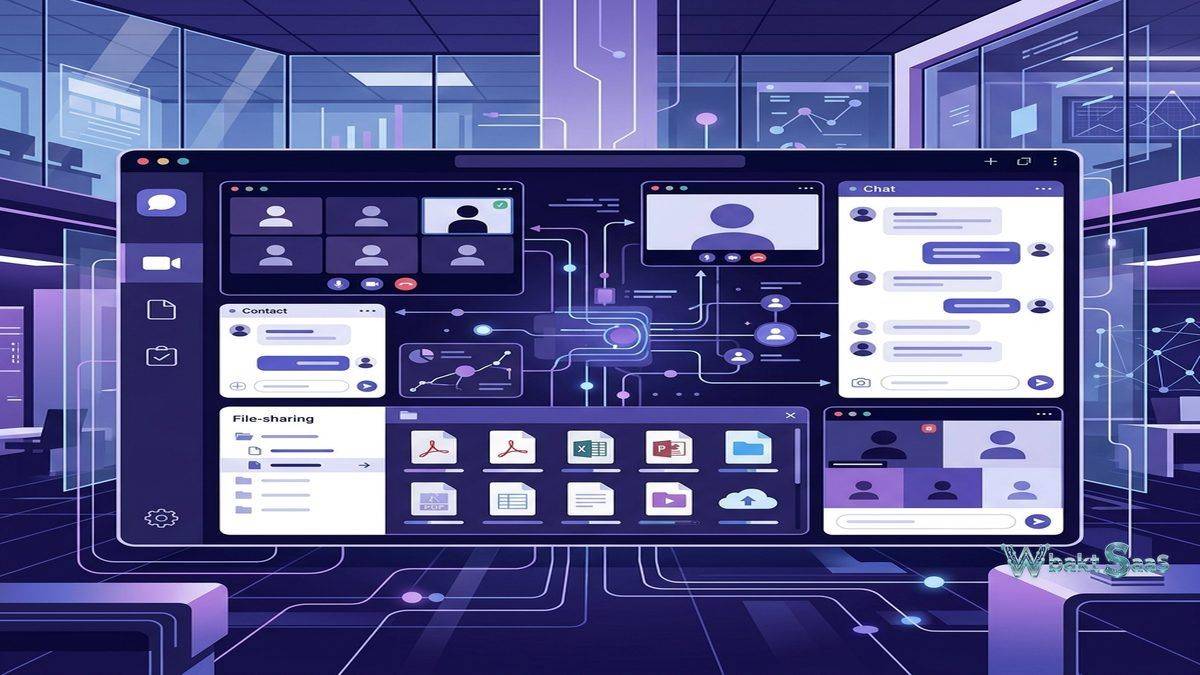
Teams provides both channel-based messaging for group conversations and direct chat for one-on-one and group communications. Channel messages support rich text formatting, @mentions for individuals and the entire channel, file attachments, emoji reactions, GIFs, stickers, and inline images. Threaded replies keep responses organized under the original message, preventing the conversational chaos that unthreaded group messaging produces in active channels.
Priority notifications flag urgent messages that generate persistent alerts until the recipient acknowledges them. Message editing and deletion allow corrections after posting, with edit history visible to maintain transparency. Pinned messages highlight important information at the top of channels, ensuring that critical announcements, guidelines, or resources remain accessible without scrolling through message history.
Search functionality indexes all messages, files, and shared content across Teams and channels. Users can search for specific keywords, filter by sender, date range, or content type, and navigate directly to search results within their conversational context. For organizations with years of Teams history, effective search transforms the platform from a real-time communication tool into a searchable knowledge repository.
Video Meetings and Calls
Teams’ video conferencing capabilities have expanded significantly, supporting meetings with up to 1,000 interactive participants and webinars or town halls with up to 10,000 view-only attendees on enterprise plans. Meeting features include screen sharing, together mode (placing participants in a shared virtual environment), breakout rooms for small-group discussions, live reactions, hand raising, meeting chat, and real-time captions with translation support for multiple languages.
Meeting recording captures video, audio, shared screens, and transcription simultaneously, storing recordings in OneDrive or SharePoint with automatic sharing to meeting participants. AI-powered meeting recaps generate summaries, action items, and key discussion points from recorded meetings, helping attendees who missed the meeting and providing reference for participants who want to review specific topics without rewatching the entire recording.
Teams Phone extends the platform into business telephone functionality, providing cloud-based calling with auto-attendants, call queues, voicemail transcription, and integration with existing phone systems through Direct Routing or Operator Connect. Organizations can consolidate their communication infrastructure — messaging, video, and voice — into a single platform, reducing the number of separate tools that employees must manage.
File Collaboration
Every Team in Microsoft Teams has an associated SharePoint site, and every channel has a dedicated folder within that SharePoint document library. Files shared in channels are automatically stored in SharePoint, providing version history, co-authoring capabilities, and granular permissions management. This integration means that documents discussed in a Teams conversation are simultaneously accessible through SharePoint, OneDrive, and the Teams interface — whichever access point the user prefers.
Real-time co-authoring allows multiple team members to edit Word documents, Excel spreadsheets, and PowerPoint presentations simultaneously within the Teams interface. Changes appear in real-time with cursor presence indicators showing where each collaborator is working. This eliminates the version control problems that plague email-based document workflows, where multiple copies circulate with conflicting edits that must be manually reconciled.
The Files tab in each channel provides a document management interface with folder organization, search, sorting, and filtering capabilities. Teams also integrates with third-party cloud storage services — Google Drive, Dropbox, Box — through connectors, allowing organizations that use multiple storage platforms to access files from various sources within the Teams environment.
App Integration and Extensibility
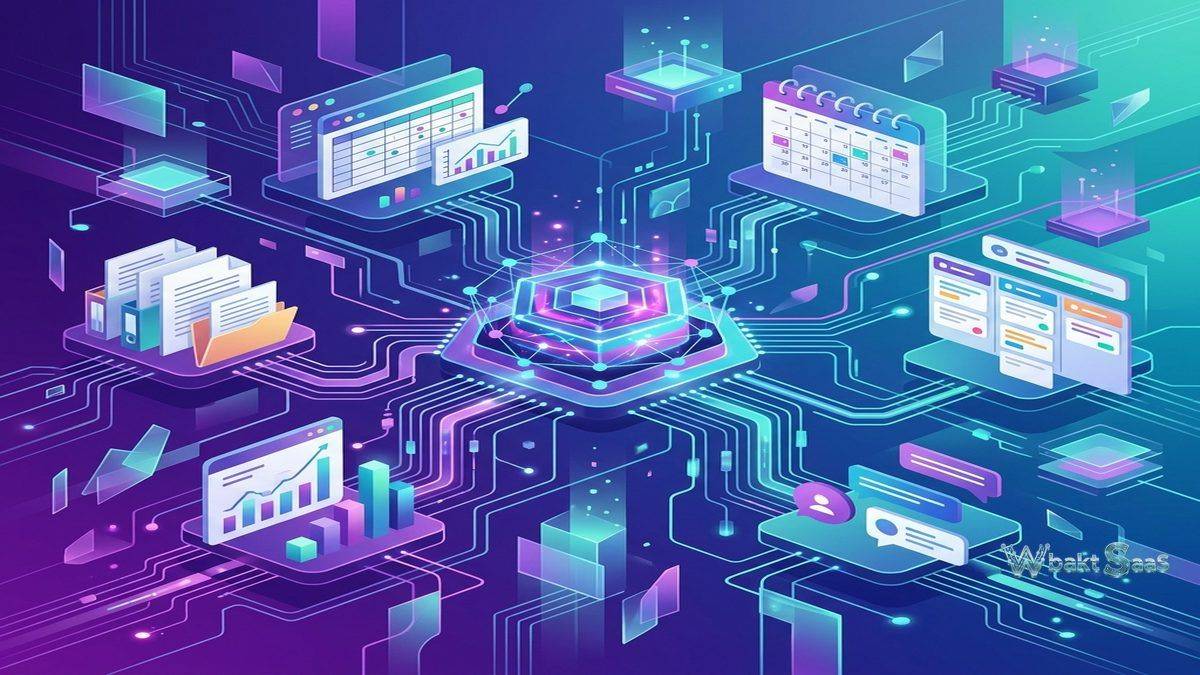
Microsoft Teams functions as a platform for business applications, not just a communication tool. The Teams app store contains thousands of applications from Microsoft and third-party developers that extend Teams’ functionality across categories including project management, CRM, HR, IT service management, customer support, analytics, and productivity.
Tabs allow applications to be embedded directly within channels, providing persistent access to tools alongside conversation. A project channel might include tabs for a Planner board tracking tasks, a Power BI dashboard showing project metrics, a SharePoint page with project documentation, and a third-party time tracking application — all accessible within the channel context without switching between separate applications.
Bots provide interactive automation within Teams conversations. Built-in bots handle common queries — schedule meetings, look up colleagues, find documents — while custom bots built with the Bot Framework or Power Virtual Agents handle organization-specific scenarios. An IT help desk bot might answer common technical questions, create support tickets, and escalate complex issues to human agents, all within the Teams chat interface.
Power Platform integration connects Teams with Microsoft’s low-code development environment. Power Automate flows trigger from Teams events — new messages, channel creation, file uploads — and execute automated actions across Microsoft 365 and connected services. Power Apps built on organizational data can be embedded as Teams tabs, providing custom business applications within the collaboration environment. This extensibility transforms Teams from a communication tool into a programmable workplace platform.
Security and Compliance
Enterprise security features in Microsoft Teams reflect Microsoft’s significant investment in compliance infrastructure. Data encryption covers content in transit and at rest. Multi-factor authentication, conditional access policies, and Azure Active Directory integration provide identity security. Information barrier policies prevent communication between specific groups — useful for financial services organizations that must maintain separation between departments handling material non-public information.
Compliance features include message retention and deletion policies, eDiscovery for legal investigations, communication compliance monitoring for regulatory requirements, and data loss prevention policies that detect and protect sensitive information shared in Teams messages and files. Audit logging tracks administrative actions and user activities for security monitoring and compliance reporting.
Guest access allows external collaborators — clients, vendors, partners — to participate in specific Teams and channels without gaining access to the broader organization. Guest permissions can be configured granularly, controlling what guests can see, share, and do within their authorized areas. For organizations that collaborate extensively with external parties, guest access balances openness with security.
Industry-Specific Solutions
Teams for Education: Microsoft Teams includes education-specific features that serve schools, universities, and training organizations. Class Teams provide structured environments with assignment distribution, grade tracking, and student collaboration spaces. Assignments integrate with grading rubrics and plagiarism detection. The Class Notebook powered by OneNote provides each student with a personal workspace, a collaboration space for group work, and a content library where educators distribute materials. These education features have made Teams one of the most widely adopted platforms in institutional education environments.
Frontline Worker Solutions: Teams addresses the needs of frontline workers — retail employees, healthcare staff, manufacturing workers, field service technicians — who may not have dedicated desks or computers. The Shifts feature provides schedule management with shift creation, swap requests, time clock functionality, and manager approval workflows. Walkie Talkie provides push-to-talk communication over mobile devices, replacing physical radio equipment. Task publishing allows corporate headquarters to distribute tasks to frontline locations with tracking and reporting on completion status.
Healthcare Features: Virtual visits and telehealth capabilities integrate with electronic health record (EHR) systems, enabling healthcare providers to conduct patient consultations through Teams while maintaining clinical documentation workflows. HIPAA compliance features protect patient health information in messaging and file sharing contexts.
Mobile Experience
The Teams mobile application provides a comprehensive communication experience on iOS and Android devices. Chat, channel messaging, file access, and meeting participation all function from mobile with interface adaptations for smaller screens. Mobile-specific features include urgent message notifications that persist until acknowledged, location sharing in chats, and the ability to join meetings with one tap from calendar notifications.
For organizations with mobile-first workforces, the Teams mobile app serves as the primary interface for company communication. Push notifications keep users informed of mentions, direct messages, and channel activity. The mobile app also supports meeting recording, screen sharing from mobile devices, and whiteboard collaboration during meetings — ensuring that mobile participants are not second-class meeting attendees compared to desktop users.
Administration and Governance
The Teams Admin Center provides centralized management for organizational Teams deployment. Administrators configure messaging policies (who can edit and delete messages, use GIFs and stickers), meeting policies (who can record, use breakout rooms, bypass lobbies), app permission policies (which apps are available to which users), and Teams creation policies (who can create new Teams and channels).
Lifecycle management addresses a common enterprise challenge: Teams proliferation. Without governance, organizations accumulate hundreds of unused or redundant Teams that clutter the platform and complicate information discovery. Expiration policies automatically archive or delete Teams that have been inactive for specified periods. Naming conventions enforce consistent Team naming standards. Sensitivity labels apply data classification and protection policies based on the confidentiality of Team content.
Reporting and analytics provide administrators with usage data — active users, message volumes, meeting statistics, app adoption metrics — that inform decisions about platform configuration, training needs, and license management. These insights help organizations understand how Teams is actually being used versus how it was intended to be used, guiding optimization efforts.
Pricing and Licensing
Microsoft Teams is included in Microsoft 365 business and enterprise subscriptions, which means that organizations already paying for Microsoft 365 receive Teams at no additional per-user cost. This bundled pricing model represents a significant competitive advantage — organizations evaluating standalone communication platforms must weigh the cost of a separate tool against a capability they may already have access to through existing Microsoft licenses.
A free version of Teams provides basic messaging, video meetings with time limits, and limited storage for organizations that do not have Microsoft 365 subscriptions. However, the full value of Teams emerges through its integration with the broader Microsoft 365 suite, and organizations using the free version miss the SharePoint integration, advanced security features, and administrative controls that enterprise deployments require.
Add-on licenses cover Teams Phone, advanced meeting capabilities (webinars, town halls with higher capacity), and premium features including AI-powered meeting intelligence. Organizations should evaluate their specific needs against available license tiers to optimize cost-effectiveness.
Pricing and features are subject to change. Please verify current plan details on the official Microsoft website before making purchasing decisions.
Limitations
- Complexity for small teams: The depth of features, settings, and administrative options can overwhelm small organizations that need simple communication without enterprise governance overhead.
- Microsoft ecosystem dependency: Teams delivers maximum value within the Microsoft 365 ecosystem. Organizations using Google Workspace, alternative cloud storage, or non-Microsoft productivity tools experience reduced integration benefits.
- Channel notification management: Active channels generate significant notification volume that users must manage to avoid distraction. Default notification settings often require customization to achieve a productive balance.
- External collaboration limitations: While guest access is functional, the experience for external collaborators is less seamless than for internal users, particularly regarding app access and file permissions.
- Performance demands: The Teams desktop application consumes significant system resources (memory and CPU), which can impact performance on older hardware or systems running multiple resource-intensive applications.
Verdict
Microsoft Teams has established itself as the enterprise communication platform of choice for organizations invested in the Microsoft 365 ecosystem. Its integration depth with SharePoint, OneDrive, Outlook, and the broader Microsoft suite creates a unified work environment that standalone communication tools cannot replicate. For organizations already licensing Microsoft 365, Teams represents remarkable value — a comprehensive communication and collaboration platform included in existing subscription costs.
The platform’s continued investment in AI-powered features — including Copilot integration for meeting summarization, message drafting assistance, and intelligent search across organizational content — positions Teams for ongoing evolution alongside broader AI trends in enterprise software. These AI capabilities promise to reduce the information overload that large-scale Teams deployments can create, though their effectiveness and availability vary by license tier and organizational configuration.
The platform’s enterprise features — advanced security, compliance tools, administrative governance, and scalability — serve large organizations well but can create unnecessary complexity for smaller teams with simpler needs. Organizations should assess whether their communication requirements justify Teams’ feature depth or whether a simpler platform would serve them more effectively.
Enterprise communication platforms such as Microsoft Teams, Slack, Google Workspace, and Cisco Webex each address organizational communication with different strengths. Teams’ advantage centers on Microsoft ecosystem integration and enterprise-grade security and compliance. Organizations should evaluate their existing technology investments, security requirements, collaboration patterns, and scalability needs when selecting the platform that best serves their communication infrastructure.
Features, pricing, and availability discussed in this review reflect information available at the time of writing. Software products evolve continuously, and details may have changed since publication. Please verify current information directly on the official Microsoft Teams website. WBAKT SaaS is an independent review platform with no affiliate relationships with any software company mentioned in this article.
For related communication platforms, explore our reviews of Slack team communication, Zoom video conferencing, and Google Workspace productivity tools.
About the Author