Enterprise work management presents challenges that small-team project tools are not designed to address. When work spans dozens of departments, involves hundreds of concurrent projects, requires compliance with regulatory frameworks, and demands visibility across organizational hierarchies, lightweight project management tools reach their limits. Wrike positions itself as an enterprise work management platform — a system designed to handle the scale, complexity, and governance requirements that large organizations face when coordinating work across functional boundaries.
Founded in 2006, Wrike has evolved from a straightforward project management tool into a comprehensive work management platform serving marketing teams, professional services organizations, product development groups, and IT departments at enterprise scale. Its feature set reflects the accumulated requirements of large-organization deployments: Gantt charts with dependency management, resource workload balancing, digital asset proofing, request intake forms, cross-tagging that allows items to appear in multiple project structures, and reporting dashboards that aggregate data across the organization’s entire project portfolio.
Project Structure and Organization
Wrike organizes work through a flexible hierarchy of Spaces, Folders, Projects, and Tasks. Spaces provide top-level organizational boundaries — a Marketing Space, an Engineering Space, a Client Services Space — each containing the folder and project structures relevant to that function. Folders group related projects and provide intermediate organizational layers. Projects contain the tasks, milestones, and deliverables that constitute actual work. Tasks represent individual work items with assignees, due dates, descriptions, subtasks, and custom fields.
Cross-tagging is a distinctive Wrike capability that allows a single task to appear in multiple folders and projects simultaneously without duplication. A task for “Create product photography” might exist in both the “Product Launch Project” folder and the “Creative Assets” folder. Changes to the task from either location update the same underlying item, preventing the data inconsistency that occurs when work items must be duplicated across organizational structures. This cross-tagging model reflects the reality that work in large organizations often belongs to multiple contexts simultaneously.
Blueprints provide project templates that standardize recurring workflows. An agency might create a blueprint for “Client Onboarding” that includes all standard tasks, dependencies, assigned roles, and approval steps. Launching a new client project from the blueprint creates a fully structured project in seconds, ensuring process consistency and preventing the setup errors that occur when projects are built manually from memory. Blueprint variables allow customization — project names, start dates, assigned team members — during instantiation while maintaining the standard structure.
Task Management
Wrike tasks carry extensive properties: assignees (multiple), status (customizable per workflow), due dates, duration, effort estimates, priority, description with rich text formatting, subtasks, dependencies, approvals, time tracking entries, comments, and custom fields. Custom fields extend task properties to capture organization-specific data — client names, budget codes, campaign identifiers, approval stages — that standard fields do not cover.
Task statuses follow customizable workflows that organizations configure to match their processes. A content production workflow might include statuses for “Briefed,” “Writing,” “Design,” “Review,” “Revisions,” “Approved,” and “Published.” An IT change management workflow might follow “Submitted,” “Assessed,” “Approved,” “Scheduled,” “Implementing,” “Testing,” and “Completed.” These workflow customizations ensure that the tool matches organizational processes rather than forcing processes to match tool defaults.
Dependencies between tasks establish execution sequences and reveal scheduling implications. Start-to-start, finish-to-start, start-to-finish, and finish-to-finish dependency types cover the full range of task relationship patterns. When a predecessor task’s timeline shifts, dependent tasks automatically reschedule, maintaining the project’s logical structure while updating the timeline to reflect schedule reality. This automatic rescheduling is particularly valuable for complex projects with many interdependent tasks where manual schedule adjustment would be impractical.
Gantt Charts and Timeline Management
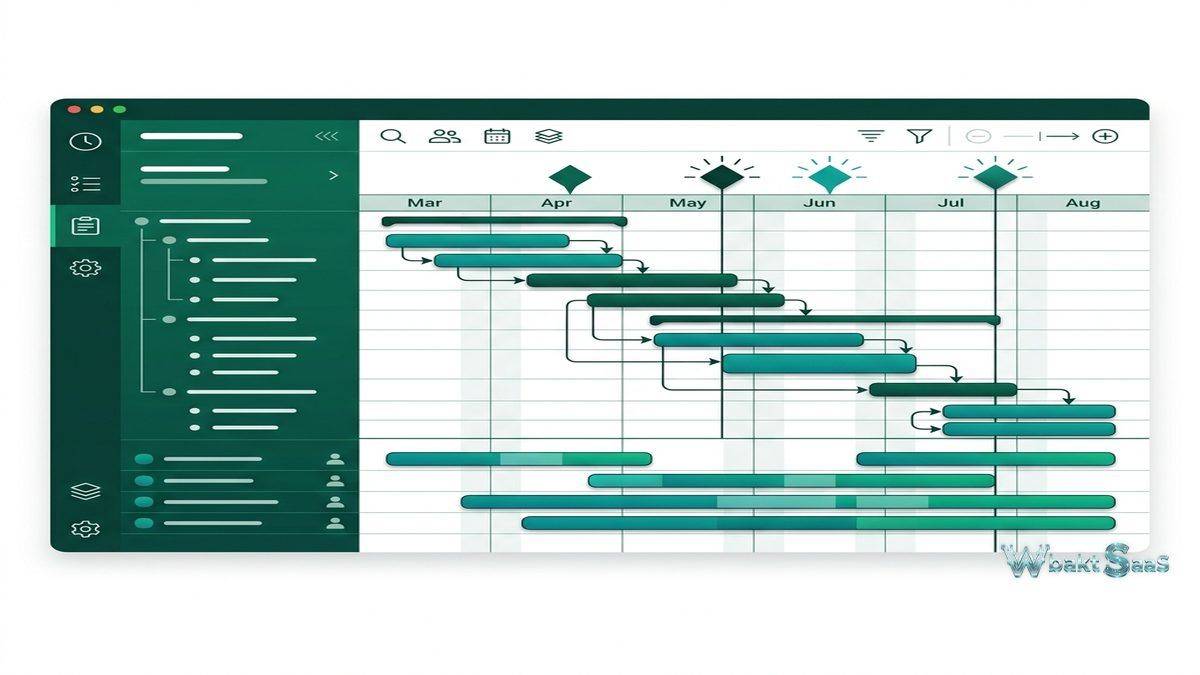
Wrike’s interactive Gantt chart provides visual project timeline management with drag-and-drop task positioning, dependency visualization, critical path highlighting, and milestone tracking. Project managers can view entire project timelines at a glance, identifying scheduling bottlenecks, resource conflicts, and dependency chains that determine the project’s minimum completion duration.
The Gantt chart supports both manual scheduling (tasks positioned at specific dates) and effort-based scheduling (task dates calculated from estimated effort and resource availability). Baseline comparisons overlay the current schedule against the original plan, making schedule slippage visible without requiring separate tracking. For enterprise projects where schedule adherence is critical — construction milestones, regulatory filing deadlines, product launch dates — the Gantt chart provides the timeline management rigor that simpler Kanban or list-based tools cannot match.

Resource Management
Wrike’s resource management capabilities address the challenge of balancing workload across team members and allocating capacity across competing projects. The Workload view displays each team member’s assigned work volume across a timeline, highlighting periods of overallocation where individuals have more work assigned than their capacity allows and underutilization where capacity is available but unassigned.
Effort tracking compares estimated effort against actual time logged, revealing estimation accuracy and informing future planning. For organizations billing clients based on time and materials, effort tracking provides the data needed for accurate invoicing. For internal projects, effort data helps managers understand where team capacity is actually consumed versus where they assumed it would be consumed.
Resource allocation planning across the project portfolio helps leadership balance investment across initiatives. When multiple projects compete for the same team members, workload visualization reveals conflicts that might otherwise surface only when deadlines are missed. This portfolio-level resource visibility supports strategic decisions about project prioritization, hiring, and timeline adjustments.
Proofing and Approvals
Wrike includes built-in proofing capabilities for visual asset review — images, PDFs, videos, and HTML content can be reviewed with markup, annotation, and comment tools directly within the platform. Reviewers place comments on specific locations within visual assets, providing spatially precise feedback that eliminates the ambiguity of text-only review comments like “move the logo up” without specifying exactly where.
Approval workflows formalize the review-and-approve process for deliverables. Approvers are assigned to tasks, and their approval or rejection with feedback drives the task through the review process. Multi-stage approval chains handle scenarios where deliverables require sequential approvals — creative director approval followed by legal compliance review followed by client sign-off. These structured approval workflows ensure that deliverables receive required reviews before progressing, maintaining quality standards without relying on informal communication to coordinate review activities.
Request Forms and Intake
Wrike request forms provide structured intake for work requests from internal stakeholders and external clients. Form builders create custom forms with required fields, conditional logic, and dropdown selections that capture the information needed to assess and execute requests. Submitted forms automatically create tasks or projects in designated locations with appropriate assignments and classifications.
For service teams — IT help desks, creative services departments, marketing operations groups — request forms standardize the information collected at intake, preventing the back-and-forth communication that occurs when initial requests lack essential details. Conditional form logic shows or hides fields based on previous responses, presenting only relevant questions for each request type. The combination of standardized intake with automatic task creation reduces the administrative overhead of processing incoming work requests.
Reporting and Dashboards
Wrike’s reporting capabilities serve the data-hungry stakeholders that enterprise deployments must satisfy. Report builder creates custom reports from project data with filtering, grouping, and chart visualization. Standard report types include project status, task completion, workload distribution, time tracking summaries, and overdue item reports. Reports can be scheduled for automatic delivery via email, ensuring that stakeholders receive regular status updates without manually generating reports.
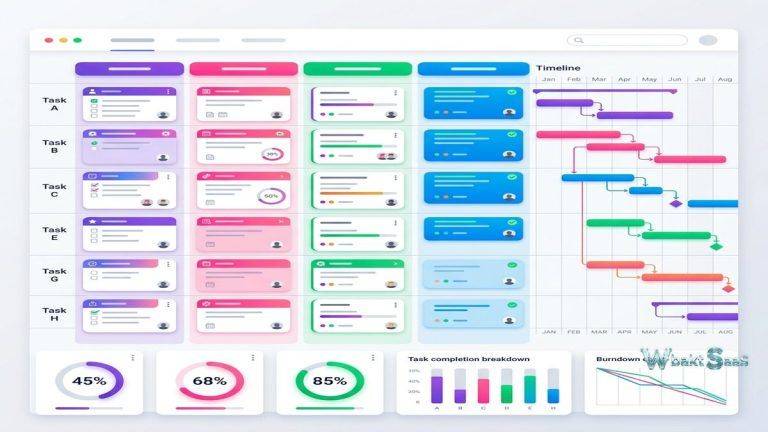
Dashboards aggregate widgets displaying key metrics, charts, task lists, and status summaries on configurable dashboard layouts. Team dashboards show team-specific metrics. Executive dashboards summarize portfolio-level status. Project dashboards track individual project health. The widget-based design allows each audience to see the information most relevant to their role without navigating into the full project management interface.
Integrations
Wrike integrates with over 400 applications across categories including communication (Slack, Microsoft Teams), cloud storage (Google Drive, Dropbox, Box), CRM (Salesforce), design (Adobe Creative Cloud), development (GitHub, Bitbucket), and email (Gmail, Outlook). The Salesforce integration is particularly relevant for organizations where project work originates from sales activities — won opportunities can automatically generate project structures in Wrike, connecting revenue-generating activities with the work execution that fulfills them.
The Wrike API provides REST-based programmatic access for custom integrations, reporting, and workflow automation. Webhook support triggers external systems when Wrike events occur, enabling event-driven integration architectures that connect Wrike with proprietary organizational systems.
Automation
Wrike Automate provides workflow automation with trigger-action logic that executes automated responses to work events. When a task status changes to “Review,” an automation might reassign the task to the designated reviewer and send a Slack notification. When a task is overdue, an automation might escalate the task priority and notify the project manager. When a request form is submitted, automations route the resulting task to the appropriate team based on form field values.
Automation rules cover a wide range of triggers — task creation, status change, date arrival, assignee change, comment addition, and custom field updates — connected to actions including task updates, notifications, assignee changes, and webhook calls. Pre-built automation templates provide starting points for common patterns, while custom rules handle organization-specific process automation that templates do not cover.
Multiple Views
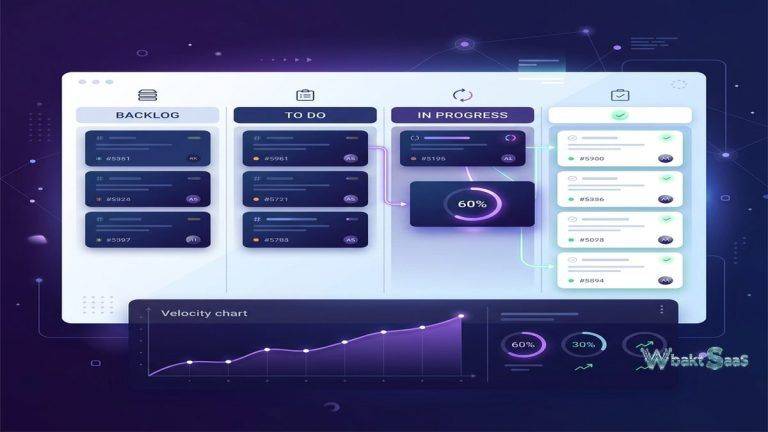
Wrike provides multiple view types for examining work from different perspectives. Board view displays tasks as cards in customizable columns, suitable for Kanban-style workflow management. Table view presents tasks in a spreadsheet format with inline editing, sorting, filtering, and grouping capabilities. Calendar view plots tasks with dates on a visual calendar. Gantt view provides timeline management as described earlier. Stream view displays activity across the workspace in a chronological feed. Analytics view shows visual data representations and charts across project data.
Each view can be filtered, sorted, and grouped by any task property, creating focused perspectives for different audiences. A project manager might use Gantt view for timeline planning, switch to Board view for daily standup discussions, and reference Table view for data-heavy status reporting. The ability to switch between views of the same underlying data without losing context provides the flexibility that diverse team roles require.
Common Use Cases
Marketing Operations: Marketing teams manage campaigns, creative production, content calendars, and event coordination in Wrike. Campaign projects include tasks for copywriting, design, development, review, and publication with approval workflows ensuring brand compliance. Creative asset proofing streamlines the review process for visual content that traditionally circulates through email with scattered feedback.
Professional Services: Consulting firms, agencies, and managed service providers track client project delivery, resource utilization, and billable hours. Blueprint templates standardize project execution for repeatable service offerings while allowing customization for client-specific requirements. Time tracking and effort reports support accurate billing and profitability analysis.
Product Development: Product teams coordinate feature development, bug tracking, and release planning across engineering, design, and QA teams. Gantt charts manage release timelines with dependency tracking across teams. Cross-tagging ensures that features appear in both product roadmap views and team-specific sprint backlogs.
IT Project Management: IT departments manage infrastructure projects, software implementations, and change requests with customized workflows that enforce governance and compliance requirements. Request forms handle IT service requests with automatic routing and SLA tracking. Audit trails maintain the documentation that IT governance frameworks require.
Collaboration Features
Task comments provide contextual discussion threads within individual work items. @mentions notify specific team members of relevant comments and updates. Activity streams track all changes within projects, providing comprehensive audit trails of who did what and when. Live editing allows multiple users to update task descriptions simultaneously, preventing the edit conflicts that occur when multiple people attempt to modify the same task content.
Guest access allows external collaborators — clients, freelancers, vendors — to participate in specific projects with controlled permissions. Guest users can view, comment on, and update tasks within their authorized project areas without accessing the broader organizational workspace. For agencies and professional services firms that collaborate extensively with client teams, guest access creates a shared project environment that improves communication efficiency and client transparency.
Security and Compliance
Enterprise security features include SAML-based SSO, two-factor authentication, custom access roles with granular permissions, audit logging, and data encryption in transit and at rest. Wrike Lock provides customer-managed encryption keys for organizations requiring additional data control beyond standard platform encryption — particularly relevant for government agencies, healthcare organizations, and financial institutions handling sensitive data. Compliance certifications including SOC 2 Type II and ISO 27001 validate security practices for regulated industries. FedRAMP authorization supports deployment within United States federal government environments with stringent security requirements.
Mobile applications for iOS and Android provide task management, commenting, file access, and notification handling on smartphones and tablets. While the mobile experience covers core task interaction needs, complex project planning activities — Gantt chart manipulation, resource management, and dashboard configuration — function best on desktop interfaces with larger viewports.
Pricing
Wrike offers a free tier for small teams with basic project management features. Paid plans include Team, Business, Enterprise, and Pinnacle tiers with progressively expanding feature access, user capacity, and administrative capabilities. Enterprise and Pinnacle plans unlock advanced resource management, proofing, custom workflows, and security features.
Pricing and features are subject to change. Please verify current plan details on the official Wrike website before making purchasing decisions.
Limitations
- Complexity and learning curve: Wrike’s feature depth creates a steeper learning curve compared to simpler project management tools. Organizations should plan for training and adoption support during implementation.
- Feature access gating: Many advanced features — Gantt charts, resource management, proofing, custom workflows — require higher-tier plans, potentially increasing costs for teams that need specific enterprise capabilities.
- Interface density: The interface can feel overwhelming for new users accustomed to simpler tools. The abundance of views, options, and configuration possibilities requires time to navigate comfortably.
- Overkill for small teams: Small teams with straightforward project needs may find Wrike’s enterprise capabilities unnecessary and its complexity counterproductive.
- Mobile limitations: While mobile apps provide task access, the full depth of Wrike’s features — particularly Gantt chart manipulation and resource management — functions best on desktop interfaces.
Summary
Wrike addresses enterprise work management with a feature set designed for the scale, complexity, and governance requirements that large organizations face. Its combination of flexible project structuring, Gantt-based timeline management, resource workload balancing, digital asset proofing, and comprehensive reporting serves organizations that have outgrown simpler project management tools and need a platform that matches their operational complexity.
Enterprise work management platforms such as Wrike, Asana, Monday.com, Smartsheet, and Microsoft Project each serve organizational project management with different strengths. Wrike’s advantages center on cross-tagging flexibility, resource management depth, built-in proofing, and enterprise security features. Organizations evaluating enterprise work management platforms should assess their project complexity, reporting requirements, resource management needs, and integration priorities when selecting the platform that best supports their operational coordination.
Features, pricing, and availability discussed in this review reflect information available at the time of writing. Software products evolve continuously, and details may have changed since publication. Please verify current information directly on the official Wrike website. WBAKT SaaS is an independent review platform with no affiliate relationships with any software company mentioned in this article.
For related project management tools, see our reviews of Asana project tracking, Monday.com workflow automation, and Smartsheet work coordination.
About the Author