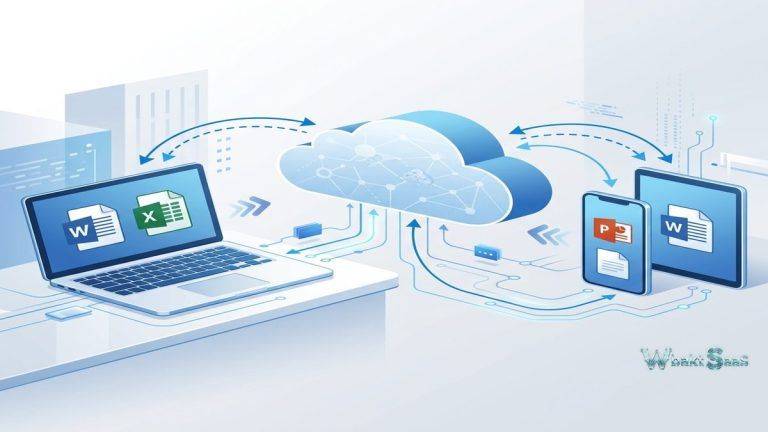
Cloud storage adoption has driven a fundamental and important tension in enterprise IT — organizations need the productivity benefits of cloud-based file synchronization, sharing, and collaboration, but many are justifiably uncomfortable entrusting sensitive data to third-party cloud providers where they have limited visibility into actual data handling, security practices, and jurisdictional data access. Data sovereignty regulations in the European Union and beyond, healthcare HIPAA requirements, government classified information handling policies, and financial services data residency rules create legal and compliance obligations that some organizations simply cannot satisfy with public cloud storage services. Nextcloud directly resolves this tension by providing a comprehensive, self-hosted cloud platform that delivers file synchronization, sharing, collaboration, communication, and office productivity capabilities on infrastructure that the organization owns, operates, and controls — providing full cloud-style functionality without relinquishing data sovereignty or accepting third-party data access risks.
Nextcloud was founded in 2016 in Germany by Frank Karlitschek, the original creator of ownCloud, as an open-source self-hosted cloud platform. The project has grown significantly from a file synchronization tool into Nextcloud Hub — a comprehensive productivity platform that includes file management, real-time document editing, video conferencing, email, calendar, contacts, task management, and knowledge management. The open-source model means that Nextcloud’s complete source code is publicly auditable, the software can be freely deployed on any infrastructure (on-premises servers, virtual machines, private cloud, or hosted providers), and organizations always retain complete control over their data, configurations, and security posture. Nextcloud Enterprise provides commercial support, security hardening, and enterprise features for organizations requiring vendor-backed deployment. Understanding Nextcloud’s comprehensive capabilities helps organizations evaluate whether self-hosted cloud infrastructure serves their data sovereignty and control requirements better than public cloud alternatives.
File Synchronization and Sharing
Nextcloud provides seamless file synchronization across desktop (Windows, macOS, Linux), mobile (iOS, Android), and web clients. Desktop sync clients automatically maintain synchronized file copies between local computers and the Nextcloud server, with selective sync enabling users to choose which folders synchronize locally. Files On-Demand (virtual file system support) displays cloud-only files in the file explorer without downloading them, optimizing local storage usage while maintaining access to all server-stored content. File sharing enables sharing files and folders with internal users, groups, and external recipients through password-protected, expiring, and permission-controlled links. Share permissions granularly control whether recipients can view, preview,, download, edit, upload, or reshare shared content.

Nextcloud Office
Nextcloud Office provides browser-based document editing for word processing, spreadsheets, and presentations directly within the Nextcloud interface. Built on the powerful Collabora Online (LibreOffice Technology), Nextcloud Office supports collaborative real-time editing where multiple users work on the same document simultaneously with cursor tracking and comment threading. Full compatibility with standard Microsoft Office formats (DOCX, XLSX, PPTX) ensures that documents created and edited in Nextcloud Office interoperate with Microsoft Office users. For organizations seeking to reduce dependency on cloud-hosted office productivity platforms while maintaining collaborative document editing capabilities, Nextcloud Office provides a self-hosted alternative that keeps document content on organizational infrastructure.
Nextcloud Talk
Nextcloud Talk provides video conferencing, audio calls, screen sharing, and text chat within the Nextcloud platform. One-on-one and group video calls fully support team communication without requiring external video conferencing services. Screen sharing enables collaborative presentations and remote support. Chat rooms provide persistent text communication channels and spaces for teams, projects, and topics. Tight Talk integration with the Nextcloud file system enables sharing files directly within chat conversations and video calls. The self-hosted architecture importantly means that video, audio, and chat data flows through organizational infrastructure rather than third-party servers, maintaining strict communication privacy and data sovereignty. High Performance Backend enables efficiently scaling Talk to support larger conferences and higher concurrent call volumes.
Groupware
Nextcloud Groupware provides email, calendar, contacts, and task management integrated within the platform. Calendar supports event scheduling, recurring events, shared calendars, room and resource booking, and CalDAV synchronization with mobile devices and desktop calendar applications. Contacts provide comprehensive address book management with CardDAV synchronization. Tasks enable personal and shared task management with subtasks, with due dates, priorities, and project organization. Mail provides webmail access to external email accounts through IMAP/SMTP integration. The groupware suite provides basic productivity infrastructure that can reduce dependency on cloud-hosted email and calendar platforms for organizations that prioritize self-hosted infrastructure.
Nextcloud Files
The file management interface provides intuitive folder organization, file preview, tagging, comments, and full-text search across stored content. File activity tracking shows who accessed, modified, shared, and commented on files, providing audit trail visibility for security and compliance purposes. Trash bin and version history protect against accidental deletion and unwanted modifications, enabling easy recovery of deleted files and restoration of previous file versions. Configurable storage quotas enable administrators to allocate storage capacity per user or group. External storage integration connects Nextcloud to existing storage infrastructure — NFS, SMB/CIFS, FTP, S3-compatible storage, and WebDAV — providing unified file access across diverse storage backends without migrating data from existing locations.
Security and Encryption
Nextcloud provides comprehensive and layered security features including server-side encryption, end-to-end encryption, brute-force attack protection, two-factor authentication, and security hardening guidelines. Server-side encryption encrypts files at rest on the storage backend, protecting data at the underlying storage layer. End-to-end encryption provides client-side encryption where files are encrypted on the user’s device before upload, ensuring that even server administrators and hosting providers cannot access encrypted content. Two-factor authentication supports standard TOTP, U2F/WebAuthn hardware keys, and notification-based verification. The Nextcloud Security Scanner actively analyzes deployment configurations for known vulnerabilities and recommends security improvements.
Administration
The web-based admin interface provides comprehensive system configuration, user management, app management, storage management, and monitoring. User provisioning supports both manual creation, LDAP/Active Directory integration for automated enterprise user management, and SAML/SSO for single sign-on integration. App management enables installing, updating, and configuring hundreds of Nextcloud apps available through the app store. Logging and monitoring capabilities provide system health visibility, performance metrics, and security event tracking. The admin interface thoughtfully balances accessibility for smaller deployments with the configuration depth needed for enterprise environments.
App Ecosystem
Nextcloud’s app store provides hundreds of community and vendor-developed apps that extend platform functionality. Categories include powerful integration apps (connecting Nextcloud to external services), productivity apps (project management, mind mapping, bookmarks), security apps (antivirus scanning, audit logging), and customization apps (theming, branding, dashboard widgets). The extensive app ecosystem enables organizations to customize their Nextcloud deployment to specific requirements without modifying the core platform. Enterprise apps available through Nextcloud Enterprise subscriptions include advanced features like Global Scale (federated multi-server deployment), Outlook integration, and enterprise file access control.
Federation
Nextcloud federation enables sharing files and collaborating securely across independent Nextcloud instances operated by different organizations. Federated sharing creates productive cross-organizational collaboration without requiring shared infrastructure or common identity systems — each organization independently maintains its own Nextcloud server with independent security, governance, and data management while enabling controlled content sharing between instances. Federation is particularly valuable for academic research collaborations, government inter-agency sharing, and multi-organizational projects where data sovereignty requires that each organization maintains control over its own infrastructure.
Deployment Options
Nextcloud can be deployed on physical servers, virtual machines, container platforms (Docker, Kubernetes), cloud IaaS (AWS, Azure, Google Cloud), and dedicated Nextcloud hosting providers. The extensive flexibility of deployment options enables organizations to choose infrastructure that matches their technical capabilities, performance requirements, and compliance obligations. Snap packages and pre-built container images simplify initial deployment, while manual installation provides maximum configuration control. Nextcloud Enterprise includes deployment support, configuration guidance, and performance optimization assistance for organizations requiring professional deployment services.
Mobile Access
Nextcloud mobile apps on iOS and Android provide file access, photo auto-upload, document preview, sharing, and offline access to synchronized content. Photo auto-upload seamlessly and automatically backs up mobile device photos and videos to the Nextcloud server, providing centralized photo management on organizational infrastructure rather than third-party cloud services. Mobile notifications alert users to file sharing activity, calendar events, and Talk messages. The mobile apps connect directly to the organization’s Nextcloud server, ensuring that mobile data access follows the same security policies and data sovereignty controls as desktop access.
Compliance and Audit
Nextcloud provides compliance features including comprehensive audit logging, data retention policies, file access controls, and encryption capabilities. The audit log records user actions including logins, file access, sharing events, and administrative changes for security monitoring and regulatory audit documentation. Data retention policies automate content lifecycle management. Granular file access control rules restrict file operations based on user attributes, file properties, IP addresses, and time conditions. For organizations subject to GDPR, HIPAA, SOX, or other industry-specific regulations, Nextcloud’s self-hosted architecture combined with compliance features provides the data control and documentation capabilities needed for regulatory adherence with complete audit trail visibility.
Monitoring and Health
Nextcloud provides system monitoring through the admin dashboard, server health indicators, and integration with enterprise monitoring tools. The monitoring API exposes detailed system metrics (CPU, memory, storage, active users, file operations) for ingestion by tools like Prometheus, Grafana, and Nagios. System health indicators alert administrators to configuration issues, security concerns, and performance problems that require attention. For organizations operating Nextcloud in production environments, monitoring integration ensures that the self-hosted platform receives the same operational visibility and alerting that managed cloud services provide through their built-in monitoring capabilities.
Branding and Customization
Nextcloud fully supports organizational branding through custom logos, colors, login page customization, and terminology adjustments. Organizations can present Nextcloud to their users as a branded organizational service rather than a generic open-source platform. Theming apps provide additional customization options for the user interface. Custom app development enables building entirely organization-specific functionality using Nextcloud’s API and development framework. The combination of branding and customization enables organizations to create a cloud experience that reflects their organizational identity.
Workflow Automation
Nextcloud Flow provides workflow automation that triggers actions based on file events and conditions. Automated workflows can convert uploaded files between formats, notify specific users or groups when files matching criteria are uploaded, tag files automatically based on content or metadata, and route content through approval processes. File retention automation manages content lifecycle based on age, tags, or other criteria. For organizations standardizing content processes, workflow automation reduces manual content management effort and ensures consistent processing of organizational content.
Accessibility
Nextcloud supports accessibility standards including keyboard navigation, screen reader compatibility, high contrast themes, and font size adjustments. The accessibility focus ensures that Nextcloud-based content management workflows are available to users with diverse abilities. Accessibility compliance is particularly important for government and educational deployments where accessibility requirements are mandated by regulation and institutional policy.
Common Use Cases
Data Sovereignty: European organizations subject to GDPR, German government agencies, Swiss financial institutions, and organizations with strict data residency requirements deploy Nextcloud on local infrastructure to maintain complete control over data location, access, processing, and jurisdictional compliance without relying on non-EU cloud providers.
Government: Government agencies at federal, state, and municipal levels across multiple countries use Nextcloud for secure file sharing, collaboration, and communication on infrastructure that meets classified and sensitive information handling requirements including air-gapped deployment options.
Healthcare: Healthcare organizations deploy Nextcloud on HIPAA-compliant infrastructure for patient document management, clinical collaboration, telehealth communication through Talk, and secure file sharing that maintains complete organizational control over protected health information.
Education: Universities and schools deploy Nextcloud for student and faculty file storage, collaborative document editing through Nextcloud Office, classroom communication through Talk, and assignment management, providing cloud-style services on institutional infrastructure at low cost.
Research: Research institutions use Nextcloud for research data management, collaboration between distributed research teams, and federated sharing across multi-institutional research projects where data sovereignty and intellectual property protection require self-hosted infrastructure.
Enterprise Privacy: Privacy-conscious enterprises in technology, legal, and consulting sectors deploy Nextcloud as a complete alternative to public cloud storage and productivity platforms, maintaining full organizational control over all file storage, sharing, communication, and collaboration infrastructure.
Non-Profit Organizations: Non-profits and NGOs deploy Nextcloud for organizational file management and team collaboration using the free open-source Community Edition, minimizing software licensing costs while maintaining professional cloud productivity capabilities.
Pricing
Nextcloud Community Edition is completely free and open-source with full functionality. Nextcloud Enterprise provides commercial support, security updates, enterprise features (Global Scale, Outlook integration, advanced compliance), and SLA-backed support tiers. Enterprise pricing is based on per-user annual licensing. Nextcloud hosting providers offer fully managed Nextcloud deployments for organizations preferring hosted solutions without self-management responsibilities and overhead. Infrastructure costs including servers, storage, and bandwidth are separate from Nextcloud software licensing and vary based on deployment scale, performance requirements, and infrastructure choices.
Pricing and features are subject to change. Please verify current plan details on the official Nextcloud website before making purchasing decisions.
Limitations
- Self-hosting responsibility: Self-hosted deployment inherently requires server administration, security patching, backup management, and performance optimization expertise that public cloud services handle automatically.
- Performance scaling: Large-scale deployments (thousands of users) require careful architecture, database optimization, and potentially clustered deployment that demands significant infrastructure and technical expertise.
- Office suite: While Nextcloud Office provides competent document editing, it does not yet match the feature depth and polish of Microsoft Office or Google Workspace for complex document formatting and spreadsheet functionality.
- Video conferencing scale: Nextcloud Talk handles small and medium meetings competently but may require the High Performance Backend and significant infrastructure investment for large-scale video conferencing comparable to Zoom or Teams.
- Ecosystem integration: Third-party SaaS application integration is narrower than public cloud platforms where hundreds of SaaS applications offer native integration.
Summary
Nextcloud provides a comprehensive, mature, and self-hosted cloud platform that delivers file synchronization, sharing, office productivity, video conferencing, and groupware capabilities on infrastructure that organizations own and control. For organizations where data sovereignty, privacy, and infrastructure control are non-negotiable requirements — government agencies, healthcare organizations, European enterprises subject to GDPR, research institutions, and privacy-conscious businesses — Nextcloud provides full cloud-style productivity without the data control and sovereignty compromises inherent in public cloud adoption.
The open-source model ensures complete code transparency, eliminates vendor lock-in, and enables customization through the extensive app ecosystem. Federation capabilities create inter-organizational collaboration possibilities that maintain data sovereignty for each participating organization — a collaboration model that traditional public cloud platforms cannot replicate.
Cloud productivity platforms including Nextcloud, ownCloud, Seafile, Google Workspace, and Microsoft 365 each represent fundamentally different approaches to the tension between cloud productivity benefits and organizational data control. Nextcloud’s advantages center on complete data sovereignty, open-source transparency, deployment flexibility, comprehensive functionality spanning files, office, video, and groupware, and the privacy assurance that comes from self-hosted infrastructure. organizations evaluating cloud productivity platforms should carefully consider whether their data sovereignty requirements and technical capabilities support self-hosted deployment or whether fully managed public cloud services better serve their operational needs.
Features, pricing, and availability discussed in this review reflect information available at the time of writing. Open-source projects evolve continuously, and details may have changed since publication. Please verify current information directly on the official Nextcloud website. WBAKT SaaS is an independent review platform with no affiliate relationships with any software provider mentioned in this article.
For related tools, see our reviews of Google Drive, Microsoft OneDrive, and Dropbox Enterprise.
About the Author