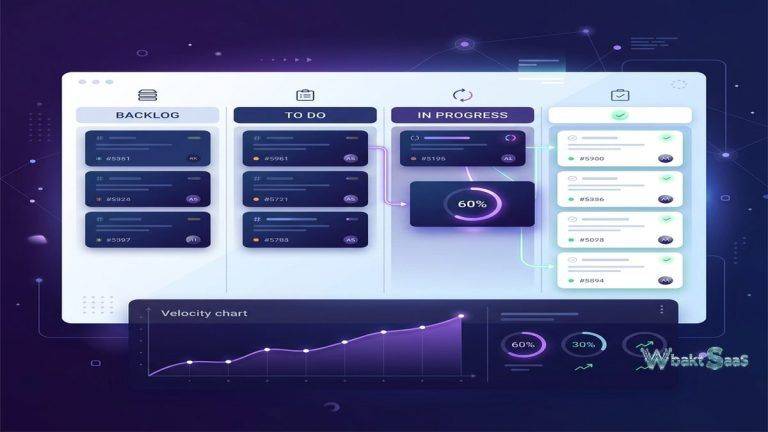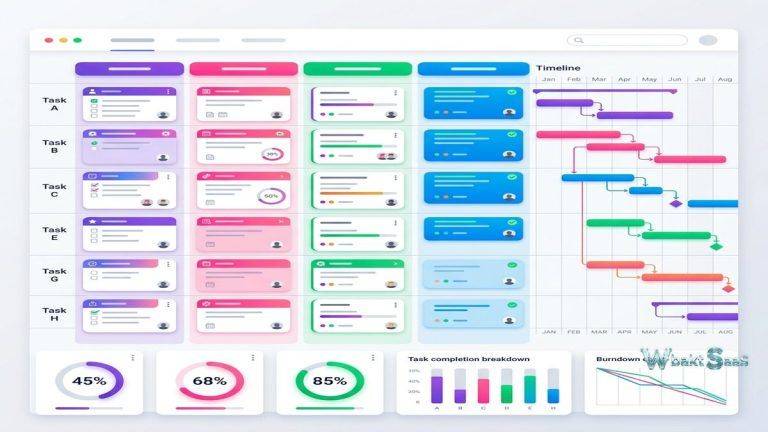
The project management software industry has trended consistently toward more features, more complexity, and more configuration options. Platforms compete on the number of views, integrations, automation capabilities, and customization options they offer. Basecamp takes the opposite approach. Since its founding in 2004, Basecamp has deliberately pursued simplicity, offering a focused set of tools that cover the essential coordination needs of project teams without the feature bloat that characterizes many competitors. This counter-cultural positioning has attracted a loyal user base of teams that value clear communication and straightforward organization over configurable workflows and visual dashboards.
Basecamp’s philosophy — that project management tools should be simple enough for every team member to use effectively without training — shapes every aspect of the platform. Rather than providing dozens of view types, customizable fields, and automation builders, Basecamp offers a curated set of tools that the company believes covers the core needs of organized teamwork: communication, task tracking, scheduling, file sharing, and informal discussion. The question for teams evaluating Basecamp is whether this deliberate simplicity aligns with their coordination complexity or whether their projects require the granularity that more feature-rich platforms provide.
How Basecamp Is Organized
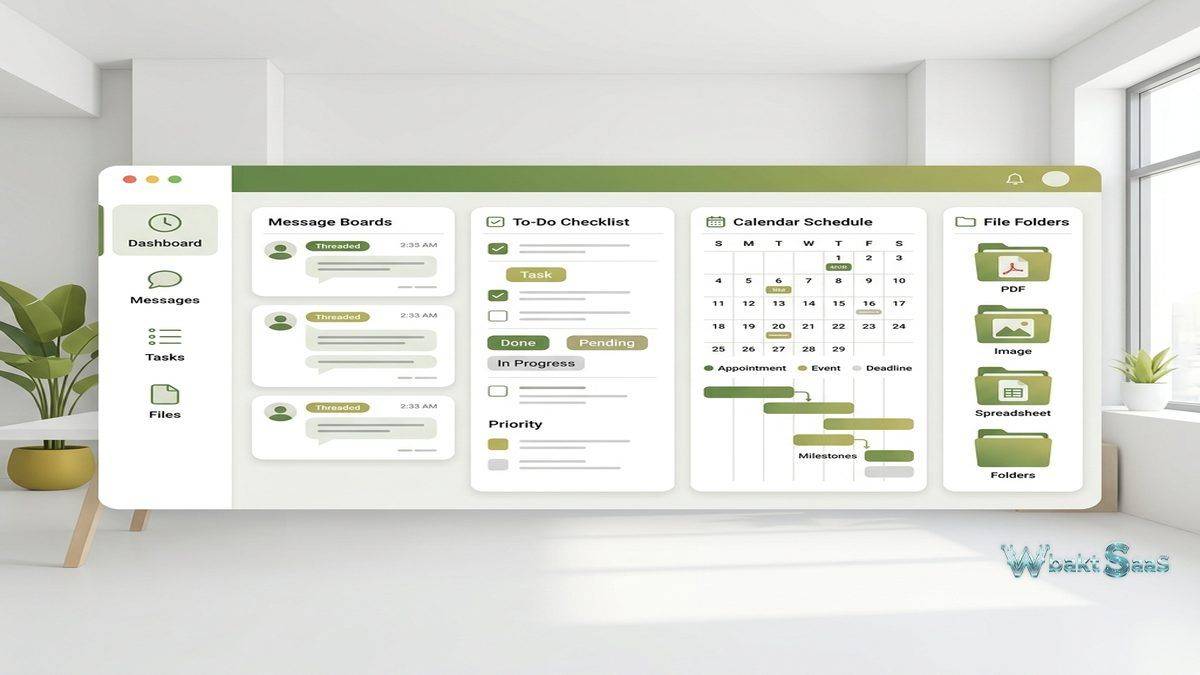
Basecamp organizes work into Projects and Teams. Each Project contains a consistent set of tools: Message Board, To-dos, Schedule, Docs & Files, Campfire, and Automatic Check-ins. Teams function similarly to Projects but represent ongoing groups rather than time-bound initiatives — a “Marketing Team” space persists indefinitely, while a “Website Redesign” project has a defined lifecycle.
This uniform structure means that every Project looks and works the same way. When a team member joins a new project, they immediately know where to find messages, tasks, files, and schedules because every project uses identical organization. This consistency eliminates the learning curve that occurs in more flexible platforms where each project might be configured differently depending on who set it up and what methodology they prefer.
The Home screen provides a dashboard showing all active Projects and Teams with recent activity summaries. Hey! (the notification center) aggregates all new messages, to-do assignments, comments, and check-in responses across all projects, providing a single location for catching up on what has happened since the user last checked in. The Lineup feature shows upcoming project milestones on a hill chart, providing a visual status overview across active projects.
Core Tools
Message Board
The Message Board serves as the primary asynchronous communication space within each project. Messages are long-form posts — announcements, updates, proposals, decisions, and discussions — that support rich text formatting, file attachments, embedded images, and categorization. Unlike the rapid-fire nature of chat-based communication, Message Board posts encourage thoughtful, complete communication. A project kickoff message, a weekly status update, or a proposal for a new approach all live on the Message Board as permanent, searchable, organized records.
Comments under messages create threaded discussions that keep responses connected to their original context. Unlike chat messages that scroll off-screen as new messages arrive, Message Board posts remain accessible and organized by category. Team members who join a project midway can read the Message Board to understand the project’s history, decisions, and current status — an onboarding capability that ephemeral chat conversations cannot provide.
The deliberate separation of long-form messages from casual conversation addresses a common communication dysfunction in remote teams: important announcements getting buried in fast-moving chat channels. By maintaining a dedicated space for substantive communication, Basecamp encourages teams to reserve casual chat for informal interaction and use the Message Board for communications that deserve attention and permanence.
To-dos
To-do Lists organize tasks within projects. Each list contains individual to-do items that can be assigned to team members, given due dates, annotated with notes, and discussed through comments. To-do Lists group related tasks — “Design Tasks,” “Development Sprint 1,” “Client Deliverables” — providing categorical organization within the project’s overall task set.
To-do items are intentionally simple: a title, optional notes, an optional assignee, and an optional due date. There are no priority levels, custom fields, story points, tags, dependencies, or status columns beyond “not done” and “done.” This simplicity is both Basecamp’s signature characteristic and its most common criticism. Teams that need fine-grained task categorization find the to-do structure limiting, while teams that prefer straightforward lists find the simplicity refreshing after experiencing the configuration overhead of more complex tools.
Schedule
The Schedule provides a calendar view of events and milestones within each project. Events include meetings, deadlines, deliverables, and any time-bound occurrence relevant to the project. The Schedule integrates with external calendar applications through iCalendar subscription, allowing Basecamp schedules to appear alongside personal and organizational calendars in Google Calendar, Outlook, or Apple Calendar.
Campfire
Campfire provides real-time chat within each project. This informal communication space handles the quick questions, casual discussions, and social interactions that do not warrant Message Board posts. Campfire conversations are persistent and searchable, maintaining a record of informal discussions alongside the project’s more formal communication on the Message Board.
The distinction between Campfire (chat) and Message Board (long-form posts) reflects Basecamp’s communication philosophy: not all communication is equal, and tools should differentiate between types of interaction rather than funneling everything through the same channel.
Docs & Files
The Docs & Files section stores project-related documents, images, and other files with organizational folders and version tracking. Basecamp supports in-app document creation for simple text documents, providing basic word processing within the project context. For more complex documents, file attachments link externally created files to the project space. File versioning maintains upload history, allowing teams to track document evolution and retrieve previous versions when needed.
Automatic Check-ins
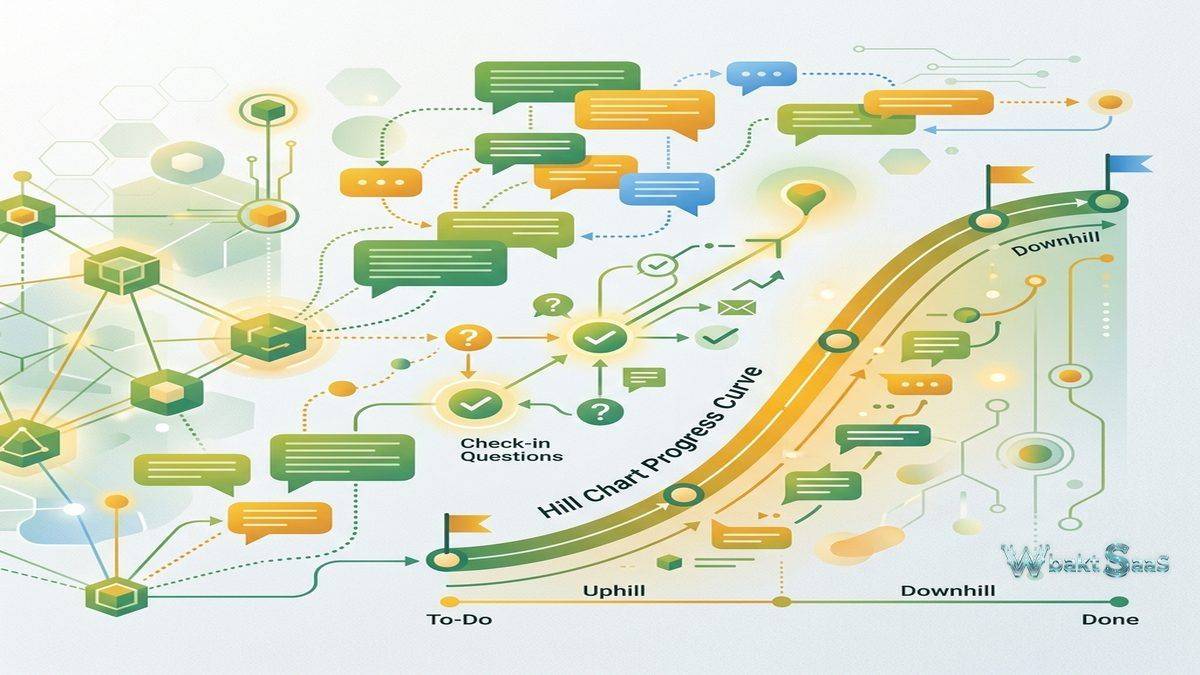
Automatic Check-ins send recurring questions to team members on configurable schedules. Common check-in questions include “What did you work on today?”, “What are you planning to work on this week?”, and “Is anything blocking your progress?” Responses are collected and displayed in a shared view, providing team visibility into individual progress and blockers without requiring synchronous standup meetings.
Check-ins address a specific remote team challenge: maintaining awareness of what colleagues are working on without constant interruption. The asynchronous format allows team members to respond at convenient times rather than scheduling daily meetings that interrupt focused work. Managers and project leads can review check-in responses at their convenience, intervening when blockers appear and staying informed without micromanaging.
Hill Charts
Hill Charts provide a unique project progress visualization that maps task completion onto a hill metaphor. Tasks on the uphill side are in the “figuring things out” phase — uncertainties remain, approaches are being explored, and the path to completion is not yet clear. Tasks that have crested the hill are in the “making it happen” phase — the approach is defined, and execution is underway. This visualization captures the qualitative nature of progress that percentage-complete metrics often miss.
Team leads manually position task dots on the hill based on their subjective assessment of progress and confidence. This manual positioning encourages honest reflection about where work actually stands rather than relying on automated metrics that can be gamed or misinterpreted. The history of hill chart positions over time reveals whether tasks are genuinely progressing or stuck, providing early warning for tasks that remain on the uphill side longer than expected.
Communication Philosophy
Basecamp’s creators — the company formerly known as 37signals — have been vocal advocates for specific communication practices in remote work. The platform’s design reflects these opinions: long-form writing over quick chat messages, asynchronous communication over synchronous meetings, focused work time over constant availability, and clear boundaries between work and personal time. Basecamp includes a “Work Can Wait” mode that silences all notifications outside defined working hours.
This philosophical stance resonates strongly with teams that experience communication overload from notification-heavy platforms. The deliberate reduction of communication urgency — treating most work communication as non-urgent by default — encourages teams to batch their communication checking rather than responding to every notification immediately. For teams whose productivity suffers from constant context-switching between focused work and communication response, Basecamp’s approach can create meaningful productivity improvements.
However, this philosophy also creates friction for teams that need real-time coordination, rapid decision-making, or constant awareness of team activity. Not every work context benefits from the deliberate slowdown that Basecamp encourages, and teams in fast-paced, highly interdependent environments may find the asynchronous-first approach incompatible with their coordination needs.
Client Access and External Collaboration
Basecamp supports client-facing project management through configurable access permissions. Project owners can invite clients to specific projects with the ability to control which tools and content clients can see. Messages, to-dos, documents, and files can be marked as internal-only or client-visible, allowing teams to maintain transparent communication with clients while keeping internal discussions private within the same project space.
This client access capability makes Basecamp particularly popular among agencies, consultancies, and freelancers who manage ongoing client relationships alongside internal coordination. Rather than maintaining separate communication channels for client-facing and internal discussions — which inevitably leads to information fragmentation — Basecamp allows both to coexist within a unified project structure with visibility boundaries that protect internal communication.
Client users do not count toward Basecamp’s user limits or pricing, making it cost-effective to extend project visibility to client stakeholders. Clients can view shared content, comment on messages and to-dos, upload files, and participate in campfire discussions within their authorized areas, creating a collaborative client experience without requiring clients to adopt a separate tool or platform.
Mobile and Email Integration
Basecamp’s mobile applications for iOS and Android provide full access to all project tools — messages, to-dos, schedules, files, campfire, and check-ins — with interfaces adapted for smartphone interaction. Push notifications alert team members to relevant activity, and notification preferences can be configured per project to manage alert volume. The mobile experience supports the “check in from anywhere” workflow that remote and mobile teams require.
Email integration works bidirectionally. Basecamp sends email notifications for relevant activity, and users can reply to these notification emails to post comments directly to Basecamp without opening the application. Emails can also be forwarded into Basecamp projects, creating messages or to-dos from email content. This email bridge accommodates team members and clients who prefer email as their primary communication channel, allowing them to participate in Basecamp projects without changing their communication habits.
Comparison with Full-Featured Platforms
| Aspect | Basecamp Approach | Full-Featured PM Tools |
|---|---|---|
| Task Structure | Simple to-do lists with assignees and dates | Custom fields, priorities, dependencies, statuses |
| Communication | Message boards + campfire chat | Channel-based chat with threading |
| Views | List and schedule only | Kanban, Gantt, timeline, calendar, board |
| Pricing | Flat fee, unlimited users | Per-user monthly pricing |
| Learning Curve | Minimal — usable immediately | Moderate to steep depending on features used |
Search and Administration
Basecamp’s search functionality indexes all content across projects — messages, to-dos, comments, documents, campfire conversations, and check-in responses — providing a unified search interface that surfaces relevant results regardless of where the content was created. For organizations with years of Basecamp history, search serves as the primary method for finding past decisions, conversations, and documentation. Search results include contextual previews showing where each result appears, helping users quickly identify relevant matches without opening every result.
Administrative features include user management, project archiving, and data export capabilities. Project archiving preserves completed projects in a searchable, read-only state without cluttering the active project view. Data export allows organizations to download all Basecamp content — messages, files, to-dos, schedules, and conversations — in standard formats, ensuring data portability if the organization decides to migrate to a different platform. This export capability addresses data ownership concerns that organizations face when committing to any cloud-based platform.
Access control operates at the project level, with administrators managing who can access each project and what role (admin or member) they hold within it. Company-wide announcements and updates can be broadcast to all team members through the company HQ space, ensuring that organizational communications reach everyone regardless of which individual projects they participate in.
Pricing
Basecamp’s pricing model is notable for its simplicity: a flat monthly fee for unlimited users rather than the per-user pricing model that most project management platforms employ. This pricing structure makes Basecamp increasingly cost-effective as team size grows — a 50-person team pays the same as a 5-person team. For larger organizations, this pricing approach offers significant savings compared to per-user platforms where costs scale linearly with headcount. A free trial period allows organizations to evaluate the platform with their actual projects and team members before committing to a subscription, providing hands-on experience with the tools and communication philosophy.
The flat pricing includes all features without tiered plans or feature restrictions. Every user gets access to every capability, eliminating the evaluation complexity of comparing plan tiers and the organizational friction of different users having different feature access levels.
Pricing and features are subject to change. Please verify current plan details on the official Basecamp website before making purchasing decisions.
Limitations
- No Gantt charts or timeline views: Teams requiring visual project scheduling with dependencies, critical path analysis, and resource allocation will not find these capabilities in Basecamp.
- Limited task granularity: The absence of custom fields, priority levels, tags, and status categories restricts teams that need detailed task categorization and reporting.
- Minimal reporting: Basecamp provides limited project analytics and does not generate the performance reports, velocity metrics, or workload views that data-driven project managers expect.
- Integration ecosystem: Basecamp’s integration options are narrower than those of platforms that emphasize extensibility and marketplace ecosystems.
- Single methodology: Basecamp’s opinionated design works well for teams aligned with its communication philosophy but may conflict with teams using established Scrum, Kanban, or other structured methodologies.
Best For
Basecamp serves teams that value simplicity, asynchronous communication, and unified project organization without methodology-specific constraints. Small to medium businesses, creative agencies, consultancies, and remote teams that want a single place for project communication and coordination — without the overhead of learning and configuring complex software — represent Basecamp’s ideal users. Non-profit organizations and educational teams also benefit from Basecamp’s straightforward approach, which requires minimal technical expertise and allows teams to focus on their mission rather than mastering project management software. Teams that have tried more feature-rich platforms and found themselves overwhelmed by options they do not use often find that Basecamp’s focused approach restores productivity by removing decision fatigue around tool configuration.
Project management platforms such as Basecamp, Asana, Monday.com, ClickUp, and Trello each serve different organizational preferences and workflow complexities. Basecamp’s unique value proposition is its deliberate simplicity and its flat pricing model that benefits larger teams. Organizations should evaluate whether their project coordination needs align with Basecamp’s focused toolset or require the configurability and methodology support that more feature-rich alternatives provide.
Features, pricing, and availability discussed in this review reflect information available at the time of writing. Software products evolve continuously, and details may have changed since publication. Please verify current information directly on the official Basecamp website. WBAKT SaaS is an independent review platform with no affiliate relationships with any software company mentioned in this article.
For related project management tools, see our reviews of Asana project tracking, Trello Kanban management, and ClickUp all-in-one workspace.
About the Author