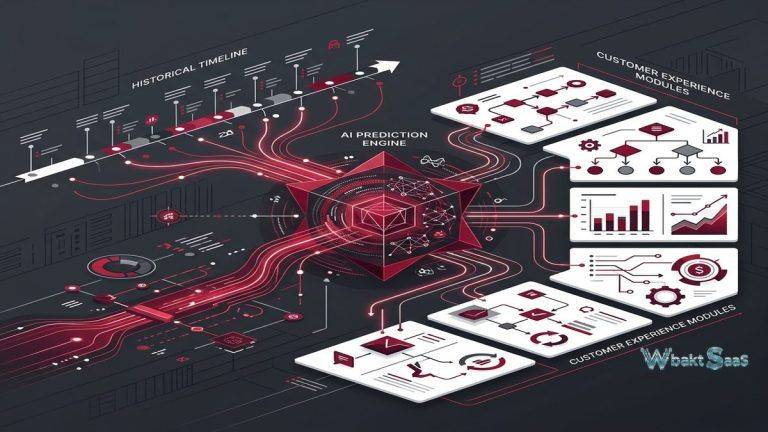
Enterprise organizations operate complex business ecosystems where customer relationship management intersects with finance, operations, supply chain, human resources, and strategic planning — yet most CRM platforms exist as isolated customer-focused databases disconnected from the broader operational context that shapes customer experience delivery. When a sales representative commits to a delivery timeline, they need visibility into manufacturing capacity and inventory availability. When a service agent addresses a customer escalation, they need financial context about the account’s strategic value and contract terms. When a marketing team launches a campaign, they need operational data about product availability and fulfillment capacity. Microsoft Dynamics 365 addresses this enterprise integration challenge by providing a comprehensive business applications platform where CRM modules — Sales, Customer Service, Marketing, and Field Service — operate alongside ERP modules — Finance, Supply Chain Management, and Commerce — on a unified data platform powered by Microsoft’s Azure cloud infrastructure.
Microsoft Dynamics 365 represents the evolution of Microsoft’s CRM and ERP product lines (formerly Dynamics CRM and Dynamics AX/NAV) into a cloud-based, modular business applications platform. The platform serves mid-market and enterprise organizations across industries, with particular strength in manufacturing, financial services, professional services, retail, and public sector organizations that already operate within the Microsoft ecosystem. The deep integration with Microsoft 365 (Office suite), Azure cloud services, Power Platform (Power BI, Power Apps, Power Automate), LinkedIn, and Teams creates a unified technology experience that organizations invested in Microsoft infrastructure find difficult to replicate with competing platforms. Understanding Dynamics 365’s CRM capabilities helps enterprise organizations evaluate whether this Microsoft-native approach to customer relationship management provides integration depth and operational context that standalone CRM platforms cannot match.
Dynamics 365 Sales
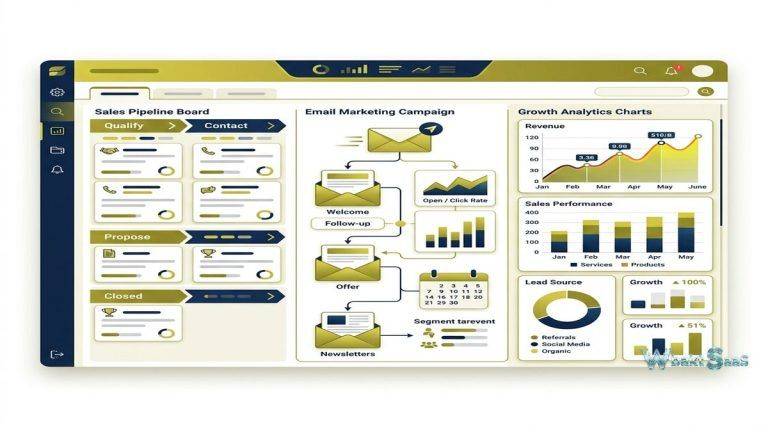
Dynamics 365 Sales provides enterprise sales management with opportunity tracking, pipeline management, forecasting, relationship analytics, and AI-powered sales intelligence. Opportunity records store comprehensive deal data including estimated revenue, probability, decision timeline, competitive situation, stakeholder mapping, and activity history across all communication channels. Pipeline management supports multiple sales processes with configurable stages, business process flows that guide sellers through organizational selling methodology, and visual pipeline analytics that show health, velocity, and conversion metrics.
Relationship analytics leverages Microsoft Graph data — email patterns, meeting frequency, response times, and communication sentiment — to score relationship health between sales teams and customer stakeholders. This relationship intelligence surfaces accounts where engagement is declining before the relationship deterioration becomes visible through traditional CRM metrics like pipeline stage or last activity date. Sales accelerator provides a prioritized work queue that combines AI recommendations with organizational selling priorities, guiding sellers toward the highest-impact activities each day.
Dynamics 365 Customer Service
Dynamics 365 Customer Service provides omnichannel support management across voice, chat, email, social media, SMS, and self-service channels through a unified agent desktop. The omnichannel workspace presents customer context, conversation history, knowledge articles, and AI-powered suggestions in a single interface that enables efficient case resolution. Intelligent routing distributes cases based on agent skills, availability, capacity, and customer priority, optimizing service resource allocation. SLA management tracks response and resolution commitments against defined service levels with automatic escalation for approaching or breached thresholds.
AI-powered features include case summarization, sentiment analysis, suggested knowledge articles, real-time agent guidance through Customer Service Insights, and virtual agent capabilities through Power Virtual Agents that handle routine inquiries without human intervention. Knowledge management provides structured article creation, approval workflows, version control, and search optimization for both agent and customer-facing knowledge bases.
Dynamics 365 Marketing
Dynamics 365 Marketing provides enterprise marketing automation with customer journey orchestration, real-time marketing, event management, and marketing analytics. Real-time marketing triggers personalized messages across email, SMS, push notifications, and custom channels based on individual customer actions and behaviors — responding to form submissions, website visits, purchase events, and custom triggers with contextually relevant communications. Customer journey orchestration creates multi-step, multi-channel engagement sequences with conditional logic, A/B testing, and goal tracking.
Event management provides end-to-end event planning including registration, speaker management, session scheduling, venue coordination, and post-event analytics — both for in-person and virtual events through Teams integration. Marketing analytics connect campaign performance to pipeline generation and revenue outcomes through attribution models that distribute credit across the marketing touchpoints that influenced each conversion.
Dynamics 365 Field Service
Dynamics 365 Field Service manages field operations including work order management, scheduling optimization, resource management, asset tracking, and mobile field worker support. Scheduling optimization uses AI to assign field technicians based on skills, location, availability, and travel time, maximizing service capacity while minimizing travel costs. IoT integration enables predictive maintenance — when connected assets detect anomalies, the system automatically generates work orders and dispatches technicians before equipment failures affect customer operations. Mobile access provides field technicians with work order details, customer history, asset specifications, and knowledge articles from any location.
Power Platform Integration
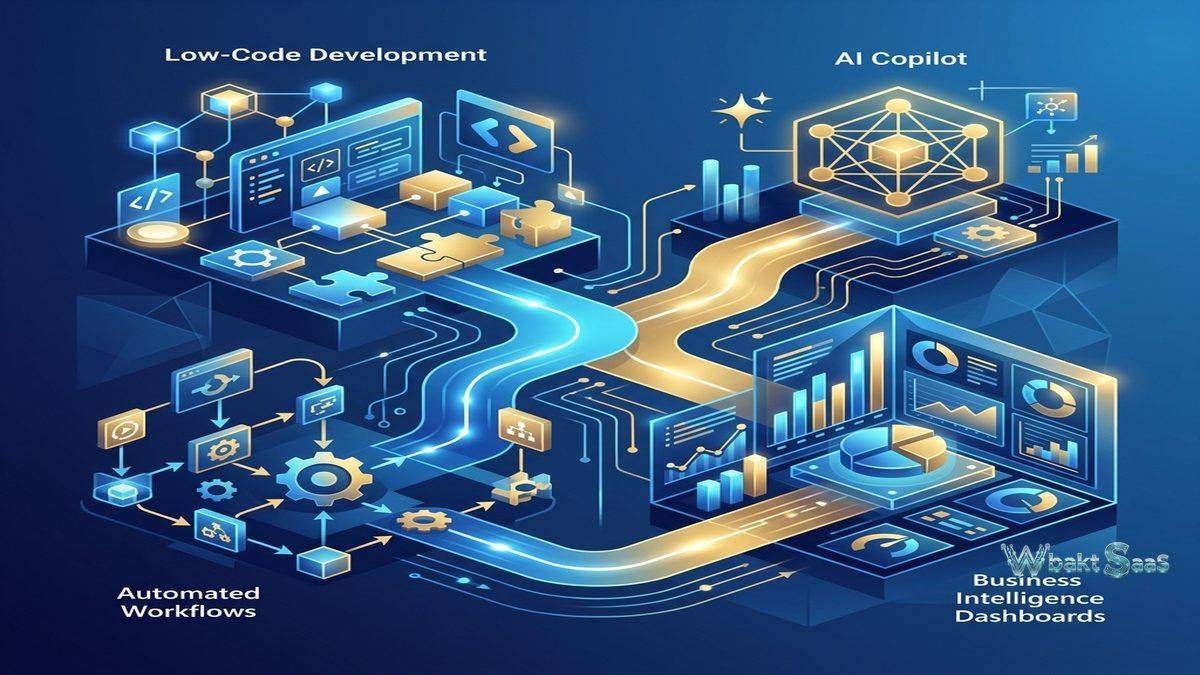
Deep integration with Microsoft Power Platform extends Dynamics 365’s capabilities significantly. Power BI provides advanced analytics and visualization that go beyond built-in reporting. Power Apps enables creating custom business applications without code that extend CRM functionality for specific workflows. Power Automate creates automated workflows between Dynamics 365 and hundreds of connected systems. Power Virtual Agents builds intelligent chatbots for customer self-service and internal support automation. The Power Platform integration creates a low-code extension layer that enables business users and citizen developers to customize and extend the platform without traditional development resources.
LinkedIn Sales Navigator Integration
Microsoft’s ownership of LinkedIn provides Dynamics 365 Sales with unique integration capabilities — LinkedIn Sales Navigator data appears directly within CRM records, showing prospect professional backgrounds, shared connections, company insights, recent activity, and relationship paths to key stakeholders. InMail messages can be sent from CRM context, and LinkedIn engagement data enriches CRM relationship intelligence. For B2B sales organizations, this LinkedIn integration provides prospecting and relationship intelligence capabilities that no other CRM platform can replicate with the same depth of data access.
Microsoft Teams Integration
Teams integration enables accessing CRM data, sharing records, and collaborating on deals and service cases directly within Teams conversations and channels. Sales teams can share pipeline views in Teams channels, service teams can escalate cases through Teams communication, and cross-functional teams can collaborate on accounts with CRM context embedded in their collaboration workspace. Teams meetings with Dynamics 365 integration capture meeting notes, action items, and participant information directly in CRM records, maintaining comprehensive relationship history.
Dataverse and Common Data Model
Microsoft Dataverse provides the unified data platform underlying Dynamics 365, storing all business data in a standardized schema that enables cross-application data access and analytics. The Common Data Model defines standardized entity structures — contacts, accounts, opportunities, cases — that maintain data consistency across applications. Dataverse enables creating custom tables, relationships, and business logic that extend the platform’s data model for organization-specific requirements. The unified data foundation eliminates the data silos that occur when organizations use separate CRM and ERP systems with different data models and schemas.
AI and Copilot
Dynamics 365 Copilot provides AI assistance across sales, service, and marketing modules. Sales Copilot generates email drafts, meeting summaries, opportunity summaries, and competitive intelligence from CRM and Microsoft Graph data. Service Copilot provides case summaries, response drafts, and knowledge article suggestions that accelerate case resolution. Marketing Copilot assists with content creation, segment generation, and journey optimization. These AI capabilities leverage Microsoft’s investment in large language models and integration with organizational data through Microsoft Graph, providing contextually aware AI assistance.
Security and Compliance
Enterprise-grade security includes role-based access control, business unit hierarchy-based data segmentation, field-level security, record-level sharing rules, and audit logging. Azure Active Directory integration provides single sign-on, multi-factor authentication, and conditional access policies. Compliance certifications include SOC 1/2, ISO 27001, HIPAA, FedRAMP, and GDPR, supporting regulated industries with stringent data governance requirements. Data residency controls enable specifying geographic regions for data storage, addressing sovereignty requirements for global organizations.
Customization and Development
Dynamics 365 provides multiple customization layers — no-code configuration through the maker interface for fields, forms, views, and business rules; low-code extension through Power Apps and Power Automate for custom applications and workflows; and pro-code development through plugins, custom APIs, and JavaScript web resources for complex business logic. Solution management packages customizations into deployable units for environment management across development, testing, and production instances. The Application Lifecycle Management (ALM) capabilities support DevOps practices for organizations managing Dynamics 365 as enterprise software projects.
Advanced Reporting
Built-in reporting combines with Power BI integration for comprehensive analytics. Native reports, dashboards, and charts provide standard CRM analytics. Power BI embedded dashboards deliver advanced visualizations, cross-data-source analytics, and AI-powered insights directly within the CRM interface. Real-time dashboards provide executive visibility into sales performance, service operations, and marketing campaign results. Paginated reports support formal reporting requirements including financial-style layouts suitable for regulatory submission and management review.
Mobile Application
Dynamics 365 mobile app provides native iOS and Android access with offline capability, enabling field workers and traveling sales professionals to access and update CRM data without network connectivity. Offline-first architecture ensures that critical data remains accessible regardless of connectivity status, with automatic synchronization when connectivity is restored. Mobile-optimized forms and views provide efficient data access and entry on mobile devices. Push notifications alert users to important events including deal updates, case escalations, and approval requests.
Global Capabilities
Multi-currency, multi-language, and multi-region support enables global deployments that serve diverse international operations. Currency conversion applies organizational exchange rates to pipeline reporting and forecasting. Language packs provide localized user interfaces. Business units, teams, and security roles enable organizational structures that reflect complex global hierarchies. Date, number, and address formatting adapts to regional conventions automatically. For multinational organizations, these global capabilities support unified CRM deployment across diverse geographic operations.
Data Import and Migration
Data migration tools support transitions from legacy CRM and ERP systems with entity mapping, relationship preservation, and data validation. The Data Import Wizard handles CSV imports with field mapping and duplicate detection. Advanced migration scenarios use Azure Data Factory and other ETL tools for complex data transformation and loading requirements. Professional migration services from Microsoft partners provide guided migration for enterprise-grade transitions involving millions of records across multiple entity types.
Common Use Cases
Enterprise B2B Sales: Large B2B organizations use Dynamics 365 Sales for complex enterprise selling that involves multiple stakeholders, long sales cycles, strategic account management, and sophisticated forecasting requiring deep relationship intelligence across the Microsoft ecosystem.
Manufacturing: Manufacturing companies use Dynamics 365’s integrated CRM and ERP modules to connect customer orders with production planning, inventory management, supply chain operations, and field service maintenance in a unified operational view.
Financial Services: Banks, insurance companies, and financial services organizations use Dynamics 365 for compliant customer management with comprehensive audit trails, regulatory reporting, risk assessment, and relationship intelligence across complex client portfolios.
Healthcare: Healthcare organizations use Dynamics 365 for patient relationship management, provider network coordination, care team collaboration, and HIPAA-compliant data management with integration to clinical systems.
Public Sector: Government agencies and public sector organizations use Dynamics 365 for citizen services, case management, constituent relationship management, and grant management with compliance and accessibility requirements.
Professional Services: Consulting firms and professional services organizations use Dynamics 365 with Project Operations for project-based selling, resource management, time and expense tracking, and engagement delivery management.
Retail and Commerce: Retail organizations use Dynamics 365 Commerce integrated with CRM for unified customer profiles that combine online and in-store purchase history, loyalty programs, and personalized marketing across all customer touchpoints.
Pricing
Dynamics 365 uses modular per-user, per-month pricing where each application — Sales, Customer Service, Marketing, Field Service — is priced independently with different feature tiers. First Dynamics 365 app carries full pricing, with subsequent apps available at reduced attach rates. Team Member licenses provide read-access and basic functionality at lower cost for users who need CRM visibility without full editing capabilities. Enterprise-level pricing includes bundled options for organizations needing multiple modules. Free trials are available for individual modules without commitment. Volume licensing and enterprise agreements provide additional pricing flexibility and discounts for large-scale deployments.
Pricing and features are subject to change. Please verify current plan details on the official Microsoft Dynamics 365 website before making purchasing decisions.
Limitations
- Complexity: Dynamics 365 implementation complexity is significant and should not be underestimated. Most organizations require certified implementation partners, and deployments typically take months for full configuration, customization, data migration, and user training.
- Cost: Total cost of ownership including licensing, implementation services, customization development, and ongoing administration can be substantial, particularly for mid-market organizations with limited IT budgets and resources.
- Microsoft ecosystem dependency: Maximum value requires substantial commitment to the Microsoft ecosystem — Azure, Microsoft 365, Teams, Power Platform, and LinkedIn. Organizations using competing platforms may not realize the full integration benefits that justify Dynamics 365’s premium positioning.
- Small business fit: Dynamics 365 is designed for mid-market and enterprise organizations with dedicated IT resources. Small businesses will find the platform overly complex and expensive for their CRM requirements.
- Learning curve: The platform’s breadth, depth, and configurability create a significant learning curve for users, administrators, and developers new to the Dynamics 365 ecosystem and its underlying data model.
Summary
Microsoft Dynamics 365 provides a comprehensive enterprise business applications platform that integrates CRM and ERP capabilities on a unified data foundation, enabling the cross-functional visibility and operational integration that standalone CRM platforms cannot provide. The platform’s deep integration with the broader Microsoft ecosystem — including Microsoft 365, Azure, Teams, Power Platform, and LinkedIn — creates compounding value for organizations already invested in Microsoft infrastructure, transforming CRM from an isolated customer database into an integrated layer within the organization’s complete technology infrastructure and collaboration environment.
The Power Platform integration democratizes platform extension, enabling business users and citizen developers to create custom applications, automated workflows, advanced analytics dashboards, and intelligent chatbots without traditional development resources or lengthy IT project cycles. This low-code extensibility provides organizations with the flexibility to adapt the platform rapidly to their specific and evolving requirements without the cost and timeline of custom development projects.
Dynamics 365 Copilot represents Microsoft’s vision for AI-augmented business operations — providing contextually aware AI assistance that leverages both CRM data and the broader organizational knowledge graph accessible through Microsoft Graph. As AI capabilities continue to evolve rapidly, organizations on the Microsoft platform are positioned to benefit from advances that integrate seamlessly with their existing Dynamics 365 deployment and data ecosystem.
CRM platforms including Dynamics 365, Salesforce, HubSpot, SugarCRM, and Zoho each serve different market segments with different integration philosophies and pricing models. Dynamics 365’s advantages center on Microsoft ecosystem integration, CRM-ERP unification, Power Platform extensibility, LinkedIn data access, Copilot AI capabilities, and the enterprise-grade architecture that supports complex global deployments across regulated industries. Organizations evaluating CRM should consider whether their existing Microsoft technology investment and enterprise integration requirements position Dynamics 365 as the natural CRM choice or whether standalone CRM platforms better serve their specific functional needs and budget constraints.
Features, pricing, and availability discussed in this review reflect information available at the time of writing. Software products evolve continuously, and details may have changed since publication. Please verify current information directly on the official Microsoft Dynamics 365 website. WBAKT SaaS is an independent review platform with no affiliate relationships with any software company mentioned in this article.
For related CRM tools, see our reviews of Salesforce CRM, HubSpot CRM, and SugarCRM.
About the Author