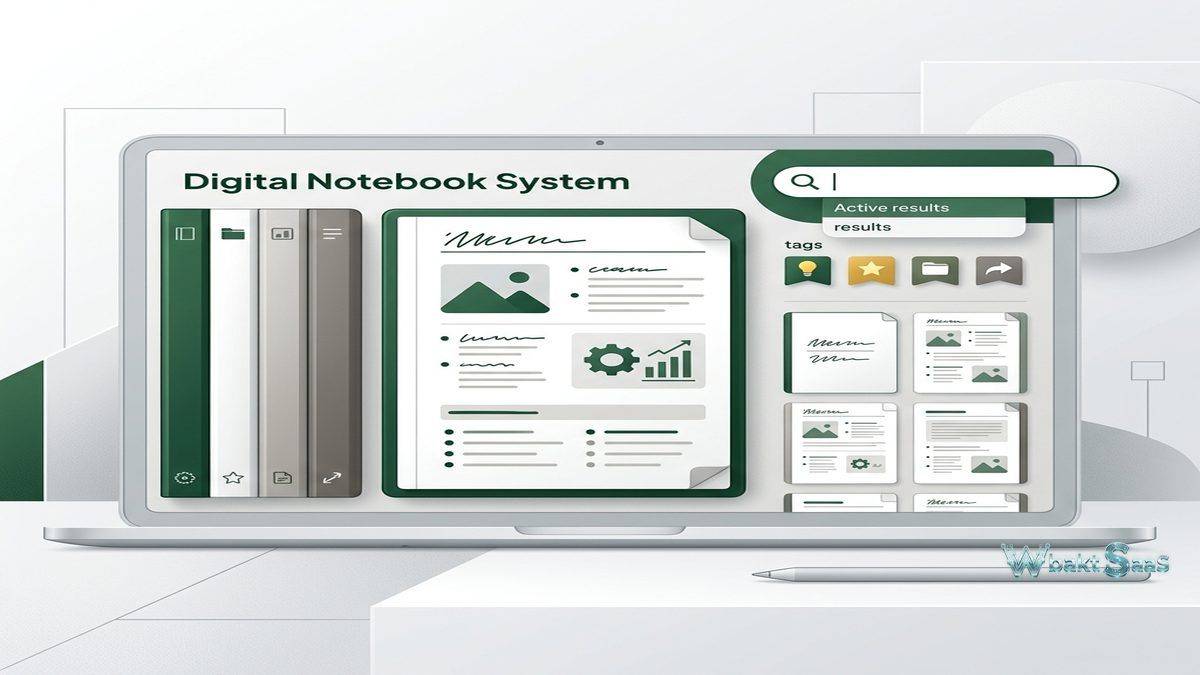
The concept of a digital notebook has existed since the early days of personal computing, but few applications have defined the category as thoroughly as Evernote. Launched in 2008, Evernote pioneered the idea of capturing everything — notes, web pages, images, documents, audio recordings, and handwritten sketches — into a single searchable system that synchronizes across all devices. For professionals who generate and consume enormous volumes of information daily, the challenge is not creating content but finding it later when it matters. Evernote was built specifically to solve this retrieval problem.
The note management landscape has evolved considerably since Evernote’s peak dominance. Competitors including Notion, OneNote, Apple Notes, Google Keep, and Obsidian have each captured portions of the market with different approaches to digital organization. Evernote itself has undergone significant changes — including an acquisition by Bending Spoons in 2023 — that reshaped its pricing, features, and development direction. Understanding what Evernote offers today, where it excels, and how it positions within the current market provides valuable context for professionals evaluating digital note management solutions.
What Evernote Does
Evernote organizes information through a hierarchy of Notebooks, Stacks, Notes, and Tags. Notes are the fundamental units — each note can contain text, images, audio recordings, file attachments, tables, checklists, code blocks, and embedded content. Notebooks group related notes together, and Stacks organize multiple notebooks under common themes. Tags provide a parallel categorization system that cuts across notebook boundaries, allowing a single note to belong to one notebook while carrying multiple tags for cross-referencing.
The platform operates across web browsers, desktop applications for Windows and macOS, and mobile applications for iOS and Android. Synchronization ensures that notes created or modified on any device appear across all connected devices. This cross-platform availability was one of Evernote’s original differentiators and remains a core strength — the ability to capture a thought on a phone during a commute and expand on it from a desktop at the office without any manual file transfer or cloud storage management.
Evernote positions itself as an external brain — a place to store information that your biological memory cannot reliably retain. Meeting notes, research findings, article clippings, receipts, travel itineraries, reference documents, project plans, and random ideas all coexist within the same searchable environment. The value proposition is not in any single note but in the accumulated, searchable collection that grows more useful over time as more information is captured and organized.
Main Advantages
Web Clipper
Evernote’s Web Clipper browser extension remains one of the most capable web content capture tools available. Users can clip entire web pages, simplified article views (removing ads and navigation), specific page selections, screenshots, or just the URL with a title. Clipped content saves directly into designated notebooks with tags applied during the clipping process. The clipper supports annotation before saving — highlights, text overlays, and arrows can be added to screenshots and clipped content during capture.
For researchers, journalists, analysts, and any professional who gathers information from the web, the Web Clipper transforms Evernote into a personal research archive. Articles clipped months or years ago remain searchable and organized within notebooks, eliminating the problem of bookmarked URLs that eventually break or web content that changes after the fact. The archived version in Evernote preserves the content as it existed at the time of clipping.
Search Capabilities
Evernote’s search engine represents one of the platform’s most technically impressive features. Text search indexes not only typed note content but also text within images (through optical character recognition), handwritten notes, PDF documents, and Office document attachments. A photograph of a whiteboard, a scanned business card, or a PDF report becomes searchable text without requiring the user to manually transcribe any content.
Search syntax supports advanced queries: intitle: searches note titles, notebook: restricts results to specific notebooks, tag: filters by tags, created: and updated: filter by date ranges, and Boolean operators (AND, OR, NOT) combine multiple criteria. Saved searches store complex query patterns for repeated use, and search suggestions help users refine queries. For users with thousands of notes accumulated over years, the ability to find specific information quickly is the difference between a useful archive and an overwhelming digital hoarding problem.
Document Scanning
The mobile application includes a document scanner that captures physical documents — receipts, business cards, handwritten notes, printed documents — and processes them for digital storage. The scanner automatically detects document edges, corrects perspective distortion, adjusts contrast, and applies OCR to make scanned content searchable. Business card scanning extracts contact information and can create contact entries directly from scanned cards.
For professionals who still interact with physical documents — meeting handouts, signed contracts, expense receipts, conference badges — the scanning capability bridges the physical-digital divide. Rather than maintaining separate filing systems for physical and digital documents, everything flows into the same searchable Evernote system.
Mobile Experience and Offline Access
Evernote’s mobile applications provide a comprehensive note creation and browsing experience that goes beyond simple viewing. Notes can be created with text, voice recordings, photos, and sketches on the go. The home screen widget displays recent notes, shortcuts, and quick action buttons for rapid access to common functions without opening the full application. Handwriting recognition on tablets with stylus support allows users to create handwritten notes that remain searchable through OCR processing.
Offline notebook access on paid plans downloads entire notebooks to mobile devices, ensuring access to critical information even without internet connectivity. For professionals who travel frequently, work in areas with unreliable connectivity, or need guaranteed access to reference materials during presentations and meetings, offline access transforms Evernote from a cloud-dependent service into a reliable portable knowledge base. Notes created offline synchronize automatically when connectivity returns, maintaining seamless data consistency across devices.
The mobile app also integrates with the device’s share sheet, allowing content from other applications — web browsers, email clients, social media apps, photo galleries — to be sent directly to Evernote with notebook and tag selection. This system-level integration extends Evernote’s capture capabilities beyond the application itself, making it a destination for information from across the mobile ecosystem.

Note Creation and Editing
Evernote’s note editor supports rich text formatting including headers, bold, italic, code blocks, horizontal rules, tables, numbered and bulleted lists, checklists, and text color and highlight options. Templates provide pre-formatted note structures for common use cases — meeting notes, project plans, weekly reviews, habit trackers, and more. Users can also create custom templates from any note, standardizing formats that they use repeatedly.
Tables in Evernote support basic spreadsheet-like functionality with rows, columns, and cell formatting. While not as powerful as dedicated spreadsheet applications, tables handle common organizational needs — comparison charts, simple data tracking, and structured lists — without requiring users to switch to a separate application.
Task management features have been integrated into notes, allowing users to create tasks with due dates, reminders, and flags directly within note content. Tasks can be viewed in a unified task view that aggregates action items from across all notebooks, providing a centralized to-do list derived from contextual notes. This integration addresses a common workflow where notes from meetings or research sessions generate action items that need tracking — rather than transferring those items to a separate task manager, they remain connected to the source material that created them.
Organization Strategies
Effective Evernote use depends heavily on organizational strategy. The platform provides multiple organizational dimensions — notebooks, stacks, tags, and search — and users must decide which combination works for their information architecture. Common approaches include:
Notebook-centric organization: Create notebooks for each major project, client, or area of responsibility. Notes go into the notebook that matches their primary context. This works well for users with clear categorical boundaries and moderate note volumes.
Tag-centric organization: Use a minimal set of notebooks (or even a single notebook) and rely on tags for categorization. This approach handles cross-cutting information better — a note about a client meeting that involves both a specific project and budget planning can carry tags for both dimensions without duplicating the note. Tag-centric systems require disciplined tag management to avoid tag proliferation.
Search-centric organization: Minimal formal organization with reliance on Evernote’s search capabilities to find information when needed. This approach works for users who capture large volumes of diverse information and trust the search engine to surface relevant content on demand. The risk is that poorly titled or tagged notes may not appear in search results when the user cannot remember specific keywords.
Most long-term Evernote users develop hybrid approaches that combine all three dimensions based on the type of information and how frequently they need to access it. Active project notebooks with tagged notes and saved searches for recurring queries provide a robust organizational framework that scales with growing note volumes.
Collaboration Features
Evernote supports notebook sharing for team collaboration. Shared notebooks allow multiple users to view, edit, and add notes within a common collection. Shared notes can be sent to specific individuals with view or edit permissions. Work Chat facilitates in-platform messaging between Evernote users, though most teams use external messaging platforms for real-time communication and reserve Evernote sharing for document and reference collaboration.
Spaces on business plans organize team notebooks, notes, and content around projects or departments, providing a shared environment where team knowledge accumulates. New team members can access the Space to review historical notes, reference documents, and project context without requiring individual knowledge transfer from each colleague. For teams that accumulate institutional knowledge in Evernote, Spaces reduce the loss of organizational memory when team members transition to different roles or leave the organization.
Integrations
Evernote connects with a range of external services through both native integrations and third-party platforms. Google Drive integration allows Drive files to be linked within notes without duplicating storage. Slack integration enables saving Slack messages as Evernote notes for reference archival. Outlook and Gmail connections support email-to-note conversion, transforming important emails into searchable, organized notes alongside related project material.
Calendar integrations connect Evernote with Google Calendar and Outlook, displaying upcoming events within Evernote and enabling users to create meeting notes that are automatically linked to the corresponding calendar event. This connection creates a workflow where meeting preparation notes and post-meeting action items live in context with the calendar event that generated them, making future reference straightforward when reviewing past meetings.
Zapier and IFTTT connections extend Evernote’s automation capabilities significantly. Automated note creation from form submissions, social media saves, RSS feeds, or email rules enables passive information capture that populates Evernote with relevant content without manual intervention. A journalist might configure automatic note creation from Google Alerts on specific topics. A project manager might route specific email categories into project notebooks automatically. These automated pipelines turn Evernote into a continuously updated information repository that grows without requiring constant manual attention.
The Evernote API provides programmatic access for custom integration development, enabling organizations to build connections with proprietary systems, internal tools, and specialized applications that lack pre-built Evernote integrations.
Security and Data Protection
Evernote encrypts data in transit using TLS and encrypts stored data on its servers. Users can additionally encrypt specific text within individual notes using a passphrase, providing an extra layer of protection for sensitive information like passwords, financial details, or confidential notes. This note-level encryption is controlled entirely by the user — Evernote cannot decrypt passphrase-protected content.
Two-factor authentication adds login security beyond username and password, protecting accounts from unauthorized access even if credentials are compromised. Access history tracking shows which devices and applications have accessed the account, allowing users to identify unauthorized access attempts. Device management enables remote sign-out from devices that are lost, stolen, or no longer in use.
Business plan administrators gain additional security controls including single sign-on (SSO) integration, user provisioning and deprovisioning, activity logging, and content access management. These administrative features support organizational security policies and compliance requirements, though organizations with strict regulatory obligations should review Evernote’s security documentation and certifications against their specific compliance requirements.
Comparison with Alternatives
| Feature Area | Evernote Strength | Where Others May Excel |
|---|---|---|
| Web Clipping | Best-in-class with multiple capture modes | Notion web clipper improving but less versatile |
| Search | OCR across images, PDFs, and handwriting | Obsidian offers powerful local search with plugins |
| Document Scanning | Built-in scanner with auto-processing | Dedicated scanning apps offer more editing options |
| Workspace Features | Focused on note capture and retrieval | Notion, Coda offer databases, wikis, and project tools |
| Free Tier | Increasingly restricted | OneNote, Apple Notes, Google Keep offer robust free options |
Pricing
Evernote’s pricing has undergone significant changes over its history, with the free tier becoming progressively more restricted over time. The current free tier limits device synchronization, upload capacity, note size, and feature access. Paid plans unlock unlimited devices, increased upload quotas, offline notebook access, advanced search features, and additional organizational tools. Business plans add team collaboration features, administrative controls, and centralized billing.
The pricing evolution has been a point of contention among long-time users who grew accustomed to more generous free offerings. Users evaluating Evernote today should assess current pricing against their needs rather than historical pricing structures, and compare the cost against alternatives that may offer different value propositions at similar price points.
Pricing and features are subject to change. Please verify current plan details on the official Evernote website before making purchasing decisions.
Limitations
- Free tier restrictions: Increasingly limited device sync, upload limits, and feature restrictions on the free plan may push casual users toward alternatives with more generous free offerings.
- Editor limitations: While functional, the note editor lacks some modern features that competitors offer — inline databases, advanced block-based editing, and sophisticated formatting options available in platforms like Notion.
- Collaboration depth: Team collaboration features are basic compared to dedicated collaboration platforms, making Evernote better suited for individual or small-team use than large-scale organizational knowledge management.
- Ownership transitions: The acquisition by Bending Spoons has created uncertainty about the platform’s long-term direction, feature development priorities, and pricing stability.
- Performance with large databases: Users with tens of thousands of notes may experience slower search and sync performance, particularly on older devices.
Best For
Evernote remains well-suited for professionals who need a reliable, searchable digital archive for diverse content types. Researchers accumulating reference material, consultants managing client documentation, writers collecting research and drafts, and individuals who interact with both physical and digital documents benefit from Evernote’s combination of capture versatility and search depth. The Web Clipper and document scanning capabilities are particularly strong differentiators for information-heavy workflows.
Note management applications such as Evernote, Notion, OneNote, Bear, and Obsidian each serve different user profiles and organizational philosophies. Evernote’s strengths center on capture breadth and search depth — getting information in quickly and finding it reliably later. Users who need those specific capabilities more than they need collaborative workspaces, database functionality, or markdown-native editing will find Evernote’s focused approach valuable.
Features, pricing, and availability discussed in this review reflect information available at the time of writing. Software products evolve continuously, and details may have changed since publication. Please verify current information directly on the official Evernote website. WBAKT SaaS is an independent review platform with no affiliate relationships with any software company mentioned in this article.
For related note management and productivity tools, see our reviews of Notion vs Coda workspace platforms, Todoist task management, and Google Workspace cloud productivity.
About the Author