Web analytics fundamentally shapes how organizations understand their digital presence. Without analytics data, businesses make decisions about website design, content strategy, marketing spend, and product development based on intuition rather than evidence. Google Analytics has been the dominant web analytics platform since its launch in 2005, and its latest iteration — Google Analytics 4 (GA4) — represents the most significant architectural change in the platform’s history. GA4 replaces the session-based, pageview-centric model of Universal Analytics with an event-based tracking framework designed for a digital landscape where users interact with businesses across websites, mobile apps, and multiple devices.
The transition from Universal Analytics to GA4 was not merely an interface update — it was a fundamental reimagining of how web analytics should work. GA4 introduces machine learning-powered insights, cross-platform measurement, privacy-centric data collection, and a flexible event model that can track virtually any user interaction without the rigid category/action/label structure that Universal Analytics imposed. Understanding GA4’s architecture, capabilities, and differences from its predecessor helps organizations leverage their analytics data more effectively and adapt to the evolving privacy landscape that is reshaping digital measurement.
Event-Based Data Model
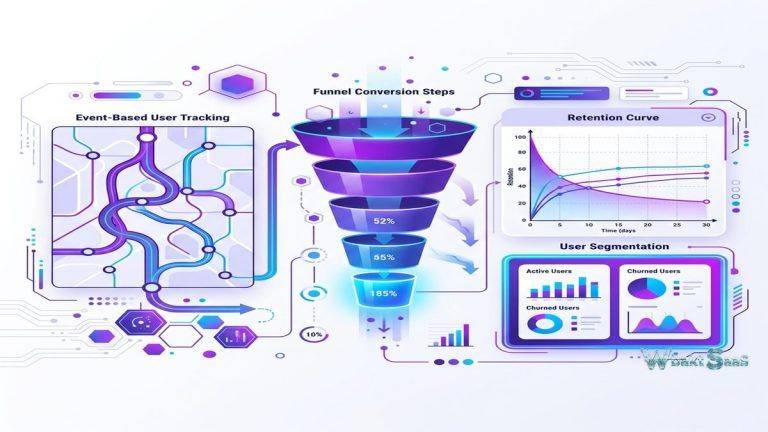
GA4’s most fundamental change is its event-based data model. In Universal Analytics, the primary measurement unit was the session — a group of user interactions within a defined time window — built on pageviews as the core interaction type. GA4 replaces this hierarchy with events. Every user interaction is an event: page views are events, button clicks are events, video plays are events, file downloads are events, form submissions are events. This uniform event model provides flexibility to track any interaction without fitting it into predefined categories.
Events carry parameters — key-value pairs that provide context about each interaction. A “purchase” event carries parameters for transaction ID, revenue, currency, and items purchased. A “page_view” event carries parameters for page title, page location, and referrer. A custom “form_submit” event might carry parameters for form name, form location, and submission status. This parameter-based structure allows rich interaction data without requiring the awkward workarounds that Universal Analytics necessitated for interactions that did not fit its category/action/label model.
GA4 automatically collects enhanced measurement events including page views, scrolls, outbound link clicks, site search usage, video engagement, and file downloads without requiring additional tracking code configuration. This automatic collection ensures that common interaction types are measured immediately upon installation, while custom events handle organization-specific tracking requirements through additional configuration or Google Tag Manager implementation.
User-Centric Measurement
GA4 shifts from session-centric to user-centric measurement. User identity resolution connects interactions across devices and sessions using three identity spaces: User ID (login-based identification), Google Signals (cross-device identification through Google account data), and Device ID (cookie-based identification). When a user browses on mobile, researches on desktop, and purchases on tablet, GA4 attempts to connect these interactions into a single user journey rather than reporting them as three separate sessions from three different users.
This cross-device measurement addresses a critical limitation of Universal Analytics, where a single customer’s journey across multiple devices appeared as multiple unrelated sessions, inflating user counts and fragmenting conversion paths. While imperfect — not all cross-device connections can be resolved — GA4’s identity resolution provides a more accurate picture of user behavior patterns than purely device-based measurement.
User lifecycle reporting organizes analytics around acquisition (how users discover the site), engagement (how they interact), monetization (how they generate revenue), and retention (whether they return). This lifecycle framework aligns analytics reporting with the stages of customer relationship building, making the data more actionable for marketing and product teams that think in terms of customer journeys rather than isolated sessions.

Explorations and Custom Analysis
GA4’s Explorations workspace provides advanced analysis capabilities beyond the standard reports. Exploration types include:
Free-form Exploration: A flexible canvas for building custom tables, charts, and scatter plots by dragging dimensions, metrics, and segments into rows, columns, and filters. This open-ended analysis tool serves ad-hoc questions that standard reports do not answer directly.
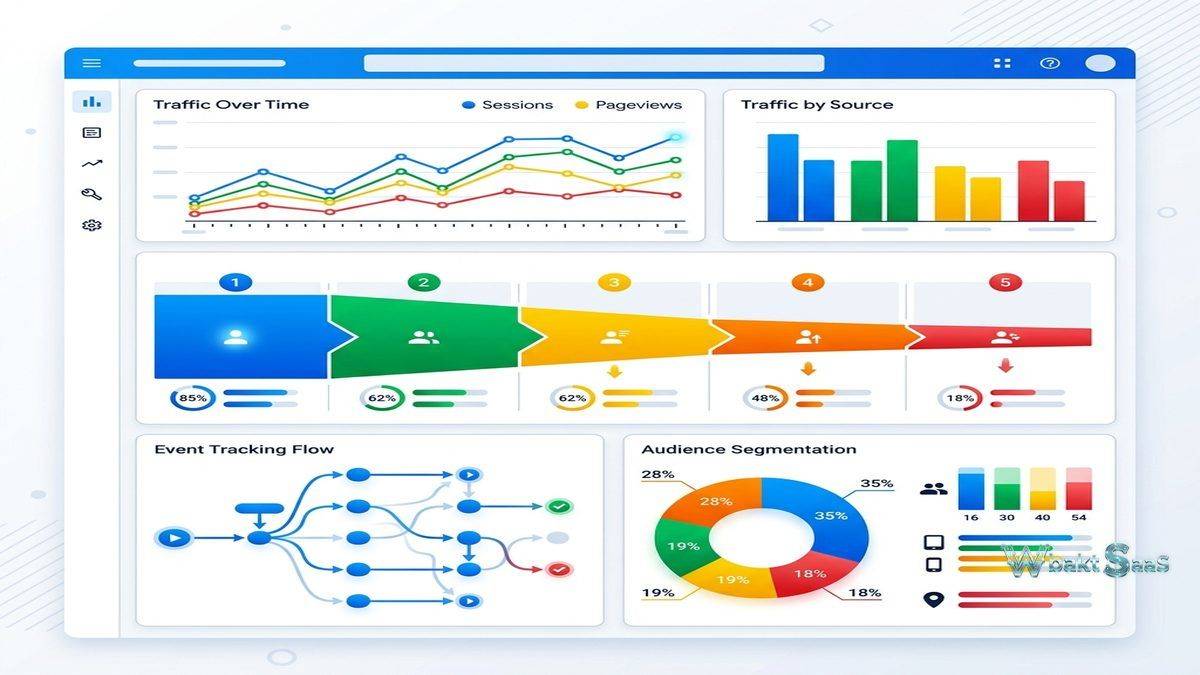
Funnel Exploration: Visualizes user progression through defined step sequences, revealing drop-off rates between conversion steps. An e-commerce funnel might track progression from product view → add to cart → checkout initiation → purchase completion, identifying where the conversion process loses the most users.
Path Exploration: Maps the sequences of pages and events that users follow, revealing navigation patterns, common entry points, and unexpected user flows. Path analysis helps identify content consumption patterns and navigation friction points that standard funnel analysis may miss.
Segment Overlap: Compares user segments visually, showing how audience groups intersect. Understanding overlap between segments — mobile users who are also return visitors who also made purchases — reveals audience characteristics that inform targeting and personalization strategies.
Cohort Exploration: Groups users by shared characteristics (acquisition date, first action) and tracks their behavior over time. Cohort analysis reveals retention patterns, lifetime value trends, and how user behavior changes across different acquisition periods or campaigns.
Predictive Metrics
GA4 introduces machine learning-powered predictive metrics that forecast future user behavior. Purchase probability estimates the likelihood that an active user will make a purchase within the next 7 days. Churn probability estimates the likelihood that an active user will not return within the next 7 days. Predicted revenue estimates the revenue expected from a user within the next 28 days. These predictive metrics require sufficient historical data volume to generate reliable predictions, limiting their availability to properties with meaningful transaction history.
Predictive audiences — built on predictive metrics — enable proactive marketing interventions. An audience of users with high purchase probability can be targeted with conversion-focused messaging. An audience of users with high churn probability can receive retention-focused communication. These predictive audiences integrate with Google Ads for automated campaign targeting, connecting analytics predictions directly to advertising execution.
Google Ads and Marketing Integration
GA4’s integration with Google Ads enables bidirectional data flow. GA4 audiences export to Google Ads for campaign targeting. Google Ads cost data imports into GA4 for ROI analysis. Conversion events defined in GA4 can serve as Google Ads conversion goals, ensuring that ad campaign optimization targets the same outcomes that the business measures in analytics. This integration creates a closed-loop measurement system where advertising investment connects directly to website behavior and business outcomes.
Campaign attribution in GA4 uses data-driven attribution as the default model, using machine learning to distribute conversion credit across marketing touchpoints based on their actual contribution to conversions rather than relying on rule-based models (first-click, last-click, linear) that apply the same logic regardless of actual influence patterns. This data-driven approach provides more nuanced attribution than rule-based alternatives, though the model’s effectiveness depends on data volume and conversion frequency.
BigQuery Integration
GA4 offers free BigQuery export for all properties — a capability that required Google Analytics 360 (the paid enterprise version) in Universal Analytics. BigQuery export sends raw, unsampled event data to Google’s cloud data warehouse, where organizations can run SQL queries, join analytics data with other business data sources, build custom attribution models, and create analysis that exceeds what the GA4 interface can provide.
This BigQuery integration transforms GA4 from a reporting tool into a data platform. Organizations with data engineering capabilities can build custom dashboards in Looker Studio (formerly Google Data Studio), perform cross-dataset analysis joining web analytics with CRM and sales data, and create machine learning models using analytics data as input features. The free availability of BigQuery export democratizes advanced analytics capabilities that were previously restricted to enterprise-tier customers.
Standard Reports
GA4 provides pre-built report collections organized around key analysis themes. The Reports snapshot displays an overview of key metrics — active users, new users, engagement rate, and revenue — with trend visualizations and comparison controls. Acquisition reports show how users discover the property through organic search, paid advertising, social media, direct navigation, and referral sources. Engagement reports reveal which content users interact with most, how long they engage, and which events they trigger. Monetization reports track revenue, purchase behavior, and e-commerce performance. Retention reports measure whether acquired users return and how frequently.
Custom report building allows organizations to modify the default report collection, adding reports that surface their specific KPIs and removing reports that do not serve their analysis needs. Library management organizes reports into collections and topics that align with organizational structure — marketing reports, product reports, executive reports — each curated for its intended audience. This customization ensures that different team members see the analytics most relevant to their role without navigating through irrelevant data.
Audiences
GA4 audiences define user groups based on behavioral and demographic criteria for analysis and remarketing. Audiences can be built from event triggers, user properties, timing conditions, and sequential event patterns. A “High-Value Prospects” audience might include users who viewed the pricing page, spent more than 5 minutes on the site, and visited at least 3 pages — all within the last 14 days. Audiences update dynamically as users meet or stop meeting the defined criteria.
Audiences created in GA4 automatically sync to connected Google Ads accounts for remarketing campaign targeting. This integration enables sophisticated retargeting strategies — targeting users who viewed specific product categories but did not purchase, or reaching users who started but abandoned the checkout process. The behavioral granularity available in GA4 audience definitions exceeds what Google Ads alone can provide, enabling more precisely targeted advertising campaigns.
Google Tag Manager Integration
Google Tag Manager (GTM) serves as the primary implementation mechanism for GA4 tracking configurations that exceed the automatic enhanced measurement capabilities. GTM’s tag management interface allows marketing teams to deploy, modify, and remove tracking configurations without modifying website code directly — a crucial capability for organizations where website code changes require development team involvement and release cycle coordination.
GA4 event tags in GTM support configuration of custom events, e-commerce tracking, user property setting, and conversion measurement. Trigger conditions control when events fire — page views matching specific URL patterns, button clicks on specific elements, form submissions, scroll depth thresholds, and timer-based triggers for engagement measurement. Variable configurations extract dynamic values from pages — product names, prices, category IDs — and pass them as event parameters to GA4, enabling rich event tracking without hardcoded values.
E-commerce Measurement
GA4’s e-commerce measurement framework tracks the complete shopping journey through standardized events: view_item, add_to_cart, begin_checkout, add_payment_info, add_shipping_info, and purchase. Each event carries item-level parameters (item name, category, variant, brand, price, quantity) that enable detailed product performance analysis. Revenue attribution connects purchase data to acquisition channels, revealing which traffic sources generate the most valuable customers rather than just the most visitors.
Shopping behavior analysis identifies friction points in the purchase funnel by measuring conversion rates between each e-commerce step. If 30% of users who add items to cart begin checkout, but only 15% complete the purchase, the checkout process represents a significant conversion optimization opportunity. Product performance reports reveal which products generate the most views, highest add-to-cart rates, and strongest conversion rates, informing merchandising, pricing, and promotional strategies.
Privacy and Data Controls
GA4 incorporates privacy-focused design decisions reflecting the evolving regulatory landscape and browser privacy changes. Consent mode adjusts GA4’s behavior based on user consent status, modeling conversion data for users who decline analytics cookies rather than losing their data entirely. IP anonymization is enabled by default and cannot be disabled. Data retention settings limit how long user-level data is stored, with configurable retention periods of 2 or 14 months for exploration data.
Cookieless measurement through modeling fills gaps created by browser privacy features (ITP, ETP) and user consent refusals. GA4 uses machine learning to model the behavior of unmeasured users based on patterns observed from measured users, providing more complete analytics despite decreasing cookie availability. This modeling approach acknowledges that perfect measurement is no longer possible and focuses instead on providing statistically reliable estimates.
Pricing
Google Analytics 4 is free for all users with no data volume limits, making it the most accessible enterprise-grade analytics platform available. The free tier includes all core features — event tracking, explorations, BigQuery export, audience creation, Google Ads integration, and predictive metrics — without artificial feature gating that most analytics platforms impose. Google Analytics 360 (the paid enterprise tier) provides guaranteed SLAs, higher data freshness, increased limits on custom dimensions and metrics, dedicated support, sub-property and roll-up property management, and additional integration capabilities for organizations requiring enterprise-level service assurance.
Features and availability are subject to change. Please verify current details on the official Google Analytics website.
Limitations
- Learning curve from Universal Analytics: Users familiar with Universal Analytics face a significant adjustment period. Report locations, terminology, data models, and metric definitions have all changed substantially.
- Data sampling: Standard reports are unsampled, but explorations may sample data for properties with high event volumes, potentially affecting analysis accuracy for large datasets.
- Limited historical data migration: GA4 cannot import historical Universal Analytics data. Organizations that did not set up GA4 alongside UA before the transition lost the ability to compare historical trends in the new platform.
- Real-time reporting limitations: While GA4 provides real-time reports, they are less detailed than what some dedicated real-time analytics tools offer.
- Custom channel grouping complexity: Configuring custom channel groups and attribution settings requires understanding of GA4’s data model that exceeds casual user expertise.
Summary
Google Analytics 4 represents a fundamental modernization of web analytics, shifting from session-based pageview tracking to event-based user journey measurement. Its event model, cross-device user resolution, predictive metrics, and privacy-centric design address the measurement challenges of a multi-device, privacy-conscious digital landscape. The free BigQuery integration and machine learning capabilities provide analytical depth that exceeds what most organizations could access through previous free analytics tools.
Implementation success with GA4 depends significantly on upfront planning — defining which events to track, structuring event naming conventions consistently, configuring conversions that align with business objectives, and establishing custom dimensions and metrics that capture organization-specific data points. Organizations that invest in thoughtful GA4 implementation build analytics foundations that support sophisticated analysis, while those that rely solely on default settings may find the standard reports insufficient for their decision-making needs.
For organizations transitioning from Universal Analytics, the adjustment period is substantial. Metric definitions have changed (sessions versus engaged sessions, bounce rate calculation differences, user counting methodology), report layouts are different, and many familiar reports require new approaches in GA4. Training investment and migration planning significantly impact how smoothly teams adapt to the new analytics paradigm.
Web analytics platforms including GA4, Adobe Analytics, Matomo, Plausible Analytics, and Mixpanel each serve the analytics market with different strengths. GA4’s advantages include its free pricing, Google Ads integration, predictive capabilities, and BigQuery export. Organizations evaluating analytics platforms should consider their measurement requirements, privacy compliance needs, team expertise, and integration ecosystem when selecting the platform that best supports their data-driven decision making.
Features, pricing, and availability discussed in this review reflect information available at the time of writing. Software products evolve continuously, and details may have changed since publication. Please verify current information directly on the official Google Analytics website. WBAKT SaaS is an independent review platform with no affiliate relationships with any software company mentioned in this article.
For related analytics and marketing tools, see our reviews of HubSpot Marketing Hub, Hotjar user analytics, and Mixpanel product analytics.
About the Author