The CRM industry has a paradoxical relationship with the small businesses it claims to serve. While CRM platforms market themselves as essential tools for business growth, the complexity, feature bloat, and ongoing administration requirements of most CRM products create the very frustration that causes small business users to abandon their CRM investments. Studies consistently show that CRM adoption failure rates remain high — not because small businesses do not need relationship management tools, but because the tools available are designed with enterprise complexity that small business users find overwhelming, time-consuming, and ultimately counterproductive to the simple goal of keeping track of contacts and follow-ups. Less Annoying CRM was founded explicitly to solve this adoption problem by creating a CRM so simple that anyone can learn it in minutes, so affordable that price is never a barrier, and so focused on core CRM functionality that feature bloat never compromises usability.
Founded in 2009 in St. Louis, Missouri, Less Annoying CRM was built by a team that observed small business owners struggling with CRM platforms designed for larger organizations. The company’s name is its mission statement — creating a CRM that is genuinely less annoying than the alternatives. The platform serves solopreneurs, micro-businesses, and small businesses with 1-20 employees who need basic contact management, pipeline tracking, and task coordination without the complexity, feature overload, and expensive pricing tiers that characterize most CRM solutions. Understanding Less Annoying CRM’s intentional simplicity helps small business owners evaluate whether this minimalist approach provides the core CRM value they need while avoiding the complexity that has caused previous CRM implementations to fail.
Contact Management
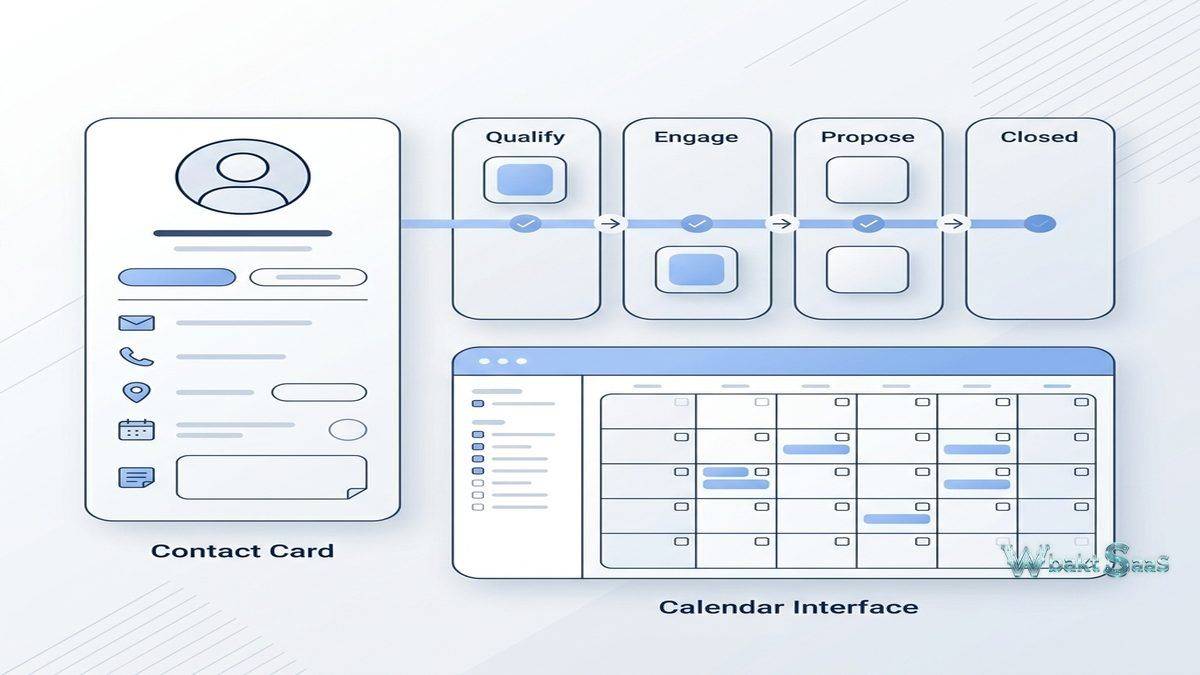
Less Annoying CRM’s contact management stores individual and company records with essential contact information, communication notes, files, tags, and custom fields. Contact records display a chronological activity feed showing every interaction, note, task, and event associated with the contact, providing complete relationship context in a clean, uncluttered interface. Company records link to associated contacts and display organizational-level information. Contact search provides instant full-text search across all contact fields, notes, and tags, enabling rapid contact lookup without navigating complex filter interfaces.
The interface deliberately avoids the visual clutter and information overload that characterize most CRM platforms. Every screen displays only the information relevant to the current task, and navigation is straightforward enough that new users typically become productive within the first session without requiring training materials, onboarding webinars, or administrator configuration.
Pipeline Management
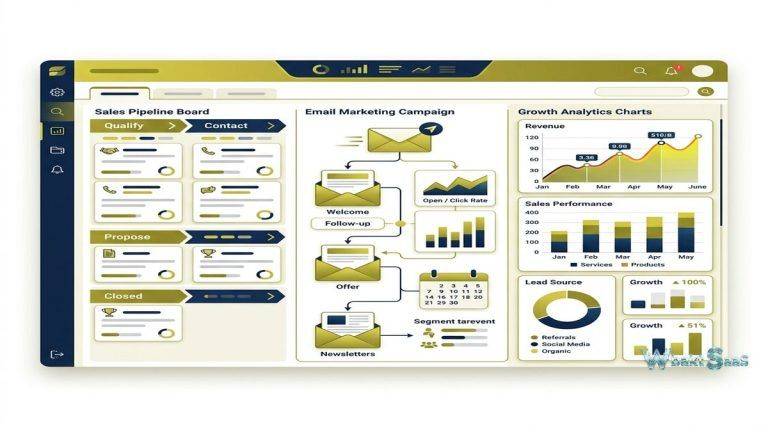
Pipeline management provides visual deal tracking with customizable stages and simple deal progression. Multiple pipelines support different processes — sales pipelines, project pipelines, hiring pipelines, or any multi-stage workflow. Pipeline views display deals organized by stage with deal values, contact associations, and status indicators. Pipeline reports show total value by stage, average deal size, and conversion metrics. While Less Annoying CRM’s pipeline is less feature-rich than dedicated sales CRM platforms, it provides the essential deal tracking that small businesses need without the complexity of probability weighting, automated forecasting, or advanced pipeline analytics that small teams rarely use.
Calendar and Task Management
Built-in calendar and task management coordinate daily activities without requiring separate productivity tools. Events and tasks link to contact records, maintaining CRM context for every scheduled interaction. Daily agenda emails summarize upcoming events, pending tasks, and overdue items at the start of each business day, ensuring that no follow-up commitment is forgotten. Task management provides assignment, due dates, priority levels, and completion tracking. Calendar integration with Google Calendar enables bidirectional synchronization, maintaining consistency between Less Annoying CRM and external calendar applications.
Email Logging
Email logging captures email correspondence within CRM contact records through BCC-based logging. When sending emails to contacts, including the CRM-specific BCC address automatically attaches the email to the appropriate contact record. While this approach requires a manual step (adding the BCC address), it maintains simplicity by avoiding the complex email integration configurations that full email synchronization requires. The trade-off is intentional — Less Annoying CRM prioritizes setup simplicity over automated email capture, trusting that users who value simplicity prefer a straightforward logging mechanism over complex integration configuration.
Custom Fields
Custom fields extend contact and company records with business-specific information. Field types include text, number, date, dropdown, and checkbox. Custom fields are created through a simple interface without requiring technical knowledge or administrator privileges. Custom field data can be used in reporting and contact filtering. The custom field system is intentionally straightforward — providing the flexibility to capture important business-specific data without the complex field validation, conditional logic, and cross-object formula capabilities that enterprise CRM platforms provide. This simplicity ensures that any user can create and manage custom fields without CRM administration expertise.
Groups and Tags
Groups organize contacts into static lists for targeted communication and organization — client groups, prospect groups, vendor groups, or any custom categorization relevant to the business. Tags provide additional flexible categorization that supplements group membership. Group and tag-based filtering creates focused contact views for specific outreach activities or reporting needs. The combination of groups and tags provides sufficient organizational capability for small businesses without the complex segmentation engines that larger CRM platforms use for sophisticated audience targeting.
Reporting
Less Annoying CRM provides essential reporting covering contact activity, pipeline status, and task completion. Contact reports show interaction frequency, recently added contacts, and contacts without recent activity. Pipeline reports display deal distribution by stage, total pipeline value, and basic conversion metrics. Activity reports track task completion and event scheduling. Reports can be exported to CSV for additional analysis in spreadsheet applications. The reporting is deliberately simple — providing the basic metrics that small business owners actually review rather than the complex analytical capabilities that enterprise CRM platforms offer but small businesses rarely use.
Mobile Access
Less Annoying CRM provides mobile access through a responsive web application that adapts to mobile browsers on any device — smartphones, tablets, and laptops — without requiring a native app installation. The responsive design provides the same CRM functionality on mobile devices that the desktop interface provides, including contact management, pipeline viewing, calendar access, and task management. This web-based mobile approach eliminates app store downloads, version updates, and device-specific compatibility issues that native mobile apps introduce.
User Management
Multi-user access enables team collaboration with user-level permissions that control record visibility and editing capabilities. Each user maintains their own calendar, task list, and activity feed while sharing access to the collective contact database. User management is straightforward — adding users takes seconds, and permission configuration is simple enough that the business owner can manage it without IT support. Record ownership tracks which user is responsible for each contact and deal, enabling manager visibility into team activity distribution.
API Access
Less Annoying CRM provides API access for developers who need to build custom integrations or synchronize CRM data with other business systems. The API supports reading and writing contacts, companies, pipelines, tasks, and notes programmatically. While the API is less extensive than enterprise CRM APIs, it provides sufficient capability for the targeted integrations that small businesses typically need — connecting CRM data with websites, accounting tools, and custom business applications. API documentation is clear and developer-friendly, reflecting the same simplicity philosophy that guides the user interface design.
Security and Privacy
Less Annoying CRM implements industry-standard security practices including encrypted data transmission (TLS/SSL), encrypted data storage, regular automated backups, and secure data center hosting. Two-factor authentication protects account access. Data privacy practices comply with relevant regulations, and the company’s transparent privacy policy clearly explains data handling practices. For small businesses that handle customer data, these security measures provide appropriate protection without requiring the complex security configuration that enterprise CRM platforms demand.
Workspace Organization
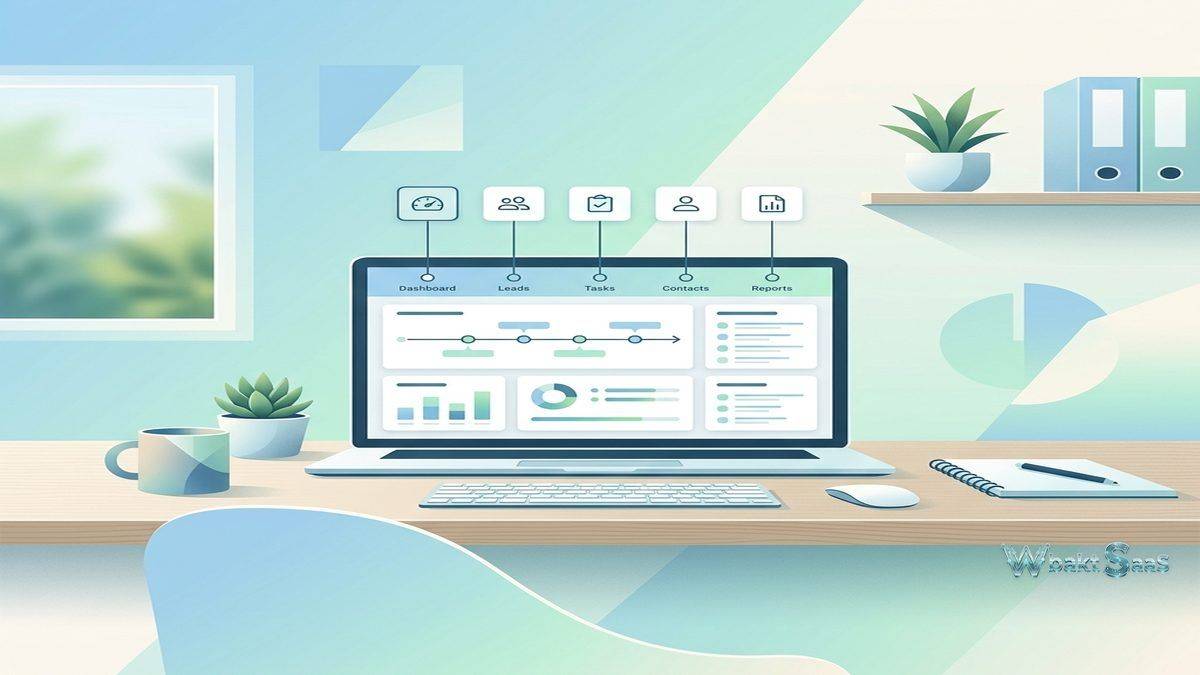
Workspace views organize CRM information into focused displays — contact workspace shows recent contacts and activity, pipeline workspace shows deal status and progression, calendar workspace shows upcoming events and tasks, and activity workspace shows recent team activity across all CRM records. Each workspace provides a focused entry point into the CRM data most relevant to the current work context, preventing the information overload that occurs when CRM dashboards try to display everything simultaneously. The workspace approach guides users to the information they need without requiring navigation through complex menu structures.
Activity Logging
Activity logging enables recording any interaction with contacts — phone calls, meetings, emails, notes, and custom activity types — with timestamps, descriptions, and user attribution. Activity history creates a chronological record of every interaction with each contact, providing complete relationship context for current and future conversations. Activity logging is deliberately simple — a single form captures the activity type, description, and associated contact without requiring the extensive metadata fields that enterprise CRM platforms collect for each logged activity. This simplicity encourages consistent logging by minimizing the time required to record each interaction.
Contact Linking
Contact linking creates explicit connections between related contacts — family members, business partners, referral sources, colleagues, and any other relationship type relevant to the business context. Linked contacts display their connections on each other’s records, providing relationship awareness that helps users understand the network surrounding each contact. For businesses where referrals and personal relationships drive client acquisition, contact linking provides the relationship mapping that informs relationship-based outreach and follow-up strategies.
Data Import and Export
CSV import enables migrating contacts from spreadsheets, other CRM platforms, and contact management tools with field mapping and duplicate detection. Import support is backed by the Less Annoying CRM support team, who provide personal assistance for data migration challenges — a level of hands-on support that enterprise CRM vendors rarely provide. Data export enables downloading complete CRM data in standard formats, ensuring data portability and preventing vendor lock-in. The commitment to data portability reflects the company’s philosophy that customers should stay because the product serves them well, not because their data is trapped.
Customer Support
Less Annoying CRM provides remarkable customer support for its price point — every customer has access to phone and email support from the actual development team, not outsourced support agents reading scripts. Support response times are consistently fast, and the support team has comprehensive platform knowledge because they build the product. This support quality is frequently cited as a distinguishing characteristic in user reviews, particularly by small business owners who have experienced the frustrating support quality of larger CRM vendors where support tickets disappear into queues and responses arrive days later.
Common Use Cases
Solopreneurs: Independent professionals use Less Annoying CRM for basic contact tracking and follow-up management without the complexity and cost of full-featured CRM platforms that offer dozens of features the solopreneur will never use.
Small Professional Services: Small accounting firms, law practices, financial advisors, and consulting firms use Less Annoying CRM to track client relationships and manage engagement pipelines with minimal technology overhead.
Real Estate Agents: Individual real estate agents and small brokerages use Less Annoying CRM to manage buyer and seller contacts, track property transaction pipelines, and maintain follow-up discipline for relationship-based selling.
Nonprofit Organizations: Small nonprofits use Less Annoying CRM to manage donor contacts, track fundraising pipelines, and coordinate volunteer relationships without the budget for more expensive CRM platforms.
Small Retail and Service: Small retail shops, restaurants, service providers, and local businesses use Less Annoying CRM for basic customer tracking and follow-up management that spreadsheets can no longer handle effectively.
CRM First-Timers: Businesses implementing CRM for the first time use Less Annoying CRM because its simplicity makes adoption achievable without the training, configuration, and administration that complex CRM platforms require for successful implementation.
Pricing
Less Annoying CRM offers a single pricing plan at a flat per-user, per-month rate with no contracts, no tiers, no feature restrictions, and no hidden fees. Every user gets access to every feature at the same price. This transparent pricing eliminates the tier comparison, feature gate evaluation, and upgrade pressure that most CRM platforms create. No annual commitment is required — users pay monthly and can cancel anytime without penalty. The pricing simplicity matches the product simplicity — straightforward, predictable, and free from the complexity that the product was designed to eliminate.
Pricing and features are subject to change. Please verify current plan details on the official Less Annoying CRM website before making purchasing decisions.
Limitations
- Feature depth: Less Annoying CRM deliberately excludes advanced features like marketing automation, email campaigns, lead scoring, advanced reporting, and workflow automation that growing businesses may eventually require.
- Integration ecosystem: The integration ecosystem is minimal compared to platforms like Salesforce, HubSpot, or Zoho. Organizations needing extensive third-party integrations may find options limited.
- Scalability: Organizations that grow beyond 20-30 users or develop complex sales processes will likely need to migrate to more capable CRM platforms as their requirements exceed Less Annoying CRM’s intentional scope.
- Email integration: BCC-based email logging is less automated than the full email synchronization that platforms like HubSpot or Copper provide, requiring manual action to log email correspondence.
- Mobile app: The lack of a dedicated native mobile app means mobile users rely on responsive web design, which may provide a less optimized experience than purpose-built mobile CRM applications.
Summary
Less Annoying CRM provides exactly what its name promises — a CRM that is genuinely less annoying than the alternatives by stripping away the complexity, feature bloat, confusing pricing, and administration overhead that cause small businesses to abandon more sophisticated CRM platforms. The platform’s intentional simplicity is not a limitation of resources or ambition but a deliberate product decision that recognizes the reality that most small businesses need basic contact management, pipeline tracking, and task coordination — not the enterprise-grade features that dominate CRM marketing materials but remain unused by the vast majority of small business CRM users.
The transparent single-tier pricing eliminates the upgrade pressure and feature comparison anxiety that characterize most CRM purchasing decisions. When every user gets every feature at a simple per-user price with no contracts, the evaluation and purchasing process is as simple as the product itself — a refreshing contrast to the complex negotiations and tier evaluations that enterprise CRM purchasing typically requires.
Customer support quality represents Less Annoying CRM’s most underappreciated competitive advantage. For small business owners who lack internal IT support, having access to responsive, knowledgeable, personal support from the actual development team provides a safety net that makes CRM adoption less risky and less frustrating than platforms where support quality is inconsistent and response times are unpredictable.
CRM platforms including Less Annoying CRM, HubSpot, Pipedrive, Nutshell, and Zoho each target different market segments with different complexity levels and feature priorities. Less Annoying CRM’s advantages center on extreme simplicity, transparent pricing, exceptional support, and the realistic acknowledgment that small businesses need CRM that works reliably and simply rather than CRM that promises everything but delivers frustration. Organizations evaluating CRM should consider whether simplicity and reliability serve their needs more effectively than feature-rich platforms that may overwhelm their team’s capacity for technology adoption and ongoing management.
Features, pricing, and availability discussed in this review reflect information available at the time of writing. Software products evolve continuously, and details may have changed since publication. Please verify current information directly on the official Less Annoying CRM website. WBAKT SaaS is an independent review platform with no affiliate relationships with any software company mentioned in this article.
For related CRM tools, see our reviews of Nutshell CRM, HubSpot CRM, and Nimble CRM.
About the Author