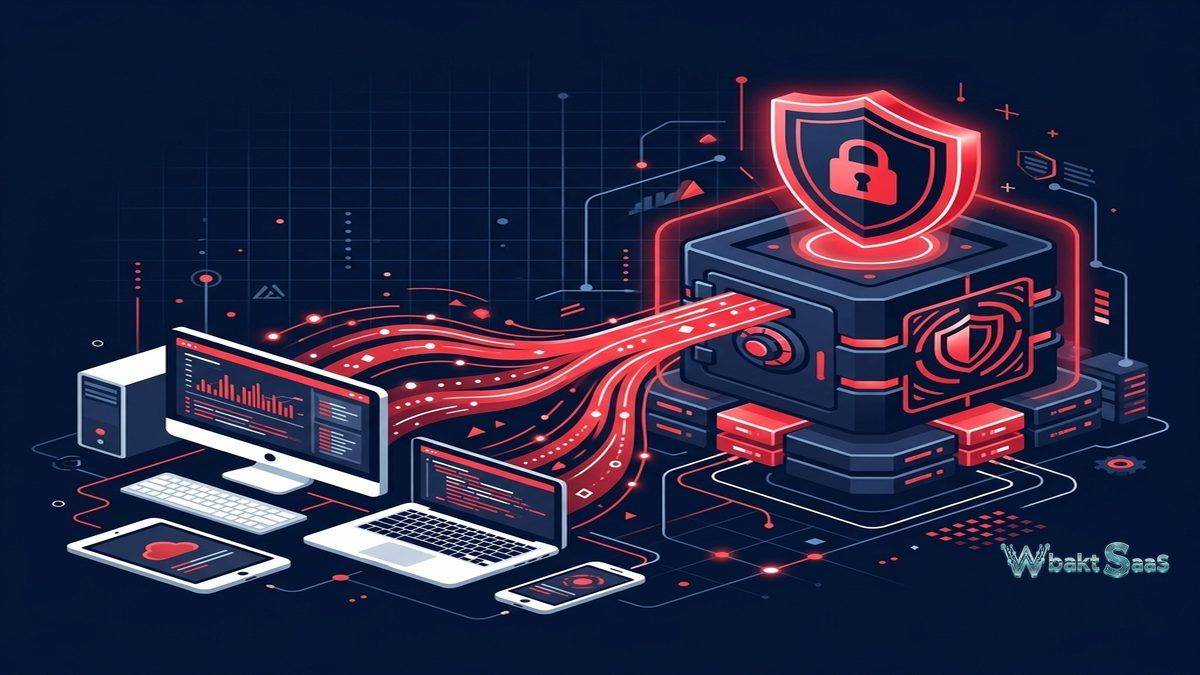
Data loss remains one of the most devastating and underestimated risks facing individuals and organizations. Hardware failures, ransomware attacks, theft, natural disasters, and simple accidental deletions destroy irreplaceable files every day — and the majority of impacted users discover that their backup strategies were inadequate only after the loss has already occurred. Cloud backup services address this vulnerability by continuously replicating data to geographically remote data centers, ensuring that even catastrophic local events cannot permanently destroy critical files and business data. Backblaze has built its strong reputation on providing reliable, affordable cloud backup that prioritizes simplicity and transparency — automatically backing up everything on a computer without requiring users to select specific files, configure complex rules, or manage storage limits that force difficult decisions about what data deserves protection and what does not.
Founded in 2007 by Gleb Budman and Brian Wilson, Backblaze operates two complementary cloud storage services: Computer Backup (unlimited personal and business computer backup) and B2 Cloud Storage (general-purpose object storage for developers and businesses). The Computer Backup service backs up everything on a computer continuously and automatically, with no storage limits, no file size restrictions, and no complicated configuration requirements. B2 Cloud Storage provides infrastructure-level object storage that competes with Amazon S3, Google Cloud Storage, and Azure Blob Storage at significantly lower per-GB pricing. Together, these services create a comprehensive cloud storage platform that serves both end-user backup needs and developer infrastructure requirements. Understanding Backblaze’s capabilities and pricing approach helps organizations evaluate whether this straightforward, affordable backup platform meets their data protection requirements or whether alternatives offer capabilities that justify their typically higher costs.
Unlimited Computer Backup
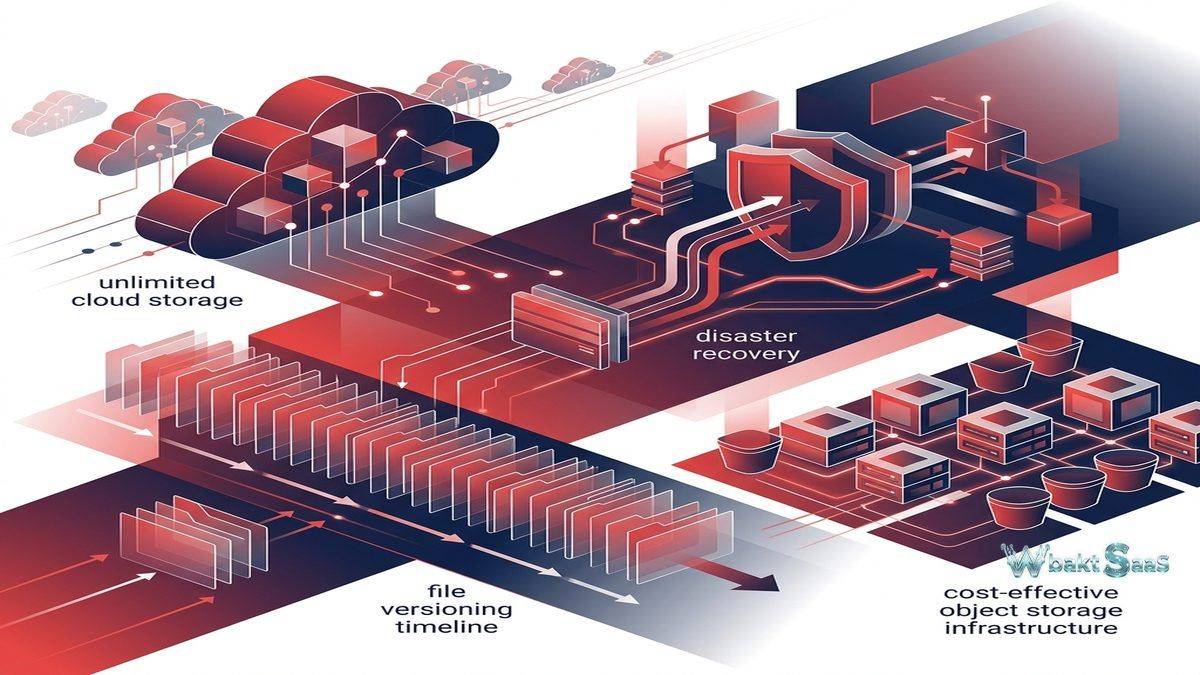
Backblaze Computer Backup provides unlimited backup for Windows and macOS computers with no storage limits and no file size restrictions. The backup agent automatically discovers and backs up all user files — documents, photos, music, videos, application data, and any other file type — without requiring users to configure backup rules or select specific folders. External drives that are connected to the computer are also backed up automatically. The unlimited approach eliminates the storage management decisions that limited backup services force — users never need to decide which files are important enough to backup and which files to exclude due to storage constraints.
Continuous and Scheduled Backup
Continuous backup monitors file system changes in real-time, detecting new and modified files and queuing them for backup within minutes of creation or modification. This near-real-time approach ensures minimal data loss exposure — the maximum potential loss is limited to files created or modified since the last backup transmission rather than the hours or days of exposure that scheduled daily backups create. For users on bandwidth-constrained connections, scheduled backup enables configuring backup to run during specific time windows when network usage is low. Granular throttling controls limit backup bandwidth consumption, preventing backup traffic from impacting other network activities during business hours.
File Versioning and Retention
Backblaze preserves previous versions of backed-up files and retains deleted files, providing comprehensive data recovery capability that extends beyond current file restoration. The standard retention period maintains file versions and deleted files for configurable periods. Extended Version History significantly increases the retention window, preserving complete file history for users who need longer recovery windows. Version history enables recovering not just deleted files but previous versions of files that were accidentally overwritten, corrupted by software bugs, or modified by ransomware encryption, providing multi-layered protection against various data loss scenarios.
Encryption and Security
Backblaze encrypts data both in transit (SSL/TLS) and at rest (AES-128 encryption). Private encryption keys enable users to set personal encryption keys that Backblaze cannot access, ensuring that backed-up data remains readable only by the key holder — even Backblaze staff cannot decrypt data protected with a private encryption key. Two-factor authentication protects account access against unauthorized login. Data center security includes physical access controls, redundant power systems, and environmental monitoring. For businesses and individuals concerned about data privacy, the private encryption key option provides strong assurance that backed-up data remains confidential even in the event of service provider breach or law enforcement request.
Data Recovery Options
Backblaze provides multiple data recovery methods to accommodate different urgency levels and data volumes. Web download enables downloading individual files, folders, or complete zip archives through the Backblaze web interface. Restore by Mail ships a physical USB flash drive or hard drive containing the restored data via courier for faster recovery of large datasets where internet download would be impractical. Restore Return Refund programs allow returning the physical drive after transferring data for a refund of the drive cost. The mobile app enables browsing and downloading backed-up files from iOS and Android devices, providing remote access to backed-up content from anywhere.
B2 Cloud Storage
B2 Cloud Storage provides general-purpose object storage compatible with the S3 API, enabling integration with the vast ecosystem of tools and applications designed for Amazon S3. B2 pricing positions it as one of the most affordable cloud object storage services available — typically offering per-GB storage costs significantly lower than Amazon S3, Google Cloud Storage, and Azure Blob Storage. B2 includes free egress through partnerships with CDN and compute providers including Cloudflare, Fastly, and Vultr, addressing the data transfer costs that make cloud storage expensive for bandwidth-intensive applications. Storage classes include B2 Standard and B2 Lifecycle Rules for automated tier management.
Business Backup
Backblaze Business Backup extends the unlimited computer backup to business environments with centralized administration, group management, and reporting. Admin console provides centralized visibility into backup status across all company computers — identifying machines that have not backed up recently, monitoring backup completion rates, and managing user licenses. Groups organize computers by department, team, or location for organized management. Reporting provides backup status summaries for compliance documentation and IT management reporting. The simplicity of deployment — installing the backup agent on business computers without complex server infrastructure — makes Backblaze particularly accessible for small and mid-sized businesses without dedicated IT backup infrastructure.
Integration Ecosystem
B2 Cloud Storage integrates with backup software (Veeam, MSP360, Arq), NAS devices (Synology, QNAP, TrueNAS), media asset management tools, DevOps platforms, and content delivery networks. S3-compatible API ensures compatibility with tools and workflows designed for Amazon S3, enabling migration from S3 to B2 without application code changes. Backblaze’s partnership with Cloudflare provides free egress for B2 data served through Cloudflare’s CDN, creating a cost-effective content delivery architecture that eliminates the bandwidth costs that make large-scale content serving expensive on major cloud platforms.
Transparency and Reliability
Backblaze distinguishes itself through unusual operational transparency. The company publishes quarterly hard drive reliability statistics — detailed failure rate data from its fleet of over 250,000 hard drives — providing the storage industry and consumers with unprecedented reliability data that informs purchasing decisions across the entire storage ecosystem. This transparency extends to pricing — Backblaze’s pricing structure is straightforward without the complex cost dimensions (request fees, retrieval fees, minimum retention charges) that make competing cloud storage pricing difficult to predict and budget. The company’s commitment to simplicity and transparency has built significant customer trust and loyalty.
Performance and Scalability
B2 Cloud Storage provides high throughput for upload and download operations, with data stored across multiple data centers in the United States and Europe. Large file upload supports files up to 10 TB with multipart upload for efficient transfer of large objects. Application Keys provide fine-grained access control for B2 API access, enabling different applications and services to access specific buckets with defined permissions. B2 event notifications enable triggering automated actions when objects are created or deleted, supporting event-driven architectures and automated processing workflows.
Data Center Architecture
Backblaze designs and operates its own custom data center infrastructure, including proprietary storage server designs (Storage Pods) that achieve high storage density at lower cost than commercial server hardware. This vertically integrated approach — designing hardware, building firmware, and operating data centers — enables Backblaze to maintain significantly lower infrastructure costs than companies purchasing commercial storage infrastructure, and these savings flow directly to customer pricing. Data centers feature redundant power systems, cooling infrastructure, network connectivity, and physical security. Data is stored with Reed-Solomon erasure coding that distributes data across multiple drives within storage vaults, ensuring data durability even when individual drives fail — which Backblaze’s published reliability data demonstrates happens regularly at scale.
B2 Object Lock and Immutability
B2 Object Lock provides immutable storage that prevents objects from being deleted or modified for specified retention periods. This capability supports regulatory compliance requirements (SEC Rule 17a-4, HIPAA) and ransomware protection strategies that require ensuring backup data cannot be encrypted, deleted, or corrupted by attackers who gain access to backup systems. Object Lock operates in both governance mode (where privileged users can override protections) and compliance mode (where no user, including account administrators, can delete protected objects). For organizations where backup integrity is critical — protecting against insider threats, ransomware, and compliance violations — Object Lock provides tamper-proof data protection.
B2 Lifecycle Rules
B2 Lifecycle Rules automate object management by defining rules that hide or delete objects after specified time periods. Lifecycle rules manage storage costs by automatically cleaning up temporary files, log files, and other data that becomes unnecessary after specific periods. Version management through lifecycle rules controls how many previous versions are retained and when old versions are removed, balancing version history protection against storage cost accumulation. For organizations managing large-scale B2 storage, lifecycle rules provide automated housekeeping that prevents storage costs from growing indefinitely.
Monitoring and Reporting
Backblaze provides visibility into both Computer Backup and B2 Cloud Storage through dashboards and reporting. Computer Backup status dashboards show which computers are actively backing up, their last backup times, total data protected, and any backup errors requiring attention. B2 usage reports track storage consumption, bandwidth usage, and API activity. Business Backup admin reporting provides organizational summaries for compliance documentation. Alert notifications inform administrators when computers have not backed up within expected timeframes, enabling proactive intervention before data protection gaps become risks.
Migration Support
Backblaze supports migration from competing cloud storage platforms to B2 through S3-compatible API tools, the B2 command-line tool, and third-party migration utilities. The S3-compatible API enables using standard S3 migration tools (rclone, AWS CLI with endpoint configuration) for transferring data from Amazon S3, Google Cloud Storage, or other S3-compatible services. Backblaze’s straightforward pricing structure — without minimum storage duration fees or early deletion penalties that some competing services charge — reduces the financial friction of migration and experimentation with the platform.
Common Use Cases
Personal Backup: Individuals use Backblaze Computer Backup for comprehensive, automatic protection of all personal files including photos, documents, music, videos, and project files with unlimited storage and simple set-and-forget operation that requires zero ongoing management.
Small Business Backup: Small and mid-sized businesses use Backblaze Business Backup for endpoint protection across company computers with centralized administration, compliance reporting, affordable per-computer pricing, and deployment simplicity that does not require dedicated IT backup infrastructure.
NAS Backup: Organizations back up network-attached storage devices to B2 Cloud Storage using native NAS integration (Synology, QNAP, TrueNAS), providing off-site protection for centralized file storage at significantly lower cloud storage pricing than major platform alternatives.
Media Storage: Photographers, videographers, and media production companies use B2 for archiving large media libraries with affordable per-GB pricing and free egress through the Cloudflare bandwidth alliance partnership for content delivery and distribution.
Application Infrastructure: Developers and DevOps teams use B2 as cost-effective object storage for application data, static assets, log archives, database backups, and CI/CD artifact storage through S3-compatible APIs.
Disaster Recovery: Organizations use Backblaze backup and B2 storage as off-site disaster recovery components, providing geographic data redundancy and immutable backup storage for comprehensive business continuity planning and ransomware resilience.
Managed Service Providers: MSPs use Backblaze B2 with backup management tools (Veeam, MSP360) to provide backup services to their clients at competitive pricing, leveraging B2’s affordable storage to maintain healthy service margins.
Pricing
Computer Backup is priced per computer per month or per year with unlimited storage — a refreshingly simple, predictable pricing model with no hidden costs for storage volume, file count, or data recovery. B2 Cloud Storage pricing is per GB stored per month with free egress through bandwidth alliance partners. B2 charges for download bandwidth outside the bandwidth alliance at competitive rates. The first 10 GB of B2 storage is free. Business Backup provides straightforward per-computer pricing with centralized administration included.
Pricing and features are subject to change. Please verify current pricing on the official Backblaze website before making purchasing decisions.
Limitations
- Platform coverage: Computer Backup supports Windows and macOS only. Linux users must use B2 Cloud Storage with third-party backup tools rather than the native backup agent.
- No mobile backup: Computer Backup does not back up mobile devices (iOS, Android). Mobile data protection requires separate solutions.
- External drive retention: External drives that remain disconnected for extended periods may have their backup data removed. Users must reconnect external drives periodically to maintain their backup status.
- No image backup: Computer Backup backs up individual files but does not create full system images or bare-metal recovery capabilities. System restoration requires reinstalling the operating system and applications separately.
- B2 feature depth: B2 Cloud Storage provides fewer advanced features than Amazon S3 (no storage class diversity, limited analytics), though the significantly lower pricing often compensates for these feature differences.
Summary
Backblaze provides cloud backup and storage services that prioritize simplicity, affordability, and transparency — three qualities that distinguish the platform from competing services that often involve complex pricing, confusing storage limits, and opaque operational practices. The unlimited Computer Backup service eliminates the storage management burden that limited backup services create, ensuring comprehensive data protection without forcing users to make difficult decisions about what to protect and what to leave at risk.
B2 Cloud Storage’s competitive pricing and S3-compatible API create a cost-effective object storage alternative for organizations that need cloud storage infrastructure without the premium pricing of major cloud platform providers. The Cloudflare bandwidth alliance partnership specifically addresses egress costs — historically one of the most significant and unpredictable expenses in cloud storage — providing free data transfer that makes large-scale content serving economically viable on B2.
Cloud backup and storage platforms including Backblaze Computer Backup, Carbonite, CrashPlan, iDrive, and major cloud providers each serve different backup philosophies and use cases. Backblaze’s advantages center on unlimited backup simplicity, transparent and affordable pricing, B2’s cost-effective object storage, operational transparency through published reliability data, and the straightforward approach that makes comprehensive data protection accessible to individuals and businesses without requiring specialized IT backup expertise.
Features, pricing, and availability discussed in this review reflect information available at the time of writing. Software products evolve continuously, and details may have changed since publication. Please verify current information directly on the official Backblaze website. WBAKT SaaS is an independent review platform with no affiliate relationships with any software company mentioned in this article.
For related tools, see our reviews of iDrive Business Backup, Wasabi Object Storage, and Amazon S3.
About the Author