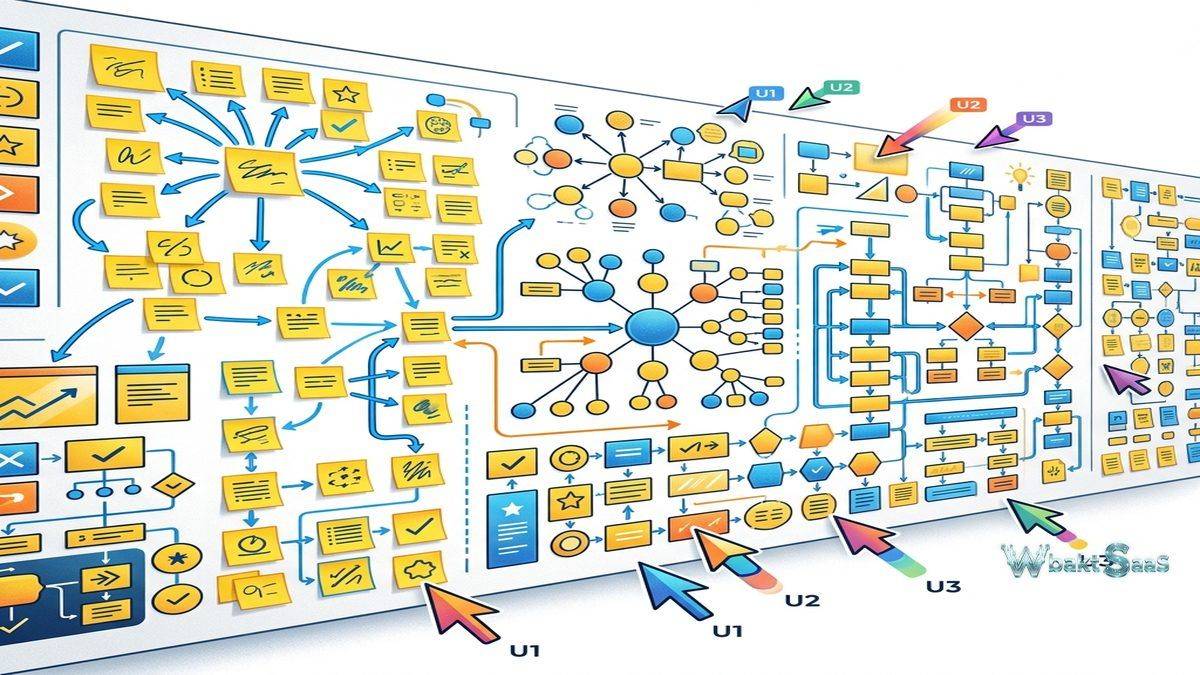
Visual thinking operates differently from text-based communication. When teams brainstorm on a physical whiteboard, they create spatial relationships between ideas — clustering related concepts, drawing connections, mapping sequences, and building structures that reveal patterns invisible in linear text. The shift to remote and hybrid work created a gap where these visual collaboration moments either disappeared or devolved into awkward screen-sharing sessions where one person controlled the canvas while others watched passively. Miro addresses this gap by providing an infinite digital canvas where multiple participants can simultaneously create, arrange, and connect visual elements in real-time.
Miro has grown into one of the leading visual collaboration platforms, serving teams across design, product management, engineering, marketing, consulting, and education with a canvas-based environment that supports everything from quick brainstorming sessions to complex strategic planning workshops. The platform’s value increases proportionally with how visual a team’s work processes are — teams that think and communicate visually find Miro transformative, while teams that primarily work through documents and spreadsheets may find it supplementary rather than essential.
How Miro Works
Miro’s core element is the infinite canvas — a zoomable, scrollable workspace with no fixed boundaries. Users place objects on the canvas including sticky notes, shapes, text blocks, images, icons, wireframes, drawings, embedded documents, and live data from connected applications. Objects can be freely positioned, resized, connected with arrows or lines, grouped, and styled with colors, fonts, and formatting.
Boards represent individual canvases within a Miro workspace. Each board can be shared with specific collaborators, and multiple users can view and edit the same board simultaneously. Real-time cursor visibility shows where each collaborator is working on the canvas, creating presence awareness that mimics the experience of standing around a physical whiteboard together. Facilitators can use the “bring everyone to me” feature to guide participants to specific areas of the canvas during workshops and presentations.
Frames within boards provide organizational structure, acting as defined areas that can be arranged and navigated sequentially — similar to slides in a presentation but with the spatial freedom of a canvas. Teams use frames to organize workshop activities, create presentation sequences from canvas content, and define areas of focus within larger boards. The ability to present frames sequentially transforms a collaborative workspace into a presentation format without recreating content in a separate tool.
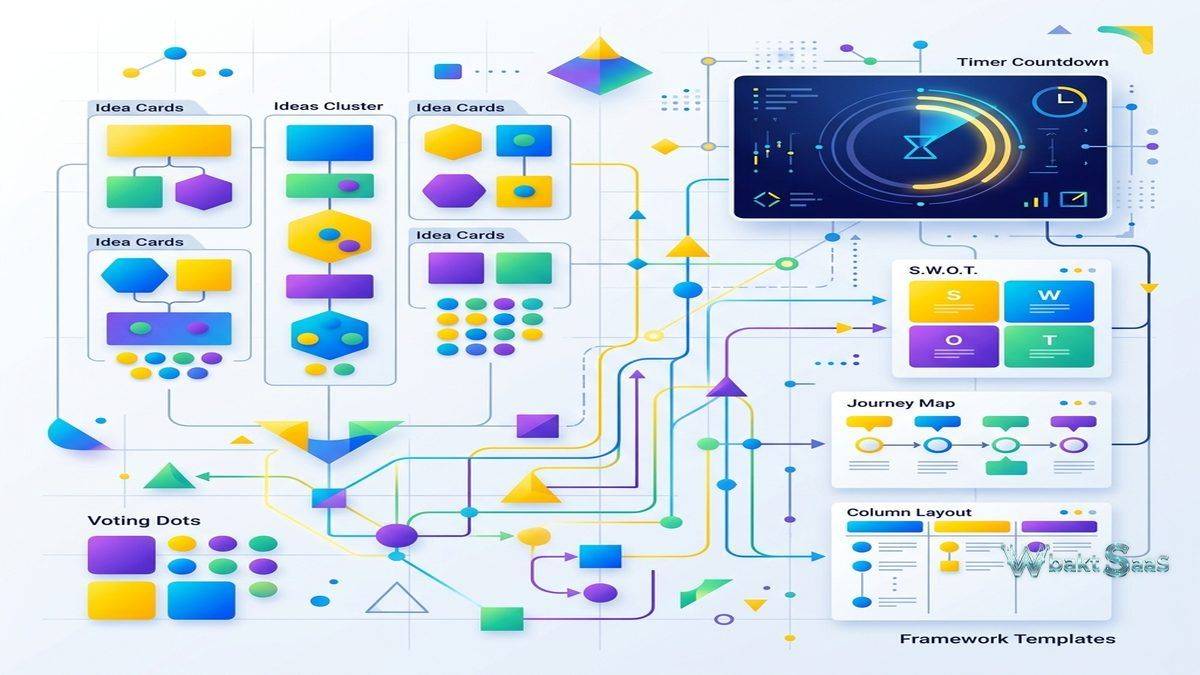
The canvas supports multiple interaction modes: selection for moving and modifying objects, drawing for freehand illustration, sticky note creation for rapid idea capture, and commenting for asynchronous feedback. Timer and voting tools support facilitated workshop activities, allowing teams to timebound brainstorming sessions and prioritize ideas through dot voting directly on the canvas.
Template Library and Frameworks
Miro’s template library contains hundreds of pre-built canvas layouts covering a wide range of visual collaboration needs. Templates span categories including brainstorming, strategy, agile workflows, design thinking, research, mapping, diagramming, planning, and education. Each template provides a structured starting point that teams can customize, preventing the “blank canvas paralysis” that sometimes inhibits creative sessions.
Popular templates include:
Mind Maps: Hierarchical idea structures radiating from a central topic, useful for exploring concepts, organizing research, and breaking complex topics into sub-components. Miro’s mind map tool automatically arranges nodes and connections, maintaining visual clarity as the map grows.
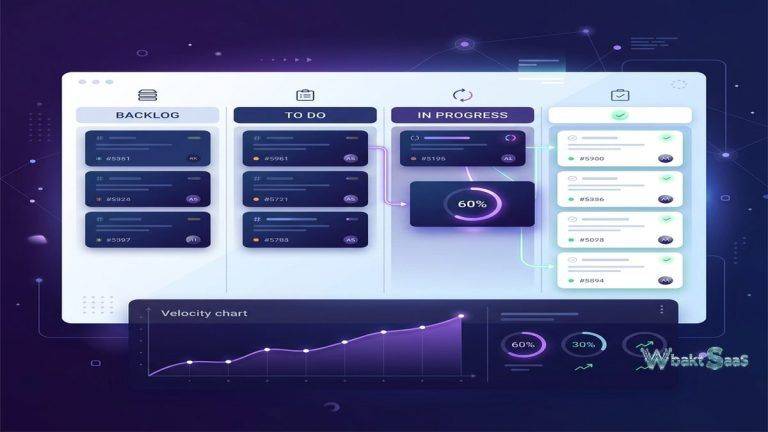
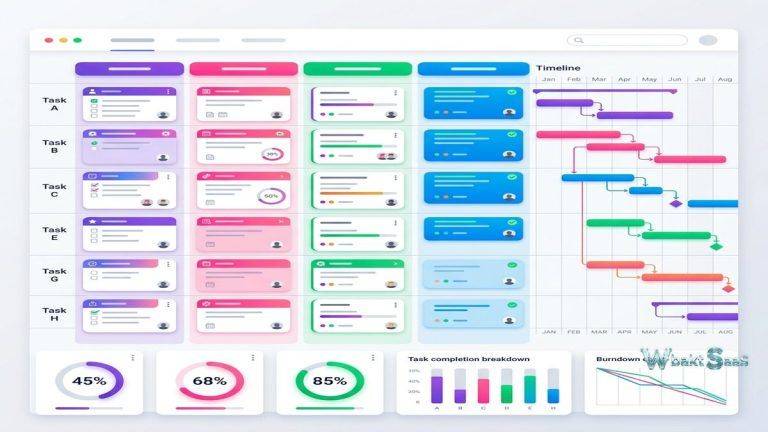
Kanban Boards: Column-based workflow visualizations where cards move through stages, providing project tracking directly on the canvas alongside related strategic planning and brainstorming content.
Customer Journey Maps: Multi-lane visualizations that trace customer experiences across touchpoints, stages, and channels. These templates help product and marketing teams identify friction points, opportunities, and emotional highs and lows in the customer experience.
Retrospective Boards: Structured formats for team retrospectives — “What went well / What needs improvement / Action items” — that facilitate productive post-project or post-sprint reflection. Anonymous card submission features allow honest feedback without the social pressure of public identification.
SWOT Analysis, Business Model Canvas, and Lean Canvas: Strategic planning frameworks that structure business analysis into visual templates. These pre-built frameworks ensure that strategic discussions cover all relevant dimensions without relying on individual facilitators to remember and structure the frameworks from memory.
Custom templates allow organizations to create reusable canvas layouts that reflect their specific processes, branding, and facilitation styles. A consulting firm might create client workshop templates that include their proprietary frameworks with company branding and standard facilitation instructions.
Collaboration Features
Real-time collaboration is central to Miro’s value proposition. Multiple users working on the same board see each other’s actions in real-time — objects appearing, moving, being edited, and connections forming as collaborators work simultaneously. This shared visual workspace creates a collaborative energy that approximates physical whiteboard sessions more closely than most digital alternatives.
Commenting enables asynchronous collaboration for teams that cannot always work synchronously. Thread-based comments can be attached to specific objects or areas of the canvas, creating contextual feedback that remains connected to the visual content it references. Comments can be resolved, keeping the canvas clean while maintaining the discussion history.
Video chat integration allows teams to conduct video calls directly within the Miro interface, eliminating the need to run a separate video conferencing application alongside the whiteboard. Screen sharing during embedded video calls keeps participants focused on the canvas content rather than switching between application windows.
Access control manages board sharing with granular permissions. Boards can be shared with specific individuals, teams, or made accessible to anyone with the link. Permission levels control whether collaborators can view, comment, or edit board content. Password protection and link expiration add security for boards containing sensitive information shared with external participants.
Diagramming and Technical Visualization
Beyond freeform brainstorming, Miro supports structured diagramming for technical and process documentation. Flowchart tools provide shape libraries, smart connectors, and auto-layout features for creating process diagrams, decision trees, and system architecture visualizations. UML diagram support serves software development teams documenting system designs, class structures, and sequence flows.
Wireframing capabilities allow designers and product teams to create low-fidelity interface mockups directly on the canvas alongside user research findings, customer journey maps, and design requirements. While not as feature-rich as dedicated wireframing tools, Miro’s wireframe library covers common UI components and interaction patterns sufficiently for early-stage design exploration.
Network diagrams, organizational charts, entity relationship diagrams, and data flow visualizations expand Miro’s utility for IT, operations, and engineering teams that need visual documentation alongside their collaborative planning activities. The ability to maintain both creative brainstorming content and structured technical diagrams on the same platform — sometimes on the same board — reduces tool fragmentation for teams whose work spans both modes.
Workshop Facilitation Tools
Miro includes specific tools designed for facilitating structured collaborative sessions. The timer tool allows facilitators to set countdown timers visible to all participants, keeping brainstorming rounds, discussion periods, and voting sessions within defined time limits. Time management during workshops is critical — without visible time boundaries, activities expand to fill available time, and later agenda items get compressed or skipped.
The voting tool enables democratic prioritization of ideas. Facilitators configure the number of votes each participant receives, and team members distribute their votes across sticky notes, cards, or any canvas objects. Vote counts display on each item, instantly revealing which ideas have the strongest team support. This voting mechanism is particularly valuable in remote settings where reading body language and gauging consensus is more difficult than in physical meetings.
Ice-breaker activities and energizer templates help facilitators start sessions with engagement-building exercises. For remote teams that rarely meet in person, these structured interaction activities help build rapport and create psychological safety before diving into substantive work. Templates for check-ins, mood boards, and team introductions serve this community-building function within the digital canvas environment.
Presentation mode transforms boards into navigable presentations by stepping through frames sequentially. Facilitators control the pace while participants follow along on their own screens. This hybrid between a traditional presentation and an interactive canvas allows facilitators to present structured content while maintaining the ability to zoom into specific areas, reveal hidden content, or pivot to unplanned discussions as the session demands.
AI-Powered Features
Miro has integrated AI capabilities to accelerate common canvas activities. AI-powered sticky note generation can create clusters of ideas from a prompt, helping teams move past the blank canvas starting point during brainstorming sessions. Mind map auto-generation creates structured visual hierarchies from text input, converting brainstorming output into organized frameworks more quickly than manual arrangement.
Summarization features condense the content of large boards into text summaries, helping teams document workshop outcomes without manually reviewing every sticky note and comment. Image generation creates visual assets directly on the canvas, useful for mood boards, concept visualization, and prototype content. These AI features are designed to augment human creativity rather than replace it — they provide starting points and accelerators that human collaborators then refine, reorganize, and build upon.
Common Use Cases
Design Sprints: Product teams running design sprints use Miro to facilitate the five-day process — mapping challenges, sketching solutions, deciding on approaches, prototyping concepts, and synthesizing testing feedback. The persistent canvas maintains all sprint artifacts in a single accessible location.
Agile Ceremonies: Scrum teams conduct sprint planning, daily standups, sprint reviews, and retrospectives on Miro boards. Story mapping visualizes the product backlog as a user-centered narrative. PI planning for scaled agile frameworks maps feature dependencies across multiple teams and sprints.
Research Synthesis: UX research teams organize interview findings, survey data, and observation notes using affinity mapping on Miro boards. Clustering related findings reveals patterns that inform design decisions. Persona creation and empathy mapping transform raw research data into actionable design artifacts.
Strategic Planning: Leadership teams conduct annual planning, OKR development, and competitive analysis using strategy templates. The visual format helps teams see connections between strategic priorities, resource constraints, and market dynamics that linear documents obscure.
Remote Workshops: Consultants, trainers, and educators use Miro to facilitate interactive sessions with participants across locations. The combination of real-time collaboration, facilitation tools, and template libraries enables workshop experiences that approach the interactivity of in-person sessions.
Security and Administration
Enterprise security features include SSO integration through SAML, SCIM-based user provisioning, domain-controlled team management, and audit logging. Board-level and organization-level access controls ensure that sensitive visual content remains accessible only to authorized collaborators. Data encryption covers content in transit and at rest, and compliance certifications support organizations with regulatory requirements.
Administrative controls manage team membership, board creation policies, external sharing permissions, and integration access at the organizational level. Usage analytics provide visibility into how teams use Miro — which boards are most active, how frequently teams collaborate, and which features see the most adoption — informing decisions about training, license management, and best practice development.
Integrations
Miro integrates with project management tools including Jira, Asana, Monday.com, and Trello, enabling bidirectional card synchronization that keeps canvas content aligned with project tracking systems. Design tool integrations with Figma, Sketch, and Adobe XD allow designers to embed design files within Miro boards for contextual review alongside research and planning content.
Communication platform integrations with Slack and Microsoft Teams enable board sharing, notification delivery, and quick access to Miro content from within messaging environments. Cloud storage integrations with Google Drive, Dropbox, and OneDrive support file embedding directly onto the canvas.
The Miro API and developer platform support custom integration development, widget creation, and embedded Miro experiences within other applications. Organizations with proprietary tools or specialized workflows can extend Miro’s functionality to match their specific requirements. Board export options include high-resolution images (PNG, JPG), PDF documents, and CSV data extraction from frameworks and sticky notes, allowing teams to distribute canvas content to stakeholders who do not have Miro access or to archive workshop outcomes in document management systems.
Pricing
Miro offers a free tier with limited board count and basic features that provides sufficient capability for individual users and occasional collaborative sessions. Paid tiers unlock unlimited boards, premium features including voting, timer, video chat, advanced integrations, and administrative controls. Business and Enterprise plans add SSO, advanced security, organization-wide administration, and dedicated support.
Pricing follows a per-member, per-month model with annual billing discounts. Free plan participants can be invited as viewers or limited editors on paid accounts, allowing organizations to extend collaboration to occasional participants without adding licensed seats.
Pricing and features are subject to change. Please verify current plan details on the official Miro website before making purchasing decisions.
Limitations
- Learning curve for non-visual workers: Team members who prefer structured text and spreadsheets over visual canvases may resist adopting Miro or underutilize its capabilities.
- Performance with large boards: Boards with thousands of objects, embedded files, and complex connections can experience performance degradation, particularly in browsers with limited resources.
- Not a project management replacement: While Miro includes Kanban boards and task cards, it does not replace dedicated project management tools for ongoing task tracking, resource management, and project reporting.
- Facilitation dependency: Collaborative sessions on Miro are most effective when facilitated by someone experienced with both the platform and visual facilitation techniques. Unstructured sessions can produce chaotic boards that are difficult to derive value from.
- Free tier constraints: The limited board count on the free plan restricts users who want to maintain multiple active boards for different projects or clients.
Best For
Miro delivers the most value for teams whose work benefits from visual thinking and spatial organization. Design teams conducting research synthesis, product teams mapping user journeys, strategy teams running planning workshops, agile teams facilitating retrospectives, and consultants running client workshops represent the core user profiles that extract maximum value from Miro’s visual collaboration approach.
The platform’s mobile applications for iOS and Android provide canvas viewing, basic editing, and comment capabilities on smartphones and tablets. While the mobile experience does not match the full editing capabilities of the desktop application — particularly for precise diagramming and multi-select operations — it supports participation in collaborative sessions, review of canvas content, and on-the-go commenting. iPad users with stylus support benefit from more natural drawing and annotation interactions that approach the tactile quality of physical whiteboard markers.
Organizations considering Miro should evaluate their team’s visual collaboration frequency and intensity. Teams that conduct weekly workshops, regular brainstorming sessions, or ongoing visual documentation will justify the investment and develop the platform fluency needed to use Miro effectively. Teams that occasionally need visual collaboration — quarterly planning sessions or annual strategy workshops — might find the free tier or simpler alternatives sufficient for their intermittent needs.
Digital whiteboard platforms such as Miro, FigJam, Lucidspark, MURAL, and Microsoft Whiteboard each approach visual collaboration with different feature sets and design philosophies. Miro’s combination of canvas depth, template breadth, integration ecosystem, and real-time collaboration quality positions it as the most comprehensive option in the category, though simpler alternatives may serve teams with narrower visual collaboration needs more effectively.
Features, pricing, and availability discussed in this review reflect information available at the time of writing. Software products evolve continuously, and details may have changed since publication. Please verify current information directly on the official Miro website. WBAKT SaaS is an independent review platform with no affiliate relationships with any software company mentioned in this article.
For related collaboration tools, see our reviews of Figma design collaboration, Notion vs Coda workspace platforms, and ClickUp’s all-in-one workspace.
About the Author