Marketing teams operate across multiple channels simultaneously — blog content, social media posts, email campaigns, webinars, product launches, and advertising initiatives — with each channel demanding its own planning, creation, review, and publication workflow. Without centralized coordination, marketing activities fragment across disconnected tools and calendars, creating visibility gaps where team members cannot see how their work connects to the broader marketing strategy. CoSchedule addresses this coordination challenge by providing a unified marketing calendar that centralizes all marketing activities in a single visual interface, connecting content planning with social scheduling, project management, and team workflow.
Founded in 2013, CoSchedule evolved from a WordPress editorial calendar plugin into a comprehensive marketing work management platform. The platform serves marketing teams at organizations ranging from small businesses to enterprises, with particular strength among content marketing teams that need to coordinate blog content, social media promotion, and multi-channel campaign execution. Understanding CoSchedule’s capabilities and limitations helps marketing teams evaluate whether this calendar-centric approach to marketing coordination serves their planning and execution needs better than general-purpose project management tools or standalone social media scheduling platforms.
Marketing Calendar
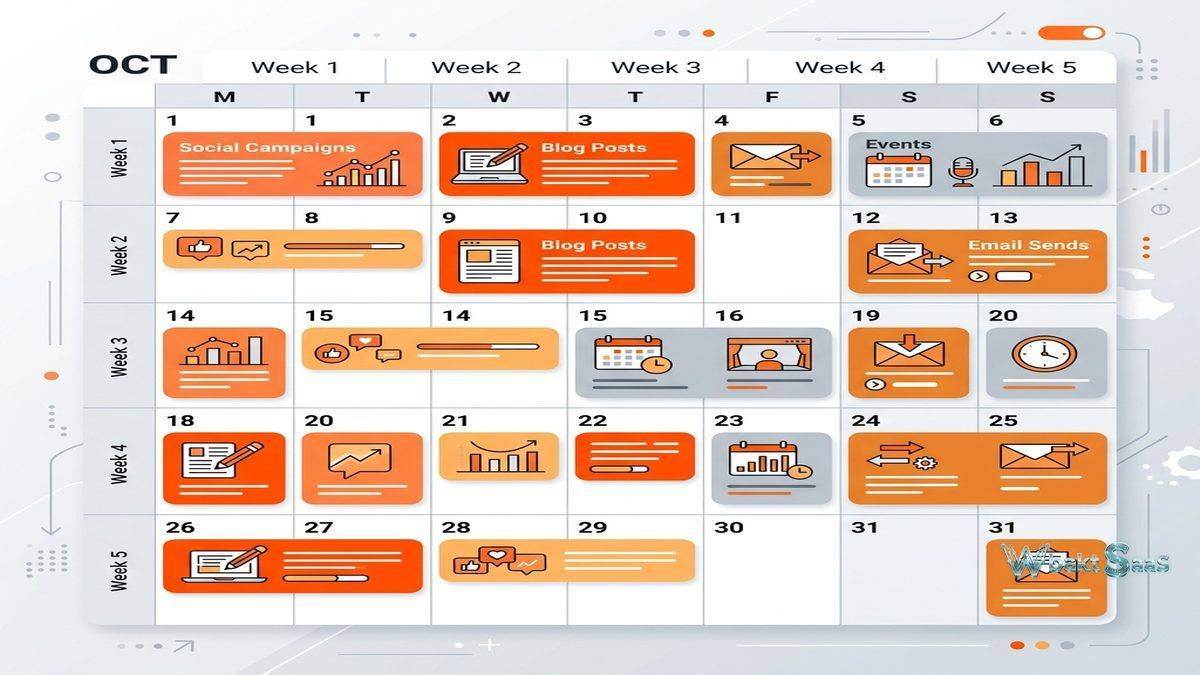
CoSchedule’s Marketing Calendar provides a visual representation of all planned and published marketing activities on a unified timeline. Blog posts, social media campaigns, email sends, events, webinars, ad campaigns, and custom project types appear on the same calendar, showing the complete marketing activity schedule across all channels. This unified view reveals scheduling conflicts, content gaps, campaign coordination opportunities, and publishing cadence patterns that are invisible when marketing activities are planned in separate tools.
Color-coded project types visually distinguish different marketing activities on the calendar — blog posts in one color, social campaigns in another, email sends in a third — providing instant visual pattern recognition of marketing activity distribution. Custom color coding and project type definitions adapt the calendar to each organization’s specific marketing channel mix and categorization preferences.
Drag-and-drop rescheduling moves projects to different dates without recreating them, adjusting all associated tasks, deadlines, and social media promotion schedules automatically. This cascading schedule adjustment is particularly valuable when content publication dates shift — rather than manually updating individual social posts, task deadlines, and email send dates, moving the parent project on the calendar adjusts all connected items proportionally.
Social Media Scheduling
CoSchedule includes social media scheduling for Facebook, Instagram, Twitter/X, LinkedIn, and Pinterest directly within the marketing calendar. Social messages are created and scheduled alongside the content they promote, maintaining the connection between content publication and social promotion that disconnected tools break. When a blog post moves to a different publication date, its associated social promotion schedule moves with it automatically.
Best Time Scheduling analyzes historical engagement data for each connected social profile and suggests optimal posting times. Social templates (called ReQueue) provide reusable social message groups that can be applied to new content, accelerating the social promotion workflow for organizations with established promotion patterns. Social message preview shows how posts will appear on each platform before publication, catching formatting issues before they reach the audience.
ReQueue is CoSchedule’s intelligent content recycling feature that automatically fills gaps in the social posting schedule by re-sharing previously successful content. Rather than allowing the social calendar to go silent between new content publications, ReQueue maintains consistent social presence by resharing evergreen content — blog posts, resources, and promotions that remain relevant over time — at optimal intervals configured by the marketing team.
Social Campaigns group related social messages into coordinated promotion sequences. When promoting a new blog post, a social campaign might include an announcement post on publication day, a key takeaway post the following day, a quote highlight later in the week, and recurring reshares over the following weeks. Grouping these messages as a campaign ensures they are managed as a coordinated unit rather than as disconnected individual posts, making it easy to adjust the entire promotion sequence when content publication dates change.

Content Organizer
Content Organizer (available in CoSchedule’s Marketing Suite) provides content asset management that tracks blog posts, landing pages, emails, and other content assets through their lifecycle from ideation through publication through performance measurement. Content status tracking shows where each piece stands in the creation pipeline — idea, drafting, review, revisions, scheduled, published — providing visibility into content production throughput and identifying bottleneck stages where content consistently stalls during the production process.
Content categorization by topic, campaign, persona, funnel stage, and custom taxonomy creates an organized content library that reveals content distribution patterns. A content audit might reveal that the organization produces extensive top-of-funnel awareness content but lacks consideration-stage comparison content — a gap that content planning can address with targeted production to fill the identified gap.
Work Organizer
Work Organizer provides project management capabilities tailored for marketing workflows. Task management with assignees, due dates, dependencies, and status tracking ensures that marketing projects progress through production steps on schedule. Task templates define repeatable workflows — blog post production, social campaign launch, email campaign execution — that apply consistent processes to recurring project types without manual task recreation.
Discussion threads within projects keep communication contextual, attaching conversations to the projects they reference rather than scattering them across email threads and chat messages. File attachments store project-related assets — design files, copy documents, brand assets, reference materials — within the project context where team members can find them without searching shared drives or requesting files from colleagues.
Headline Analyzer
CoSchedule’s Headline Analyzer scores blog post and content headlines based on word balance, headline type, character length, word count, sentiment, and clarity. The tool evaluates whether headlines contain the emotional, powerful, uncommon, and common word mix that correlates with high engagement and click-through rates. While headline scoring provides useful guidance for improving headline quality, the scores should inform rather than dictate headline decisions — headlines must serve audience relevance and accuracy alongside engagement optimization. The free version of Headline Analyzer is available on CoSchedule’s website, serving as both a useful standalone tool and an introduction to the broader CoSchedule platform for new potential users.
Integrations
CoSchedule integrates with WordPress for direct blog post publishing, enabling content creation and publication management from within the CoSchedule interface. Google Docs and Evernote integrations connect content drafting workflows. Google Analytics integration tracks content performance metrics. Email marketing integrations with Mailchimp, Campaign Monitor, ActiveCampaign, and Constant Contact connect email campaign planning with the marketing calendar.
Zapier integration extends CoSchedule’s connectivity to hundreds of additional applications, enabling automated workflows that create calendar entries based on triggers from other platforms. The API enables custom integrations for organizations with specific workflow requirements that pre-built integrations do not address.
Asset Organizer
Asset Organizer provides centralized storage and management for marketing assets — images, videos, design files, brand guidelines, templates, and documents — that marketing teams reference across projects. Asset categorization, tagging, and search functionality ensure that team members find the correct brand assets quickly without navigating shared drive folder hierarchies or requesting files from design team members. Version control tracks asset updates, ensuring that teams use current approved versions rather than outdated files that may contain superseded branding or messaging.
Brand asset governance features designate approved logos, color palettes, fonts, and templates that team members should use in marketing materials. This governance prevents the brand inconsistency that occurs when team members use arbitrary assets, outdated logos, or unapproved design elements in customer-facing materials. For organizations with strict brand standards, asset governance transforms CoSchedule from a calendar tool into a brand management platform.
Team Management and Permissions
Role-based permissions control what each team member can do within the platform — creating projects, publishing content, approving posts, managing social accounts, or viewing analytics. Permission configurations prevent unauthorized publication, protect social account access, and ensure that content approval processes are followed consistently. Team management becomes increasingly important as organizations scale their marketing operations, requiring governance controls that prevent the operational chaos that unrestricted access creates.
Workload visibility shows each team member’s assigned tasks across active projects, helping managers assess capacity and prevent overallocation. When planning new projects, managers can review team workloads before assigning tasks, ensuring equitable work distribution and realistic timeline commitments. This capacity planning perspective is particularly valuable during high-activity periods — product launches, seasonal campaigns, conference seasons — when marketing teams handle elevated project volumes.
Analytics and Performance
Social engagement analytics track how social content performs across connected platforms — engagement rates, click-through rates, reach, impressions, and follower growth. Performance trends over time reveal whether social strategies are improving engagement or declining. Top-performing post identification shows which content types, topics, and posting times generate the strongest audience response, informing future content and social strategy optimization.
Content performance tracking integrates with Google Analytics to measure blog post traffic, engagement time, bounce rate, and conversion performance. Connecting content production effort with content performance data creates accountability for content ROI — enabling marketing teams to demonstrate that their content production delivers measurable business results rather than just publication volume.
Kanban and List Views
While the calendar is CoSchedule’s primary interface, Kanban board and list views provide alternative project visualization that some team members prefer for task management. Kanban boards show projects organized by status columns — idea, in progress, review, approved, published — providing the workflow progression visibility that card-based project management popularized. List views display projects in tabular format with sortable columns for deadline, status, assignee, and project type, serving teams that prefer linear project scanning over visual calendar or board layouts.
Email Marketing Integration
CoSchedule’s email marketing integrations connect email campaign planning with the marketing calendar, ensuring that email sends appear alongside blog posts, social campaigns, and other marketing activities. This visibility prevents email scheduling conflicts where multiple campaigns target the same audience segments on the same day, and ensures that email campaigns coordinate with content publication and social promotion timing for maximum multi-channel campaign impact.
Email campaign tracking within the calendar shows open rates, click rates, and engagement metrics alongside other channel performance data. This cross-channel performance visibility enables marketing teams to evaluate campaign effectiveness across all channels simultaneously rather than reviewing email, social, and content analytics in separate platform dashboards.
Campaign Planning
Campaign planning features organize related marketing activities — the blog posts, social messages, email sends, and promotional assets that together constitute a marketing campaign — under unified campaign projects. Campaign timelines show the sequence of campaign activities, ensuring that each component launches in the correct order with appropriate timing between awareness-building activities and conversion-focused follow-up. Campaign-level performance tracking aggregates results across all campaign components, providing comprehensive campaign ROI measurement that individual channel metrics cannot deliver.
Common Use Cases
Content Marketing Teams: Content teams use CoSchedule to plan editorial calendars, assign writing and editing tasks, schedule social promotion, and track content performance — managing the complete content lifecycle from a single platform.
Marketing Departments: Marketing departments use the unified calendar to coordinate cross-channel campaigns, prevent scheduling conflicts, and ensure that all team members have visibility into the complete marketing activity schedule.
Agencies: Marketing agencies use CoSchedule to manage content calendars and social schedules for multiple clients, providing organized project management and calendar visibility across client accounts.
Small Business Marketing: Small businesses with limited marketing staff use CoSchedule to maintain organized marketing operations despite small team size, applying structure and automation to marketing activities that might otherwise be managed ad hoc.
B2B Marketing Teams: B2B marketing organizations use CoSchedule to coordinate thought leadership content, webinar promotion, white paper distribution, and lead generation campaign timing. The multi-channel calendar ensures that B2B marketing activities align with sales cycles, industry events, and prospect engagement patterns that drive pipeline development.
Remote Marketing Teams: Distributed marketing teams use CoSchedule’s centralized calendar as their single source of truth for marketing activity coordination. Without the ability to walk over to a colleague’s desk and check on project status, remote teams rely on the calendar’s visibility and task management to maintain coordination across time zones and locations.
Pricing
CoSchedule offers a free Marketing Calendar for basic calendar functionality with limited features. Pro plans expand social scheduling capacity, analytics depth, team features, and calendar customization options. The Marketing Suite provides the comprehensive platform including Content Organizer, Work Organizer, and Asset Organizer at enterprise pricing tailored to organizational size and requirements. Per-user pricing applies to team plans, making costs scale with team size.
Pricing and features are subject to change. Please verify current plan details on the official CoSchedule website before making purchasing decisions.
Limitations
- Social platform coverage: CoSchedule supports fewer social platforms than dedicated social media management tools like Hootsuite or Sprout Social.
- Analytics depth: Social analytics are less comprehensive than dedicated social analytics platforms provide.
- Calendar-centric design: The calendar-centric interface works well for marketing planning but may feel constraining for teams that prefer board or list-based project management views.
- Suite pricing: Advanced features including Content Organizer and Work Organizer require the Marketing Suite at enterprise pricing that may exceed small team budgets.
- Social listening absent: CoSchedule does not include social listening or monitoring capabilities. Organizations needing brand mention tracking require additional tools.
Summary
CoSchedule provides a marketing-specific coordination platform that unifies content planning, social scheduling, and project management around a central marketing calendar. Its value proposition is strongest for content marketing teams that need to coordinate blog content with social promotion and maintain visibility across multi-channel marketing activities. The calendar-centric approach provides intuitive visual planning that general-purpose project management tools cannot replicate with the same marketing-specific focus.
The Headline Analyzer and ReQueue features address specific content marketing pain points — headline quality optimization and consistent social posting through content recycling — that demonstrate CoSchedule’s understanding of content marketing operational challenges. These purpose-built features provide value that generic scheduling tools do not offer because they address marketing-specific workflow needs rather than general productivity requirements.
CoSchedule’s evolution from a WordPress plugin to a comprehensive marketing work management platform reflects the growing recognition that marketing operations require specialized coordination tools. General-purpose project management platforms can manage marketing tasks, but they lack the marketing-specific features — integrated social scheduling, editorial calendar visualization, content lifecycle management, and promotional automation — that make CoSchedule particularly effective for marketing teams whose work centers on content creation and multi-channel distribution.
Marketing coordination tools including CoSchedule, Monday.com, Asana, Trello, and Wrike each approach marketing project management with different design philosophies. CoSchedule’s advantages center on its marketing-specific calendar, integrated social scheduling, content workflow management, and purpose-built marketing features. Organizations evaluating marketing coordination tools should consider whether marketing-specific tooling or general-purpose project management better serves their team’s operational requirements and workflow preferences.
Features, pricing, and availability discussed in this review reflect information available at the time of writing. Software products evolve continuously, and details may have changed since publication. Please verify current information directly on the official CoSchedule website. WBAKT SaaS is an independent review platform with no affiliate relationships with any software company mentioned in this article.
For related marketing and productivity tools, see our reviews of Buffer content scheduling, Hootsuite social management, and Asana project management.
About the Author