Professional visual content creation has historically required specialized design software, formal training, and dedicated design professionals. Adobe Photoshop, Illustrator, and InDesign set the standard for design capability but demanded significant skill investment that placed professional-quality design output beyond the reach of most business professionals. Canva fundamentally changed this equation by building a design platform that makes professional visual content creation accessible to users without design training — enabling marketers, educators, small business owners, and social media managers to create polished graphics, presentations, documents, and videos that would have previously required a professional designer.
Since its launch in 2013, Canva has grown to serve over 100 million monthly active users across 190 countries, establishing itself as the most widely adopted design platform in the world. Its combination of an intuitive drag-and-drop interface, extensive template library, built-in stock media, and collaboration features has created a design tool ecosystem that serves individual creators, small businesses, enterprise marketing teams, and educational institutions. Understanding Canva’s capabilities and limitations helps organizations determine how this platform fits within their design workflow and where professional design tools remain necessary.
Design Interface and Templates
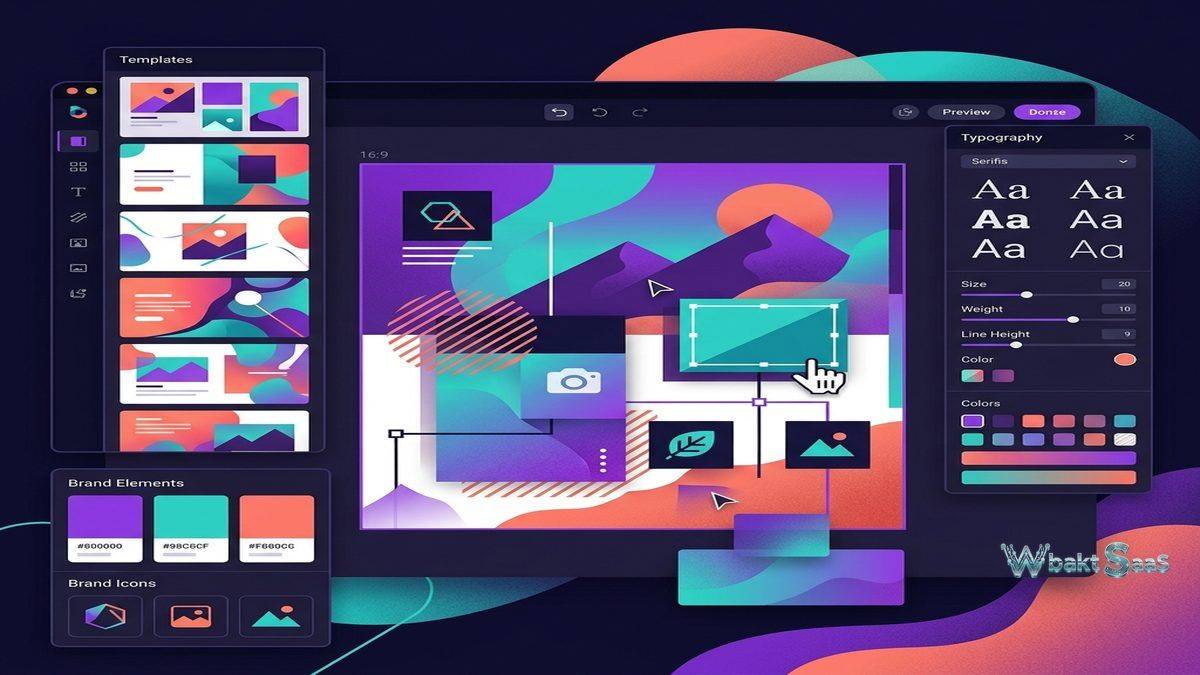
Canva’s drag-and-drop editor provides a canvas-based design environment where users place, resize, rotate, and style text, images, shapes, and other visual elements through direct manipulation rather than menu-driven commands. The interface prioritizes discoverability — design tools are visible and accessible without requiring knowledge of keyboard shortcuts or hidden menu locations. This approach sacrifices the efficiency that expert designers achieve with shortcut-driven professional tools but dramatically reduces the barrier to entry for occasional design tasks.
The template library contains millions of professionally designed templates across categories including social media posts, presentations, posters, flyers, business cards, resumes, logos, videos, infographics, invitations, and documents. Templates serve as starting points that users customize with their own text, images, colors, and branding rather than starting from blank canvases. This template-first approach enables users to produce designs that inherit professional layout, typography, and composition principles without understanding the design theory behind them.
Template search and filtering help users find relevant starting points quickly — searching for “Instagram post sale announcement” returns templates designed specifically for that purpose with appropriate dimensions, layout styles, and visual treatments. Content type categories ensure that designs are created at correct dimensions for their intended platform, eliminating the resolution and aspect ratio errors that occur when creating social media graphics in tools not designed for specific platforms.
Brand Kit
Canva’s Brand Kit feature enables organizations to define and enforce brand consistency across all designs created within the platform. Brand kits store logos, brand colors (primary, secondary, accent palettes with hex codes), brand fonts (custom uploaded fonts or selections from Canva’s font library), brand templates, and brand imagery in a centralized repository accessible to all team members.
When team members create new designs, brand colors appear in the color picker, brand fonts are suggested as defaults, and brand logos are available for instant insertion. Brand templates provide pre-approved layouts that maintain visual consistency across common design types — ensuring that social media posts, presentations, and documents follow established brand guidelines regardless of which team member creates them.
For organizations where brand consistency is critical — franchises, multi-location businesses, organizations with distributed marketing teams — Brand Kit prevents the visual inconsistency that occurs when team members select arbitrary colors, fonts, and layouts for brand communications. Locked template elements prevent modification of critical brand components while allowing customization of content areas, balancing brand control with content flexibility.

Stock Media Library
Canva provides access to millions of stock photos, illustrations, icons, videos, and audio tracks directly within the design editor. Pro and Enterprise plans include premium stock media at no additional per-asset cost, eliminating the friction and expense of sourcing stock imagery from external providers. The integrated search enables finding and placing visual assets without leaving the design environment — a workflow efficiency that external stock photo services cannot match.
Photo editing tools within Canva include background removal, filters, adjustments (brightness, contrast, saturation), crop, and effects. While these editing capabilities do not match dedicated photo editing software, they cover the most common adjustments needed for design projects without requiring users to switch between applications for basic image preparation.
Video and Animation
Canva’s video editing capabilities enable creating social media videos, presentations with animation, and short-form video content. The video editor supports timeline-based editing with clip trimming, transitions, text overlays, background music, and audio recording. Animation presets apply motion effects to text and graphic elements, creating dynamic social media content from static design templates.
Video templates provide starting points for common video formats — Instagram Reels, TikTok videos, YouTube intros, promotional clips, and educational content. The template-plus-customization approach that works for static designs extends to video, enabling users without video editing experience to produce polished video content that would have previously required dedicated video editing software and training.
Presentations
Canva presentations provide an alternative to PowerPoint and Google Slides with design-focused templates, built-in stock media, and collaborative editing. Presentation templates cover business pitches, educational lectures, project reports, marketing proposals, and creative portfolios with professional layouts that exceed the visual quality of most default presentation software templates.
Presenter tools include presenter notes, audience interaction features (polls, Q&A), remote presentation capabilities, and recording functionality that creates shareable video recordings of presentations with narration. Auto-play presentations run through slides automatically with configurable timing, suitable for kiosk displays, lobby screens, and self-running informational displays.
Collaboration
Real-time collaborative editing allows multiple users to work on the same design simultaneously, with each user’s cursor and edits visible to collaborators. Comments enable feedback directly on design elements with threading, resolution marking, and @mentions. Design sharing controls manage who can view, edit, or comment on specific designs, providing access management for team collaboration.
Content planner integrates scheduling and publishing for social media designs created in Canva, allowing direct publishing to Facebook, Instagram, LinkedIn, Pinterest, and Twitter from within the platform. This integration eliminates the workflow step of exporting designs from Canva and importing them into a separate social media scheduling tool, streamlining the design-to-publish pipeline for teams where Canva serves as the primary design environment.
Print and Physical Products
Canva Print enables ordering physical printed products — business cards, flyers, posters, brochures, invitations, stickers, and packaging — directly from designs created in the platform. Print preview shows how designs will appear on physical products with bleed margins and trim indicators. This print-on-demand integration converts Canva from a digital design tool into a complete design-to-delivery solution for organizations that need both digital and physical marketing materials.
Canva for Education
Canva for Education provides free premium access to teachers and students, including collaboration features, classroom management tools, and educational templates. Teachers create assignments, students submit design-based work, and classroom integration connects with learning management systems. This educational offering has established Canva as a visual literacy tool in schools worldwide, building platform familiarity that extends into professional use as students enter the workforce.
AI-Powered Features
Canva’s Magic Studio introduces AI-powered design capabilities that further accelerate content creation. Magic Design generates complete design layouts from text descriptions or uploaded images, providing multiple design variations that users can customize. Magic Write generates text content — social media captions, blog draft sections, email copy — based on prompts and context, helping users who need both visual design and copywriting support within the same workflow.
Magic Eraser removes unwanted objects from photos with AI-powered inpainting. Magic Expand extends image backgrounds beyond their original boundaries using AI generation. Text to Image creates custom illustrations from text descriptions. These AI tools address common design bottlenecks — finding the right image, removing distracting elements, generating custom illustrations — that previously required either professional editing skills or purchasing additional assets.
Whiteboards
Canva Whiteboards provide infinite canvas collaboration for brainstorming, planning, and visual thinking. Teams use whiteboards for workshop facilitation, strategy mapping, user journey visualization, and project planning. Sticky notes, shapes, connectors, drawing tools, and embedded media elements enable visual collaboration during remote and hybrid meetings. Unlike standalone whiteboard tools, Canva’s whiteboard content can be directly converted into polished presentations and documents using the same platform, maintaining visual continuity from ideation through final deliverable.
Canva Docs
Canva Docs creates visually rich documents that combine the content flexibility of word processors with the design quality of graphic design tools. Documents support text formatting, embedded images, videos, charts, tables, and interactive elements. Document templates cover reports, proposals, project plans, and creative briefs with professional layouts that exceed the visual presentation of traditional word processing documents. The ability to convert Docs content into presentations with a single click streamlines the common workflow of transforming document-based research into presentation-based communication.
Enterprise Features
Canva for Enterprise provides organizational governance features including SSO authentication, SCIM-based user provisioning, custom access roles, brand template locking, design approval workflows, and audit logging. Template locking allows administrators to designate which design elements team members can modify and which are fixed — ensuring that logos, disclaimers, legal text, and brand elements remain unchanged while content areas are freely editable. This locked template model serves regulated industries where published materials must include specific compliance text and approved branding.
Team folders organize designs by department, project, campaign, or client, with folder-level sharing permissions that control access to design assets. Content approval workflows route designs through designated approvers before they can be published, downloaded, or shared externally. These governance controls transform Canva from an individual design tool into a managed organizational design platform with appropriate controls for enterprise deployment.
Integrations and Apps
Canva’s app ecosystem extends the platform with integrations for stock photography (Pexels, Pixabay, Getty Images), design elements (Giphy, Emoji, Illustrations), productivity (Google Drive, Dropbox, OneDrive), social publishing (Buffer, Hootsuite, HubSpot), and communication (Slack, Microsoft Teams). The Canva API enables embedding Canva’s design capabilities within third-party applications, allowing organizations to provide design creation functionality within their own platforms and workflows.
The Apps marketplace provides third-party plugins that extend Canva’s capabilities into specialized areas — QR code generation, chart creation from data, mockup generators, color palette extraction, and accessibility checking. These apps address niche design requirements without adding complexity to the core interface for users who do not need them.
Data Visualization
Canva’s chart and graph tools create visual data representations directly within designs. Bar charts, line graphs, pie charts, area charts, and infographic elements can be populated with data entered manually or imported from spreadsheets. While these visualization tools lack the analytical depth of dedicated data visualization platforms like Tableau or Power BI, they serve the common need for embedding simple, visually appealing data graphics in presentations, social media posts, reports, and infographics without requiring separate visualization software.
Infographic templates combine text, icons, charts, and visual elements into information-dense designs that communicate complex topics visually. These templates cover common infographic formats — process flows, comparison charts, timeline visualizations, statistical summaries, and educational explainers — providing structured layouts that organize information effectively for visual consumption.
Website Builder
Canva Websites enables creating single-page websites and landing pages using the same design interface. Website templates cover portfolio sites, event pages, link-in-bio pages, and simple business landing pages. Published websites are hosted on Canva’s infrastructure with custom domain support available on paid plans. While not a replacement for full website builders like WordPress or Squarespace, Canva Websites serves the need for simple, visually polished web pages that can be created without web development knowledge — event landing pages, personal portfolios, product announcements, and campaign-specific microsites.
Common Use Cases
Social Media Marketing: Marketing teams create social media graphics, stories, cover images, and promotional materials using platform-specific templates. Brand Kit enforcement ensures visual consistency across all social content created by different team members.
Internal Communications: HR and internal communications teams create employee newsletters, company announcements, onboarding materials, and event invitations with professional design quality without requiring design department involvement.
Sales Enablement: Sales teams create customized proposals, pitch decks, one-pagers, and case study documents using branded templates. Real-time collaboration enables rapid customization of sales materials for specific prospects and opportunities.
Content Marketing: Content teams design blog header images, infographics, report covers, ebook layouts, and email graphics. Template reuse across content campaigns maintains visual consistency while enabling rapid content asset production.
Pricing
Canva Free provides access to the core design editor with limited template, stock media, and feature access. Canva Pro expands to premium templates, stock media, Brand Kit, background remover, content planner, and increased storage. Canva for Teams adds team collaboration, approval workflows, design folders, and administrative controls. Enterprise plans provide additional security, SSO, and governance features.
Pricing and features are subject to change. Please verify current plan details on the official Canva website before making purchasing decisions.
Limitations
- Professional design ceiling: While Canva democratizes design, it cannot match the precision, flexibility, and capability of professional tools like Adobe Creative Cloud for complex illustration, photo manipulation, and print production.
- Template dependency: Users who rely heavily on templates may produce designs that look similar to other Canva users’ work, potentially reducing brand distinctiveness.
- Vector editing limitations: Canva’s vector editing capabilities are basic compared to dedicated vector tools, limiting custom illustration and icon creation.
- Offline access: As a primarily browser-based tool, Canva requires internet connectivity for full functionality.
- File format limitations: Export options cover common formats (PNG, JPG, PDF, MP4, GIF) but lack some professional formats (AI, EPS, PSD, TIFF) that design workflows may require.
Summary
Canva has democratized visual content creation by proving that design quality and design accessibility are not mutually exclusive. Its template-driven, drag-and-drop approach enables millions of non-designers to produce professional visual content that would have previously required dedicated design professionals. For organizations where design needs center on social media graphics, presentations, documents, and marketing materials, Canva provides a cost-effective solution that empowers team members across departments to create on-brand visual content.
The platform’s global reach and multilingual support make it accessible to organizations worldwide, while the free tier ensures that budget constraints do not prevent access to fundamental design capabilities. Canva’s accessibility features including alt text for images, color contrast checking, and screen reader compatibility also demonstrate attention to inclusive design practices that benefit both creators and audiences.
Design platforms including Canva, Adobe Express, Figma, Visme, and Piktochart each serve the design market with different capability and accessibility trade-offs. Canva’s advantages center on template breadth, ease of use, stock media integration, and team collaboration. Organizations evaluating design tools should assess their design complexity requirements, brand control needs, team skill levels, and budget when selecting the platform that best supports their visual content production.
Features, pricing, and availability discussed in this review reflect information available at the time of writing. Software products evolve continuously, and details may have changed since publication. Please verify current information directly on the official Canva website. WBAKT SaaS is an independent review platform with no affiliate relationships with any software company mentioned in this article.
For related design and marketing tools, see our reviews of Figma design collaboration, Buffer content scheduling, and Hootsuite social management.
About the Author